Manufacturing stamp for production records
A manufacturing stamp marks batch records, work orders and release notes, and in a regulated plant the mark is part of the batch record itself rather than a decoration on it.
Manufacturing stamp templates, ready to edit


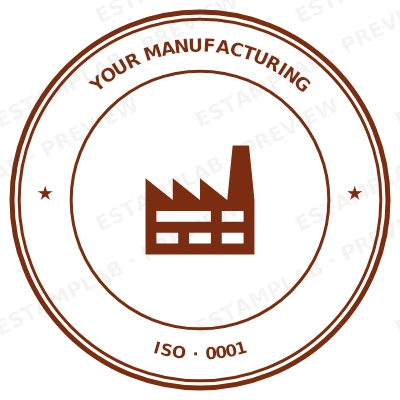
Open the stamp maker with any of these
Every preview on this page carries a faint Estamplab watermark. Your own download does not: the editor renders your stamp again, clean, as a transparent PNG, an SVG or a PDF. See the full template library.
When to use Manufacturing stamp
- Batch manufacturing records
- Work orders and travellers
- Line clearance and changeover checks
- Finished goods release
How to make Manufacturing stamp
- Open the stamp maker and pick the Manufacturing stamp template, or type your own wording.
- Pick the border style, set the colour, and place any date, time or serial line where it fits.
- Take a transparent PNG on its own, or the full pack with the vector, print and Word files in it.
How to put a manufacturing stamp on a PDF
In Google Docs, Insert then Image then Upload from computer puts the manufacturing stamp on the page, and the wrap option under the image has to be set to Behind text or In front of text rather than Inline. Transparent PNGs work there, but the page background has to be plain: an image background will show through the knockout.
What size should a manufacturing stamp be?
Decide the physical size before the pixel size. A manufacturing stamp that will print at 40 mm should be exported at that size rather than made large and shrunk afterwards, because scaling down thickens the ink and scaling up softens the edges. Vector formats sidestep the question entirely since they redraw at any size.
What a manufacturing stamp does not prove
A manufacturing stamp is not a notarisation and not an apostille. Those are acts performed by a named official who is accountable for them, recorded somewhere, and they cannot be produced by placing an image on a page. If a document needs one, it needs the official rather than the artwork.
Frequently asked questions
Is the manufacturing stamp free?
You can design a manufacturing stamp and look at it as long as you want without paying or signing up. Downloading costs $1.50 for a PNG or JPG, or $3.00 for the pack with the vector and document formats in it.
Can I add a date to the manufacturing stamp?
Yes. Switch the date on and it sits inside the manufacturing stamp. Leave the date field empty and it fills itself in whenever the stamp is used, rather than freezing the day you designed it.
What file do I get for the manufacturing stamp?
A transparent PNG for dropping onto documents, plus a white-background PNG and a JPG. The $3.00 pack adds an SVG, a print-ready PDF and a Word file that keeps the date and serial as text you can retype.
A manufacturing stamp template, or something I actually build?
A manufacturing stamp maker with samples to start from. A downloadable manufacturing stamp template locks you into whatever it was drawn at, whereas a manufacturing stamp design here changes whenever you need it to and the manufacturing stamp generator rebuilds it instantly. Create the manufacturing stamp online, and pay only for the file: the manufacturing stamp price is $1.50 for a manufacturing stamp png, $3.00 for everything, starting from any manufacturing stamp sample.
What makes a manufacturing stamp auditable?
A mark tied to a person and a moment. An operator reference and a date that fills itself in mean an entry can be traced without relying on handwriting, which is the first thing a process auditor tests.