Architect stamp maker for a licensed seal
An architect stamp maker for laying out a licensed architect seal: name, licence number and jurisdiction, in the round or oval form most boards expect.
Architect stamp maker for a licensed seal templates, ready to edit
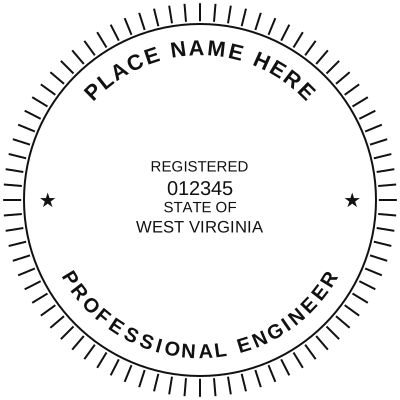
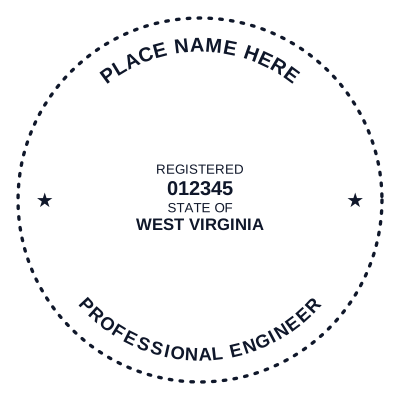




Open the stamp maker with any of these
Every preview on this page carries a faint Estamplab watermark. Your own download does not: the editor renders your stamp again, clean, as a transparent PNG, an SVG or a PDF. See the full template library.
What an architect seal says
[Your name as registered]
REGISTERED ARCHITECT
Registration No. ______________
[State, province or country of registration]
Architect and engineer seals are specified by the registration board, frequently including the shape and the exact wording, and in many jurisdictions sealing drawings you did not prepare or supervise is a disciplinary matter rather than a formatting one. Work from your board's specification and seal only your own work.
An architect seal is one of the few marks whose contents are written down somewhere official. The registration board that licensed you sets what has to appear, usually your name exactly as registered, the licence number, the state or province, and the word "architect" or "registered architect". This lays that out and gives you the file. It does not tell you what your board requires, because that varies and it changes.
What you get
- Round and oval forms, which is what most boards specify, plus square if yours does.
- Ring text for the jurisdiction and the word ARCHITECT, with the name and licence number stacked in the middle.
- Your licence number stays plain text you can retype, so the same design serves a renewal without a redraw.
- A high-resolution transparent PNG for drawings issued as files, and an SVG that stays sharp at any sheet size.
- The aging control decides whether it reads as a crisp digital seal or a pressed rubber impression.
- Nothing is sent anywhere while you design. The stamp is drawn in your browser.
How to make it
- Open the stamp maker and pick a shape, or start from a template.
- Type your wording, then set the colour, border and size.
- Add the date, time, serial number or logo, and position each one.
- Preview it live, then download. Designing and previewing are free.
Questions
What has to be on an architect stamp?
Typically the architect name as registered, the licence or registration number, the jurisdiction, and a word identifying the holder as an architect. The exact list, the shape and sometimes the diameter are set by the board that issued the licence, so confirm the requirement with them before you use a seal on anything issued.
Is a digital architect seal accepted?
That depends on the board and on the authority receiving the drawing. Many now accept a sealed PDF, often alongside a digital signature that binds the file. A seal image on its own identifies you; it is the signing method that ties it to the document. Check what the receiving authority asks for.
What size should it be?
Boards that specify a size usually name a diameter, commonly around 1.5 to 2 inches. Set the size before you download so the file carries the right physical dimensions rather than being scaled later.
Can I put my licence number in as text I can change?
Yes. The Word download keeps the wording as live text, so a renewed number is a retype rather than a new design.
Estamplab is a design tool. This page describes common commercial practice rather than giving legal, tax or financial advice, and practice changes. Where a specific document matters, check the requirement with the body receiving it. Only produce a mark your own organisation or your own credentials are entitled to use.