Stamp file formats: PNG, JPG, SVG, PDF, EPS and Word
Use a transparent PNG for placing a stamp on a document, an SVG or a print-ready PDF for anything going to print, and the Word file when the date or serial has to stay editable after download.
Stamp file formats: PNG, JPG, SVG, PDF, EPS and Word templates, ready to edit


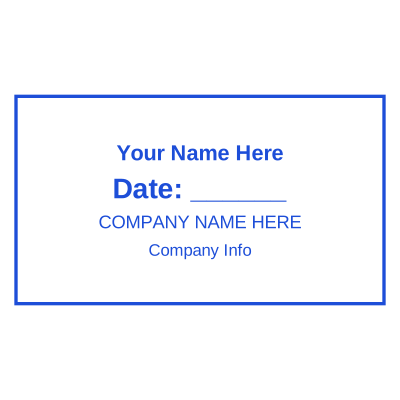

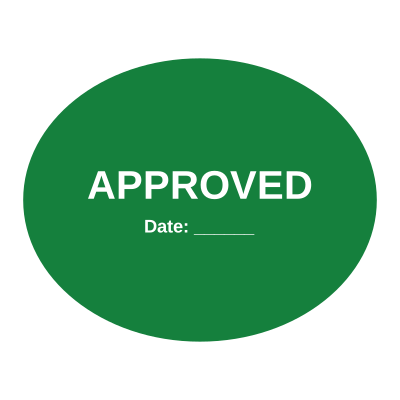

Open the stamp maker with any of these
Every preview on this page carries a faint Estamplab watermark. Your own download does not: the editor renders your stamp again, clean, as a transparent PNG, an SVG or a PDF. See the full template library.
One design, several files, and the wrong one causes most of the problems people bring to a stamp. A JPEG on a contract shows a white box. A screen-resolution PNG sent to a printer comes back soft. A flattened image is handed to a designer who needed the vector. This is which is which, and what each one is for.
What you get
- Transparent PNG: the default, and the right answer for placing a stamp on a PDF, a Word file, a slide or an email. No background, so the document reads through it.
- White-background PNG and JPG: for the places transparency is not wanted or not supported. A stamp jpg, or stamp jpeg, is smaller and universally accepted, at the cost of the white box, so use it only where the background is white anyway.
- SVG, scalable vector graphics: the stamp svg is the vector, which rescales to any size with no loss. This is the stamp vector file to hand a designer or a print shop, and the one to use if the stamp will ever be enlarged.
- Print-ready PDF: a high resolution image on a self-contained page, which is what most print shops accept without question. Use it for a stamp going onto physical stationery.
- Microsoft Word (.docx): the only format where the date, the time and the serial remain real editable text rather than being drawn into the picture, and it arrives pre-set to float over your text.
- EPS: what a commercial printer often asks for by name, included in the pack. Like the PDF it wraps a high resolution image rather than PostScript paths, so hand over the SVG when a designer wants something to edit. It is the eps vector layout to send a print shop that will not take anything else.
- Resolution: the images come out at 2400 pixels across, which is over 1000 DPI at the size a stamp is normally placed. That clears the 600 dpi a print shop usually asks for with room to spare, and it is why the file still looks sharp when somebody enlarges it.
- Inserting into Word: insert the stamp directly into the Word document with Insert then Picture and choose the file, rather than copying the image out of a viewer. Copy and paste through the clipboard drops the transparency and the size, which is the single most common reason a correct stamp looks wrong in a document.
How to make it
- Open the stamp maker and pick a shape, or start from a template.
- Type your wording, then set the colour, border and size.
- Add the date, time, serial number or logo, and position each one.
- Preview it live, then download. Designing and previewing are free.
Questions
Is there an EPS stamp file?
Yes, in the all-formats pack, because a commercial printer will often ask for EPS by name. It wraps a high resolution image rather than converting the artwork to PostScript paths, which is the same approach the PDF takes and is accepted by print workflows. If somebody wants a file to edit rather than to print, give them the SVG.
Which stamp format should I use on a PDF?
The transparent PNG in almost every case. Place it in your PDF editor and the text underneath still shows around the ink. Use the print-ready PDF version instead only when the whole document is going to a press and the stamp needs to stay vector all the way through.
What is a print ready stamp file?
One that stays sharp at physical size. The SVG is the true vector and is the file to hand a designer or a die cutter, because it rescales with no loss at all. The PDF and the EPS carry a high resolution image instead, which is what most commercial print workflows place happily. What none of them is, is a bigger PNG: upscaling cannot add detail that was never captured.
Do I need a 300 dpi stamp?
Work from the SVG and resolution stops being a question, because vector has no fixed dpi. The PDF, the EPS and the print PNG in the pack are all rendered at 2400 pixels across, which is well over 1000 dpi at a 40mm seal, so any of them is comfortably past 300. What does not work is scaling up the small PNG.
Is there a stamp for Photoshop, Canva, Excel or PowerPoint?
Yes, and the transparent PNG is the file for all four. A stamp for Photoshop and a stamp for Canva both take the SVG too if you want it editable as artwork. A stamp for Excel or a stamp for PowerPoint is that same PNG placed as a picture. Photoshop and Canva both take the SVG as well if you want to keep it editable as artwork. Excel and PowerPoint place the PNG as a picture; set it to float rather than move with cells or text and it behaves.
Which format keeps the date editable?
Only the Word file. PNG, JPG, SVG and PDF are all pictures of the stamp, so anything on them is drawn in. In the .docx the date, the time and the serial are text grouped with the artwork, so you click in and retype rather than downloading again.
Estamplab is a design tool. This page describes common commercial practice rather than giving legal, tax or financial advice, and practice changes. Where a specific document matters, check the requirement with the body receiving it. Only produce a mark your own organisation or your own credentials are entitled to use.