Transparent stamp PNG, no white box behind the seal
A transparent stamp PNG has no background at all, so the text of the document reads through the gaps in the seal instead of being hidden under a white rectangle.
Transparent stamp PNG, no white box behind the seal templates, ready to edit


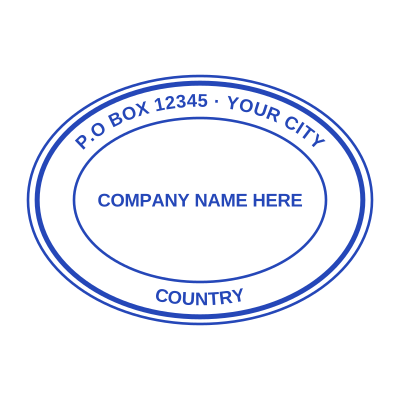


Open the stamp maker with any of these
Every preview on this page carries a faint Estamplab watermark. Your own download does not: the editor renders your stamp again, clean, as a transparent PNG, an SVG or a PDF. See the full template library.
This is the single most common thing that goes wrong with a stamp. The file looks right on its own and lands on the document as a white card with a seal printed on it, covering the line it was meant to sit beside. The cause is almost always a JPEG, which has no transparency to give, and the fix is a PNG that was built transparent rather than one that had its background deleted afterwards.
What you get
- A transparent png stamp here is generated from vector artwork, so stamp png transparent output is clean by construction rather than cut out afterwards, so the edges stay clean rather than carrying the grey fringe you get from cutting a background out of a photograph.
- A white-background PNG is offered separately, because slides, email signatures and some print workflows genuinely want one.
- An uploaded logo has its own white background knocked out on the way in, so a crest scanned off a letterhead does not arrive as a box inside your seal.
- Both a screen resolution and a high resolution version come out of the same design, so the file that goes on a PDF and the file that goes to print are the same stamp.
- The transparency survives being placed in Word, Google Docs, a PDF editor, Canva or Photoshop, because it is real alpha rather than a white area something has to guess at.
How to make it
- Open the stamp maker and pick a shape, or start from a template.
- Type your wording, then set the colour, border and size.
- Add the date, time, serial number or logo, and position each one.
- Preview it live, then download. Designing and previewing are free.
Questions
Why does my stamp have a white box behind it?
Because it is a JPEG, or a PNG that was saved with a background. JPEG has no transparency in the format at all, so every pixel that is not ink is stored as actual white. There is no setting that fixes it after the fact; you need a file that was transparent when it was made.
Is there a free stamp png download?
Designing and previewing are free with no account and nothing over the preview, and the same applies to a seal png or a chop png, which are the same file under different names. The file itself is $1.50 for a single image format, or $3.00 for every format zipped, paid once rather than by subscription.
What resolution should the PNG be?
For placing on a document that stays on screen, the standard export is plenty. For anything going to print, use the high resolution version or the SVG, because a stamp printed at 38mm needs far more pixels than the same stamp viewed at 38mm on a monitor.
Can I get an editable stamp PNG?
A PNG is pixels, so it is never editable in the sense of retyping text. What is editable is the stamp itself: come back, change the wording, and export again. If you need text you can retype after downloading, that is the Word file, where the date and serial stay as real text.
Does the transparent PNG work in Google Docs and Canva?
Yes. Both honour PNG alpha. In Google Docs set the image wrapping to Wrap text or Behind text; in Canva it simply drops on top. The one place to watch is a tool that flattens onto white when exporting, which is a setting in that tool rather than in the file.
How to make a transparent stamp?
Export it as a PNG rather than a JPG. PNG carries transparency and JPG cannot, which is the entire reason a stamp arrives with a white box around it. If you are starting from a photograph of a stamp, upload it and the white is knocked out for you.
Why does my stamp have a white background?
Because it is a JPG. JPG has no transparency, so the paper behind the stamp is baked into the file as white. Re-export it as a PNG, or upload it here and have the background removed.
Estamplab is a design tool. This page describes common commercial practice rather than giving legal, tax or financial advice, and practice changes. Where a specific document matters, check the requirement with the body receiving it. Only produce a mark your own organisation or your own credentials are entitled to use.