Add a stamp to Google Docs, and to Google Sheets
Insert the stamp as an image with wrapping set to In front of text, or download the doc as a PDF or .docx and stamp that, which is the version that cannot be dragged off afterwards.
Drop your PDF, Word or Excel file here
It is read in your browser. Nothing is uploaded, and there is no account to make.
Add a stamp to Google Docs, and to Google Sheets templates, ready to edit





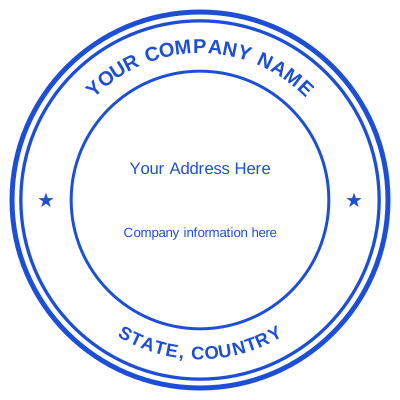
Open the stamp maker with any of these
Every preview on this page carries a faint Estamplab watermark. Your own download does not: the editor renders your stamp again, clean, as a transparent PNG, an SVG or a PDF. See the full template library.
Google Docs will take a stamp as an image, and for a working draft that is the fastest thing to do. It has one problem worth knowing about before you rely on it: an image in a Google Doc is an object anybody with edit access can select, move, or copy out into their own document. For a draft that is fine. For a document you are sending out as final, stamping the exported file is the version where the mark is part of the page.
What you get
- In Google Docs: Insert, then Image, then set wrapping to In front of text and drag it into place.
- A transparent PNG is what you want, or the stamp arrives on a white box.
- For the final copy, File, then Download, then PDF or .docx, and stamp that here.
- Google Sheets is the same: a stamped export is the version that holds its position.
- The stamped copy has the mark burned into the page, so a recipient cannot lift it out.
How to make it
- Open the tool and drop your PDF, Word or Excel file onto the page.
- Pick a stamp from your library, or design one in the pop-up designer.
- Click the page where the stamp goes, then drag it or resize it from the corner.
- Download the stamped copy. Your original file is never modified.
Questions
How do I insert a stamp in Google Docs?
Insert, then Image, then Upload from computer. Click the image, choose the wrapping control, and pick In front of text. It can then be dragged anywhere on the page rather than sitting in the text flow.
Why does my stamp have a white box around it?
It is a JPG. A stamp needs to be a transparent PNG for the paper to show through it. Download yours as a PNG and re-insert it.
Can somebody remove the stamp from my Google Doc?
Anybody with edit access, yes: it is an image in a document, so it can be clicked and deleted, or copied into another document. If that matters, download the finished doc and stamp the exported file instead, where the mark is part of the page.
Does this work on Google Sheets and Slides?
The same insert-as-image route works in both. For Sheets, an image anchored over cells moves when columns move, so a stamped export is the reliable version of a spreadsheet somebody else will open.
Can I stamp a Google Doc from my phone?
Download it as a PDF in the Google Docs app, then open the stamping tool in your phone browser and stamp that. It is the same tool, and nothing is uploaded anywhere.
How to add a stamp to Google Docs?
Insert, then Image, then Upload from computer, then set the wrapping to In front of text and drag it where you want it. Use a transparent PNG. For a final copy, download the doc as a PDF or .docx and stamp that instead, so the mark cannot be dragged off.
Estamplab is a design tool. This page describes common commercial practice rather than giving legal, tax or financial advice, and practice changes. Where a specific document matters, check the requirement with the body receiving it. Only produce a mark your own organisation or your own credentials are entitled to use.