How to add a stamp to a PDF, for free
Upload the PDF, design or pick a stamp, click the page where it goes, and download the stamped copy for two dollars with no account.
Drop your PDF, Word or Excel file here
It is read in your browser. Nothing is uploaded, and there is no account to make.
How to add a stamp to a PDF, for free templates, ready to edit


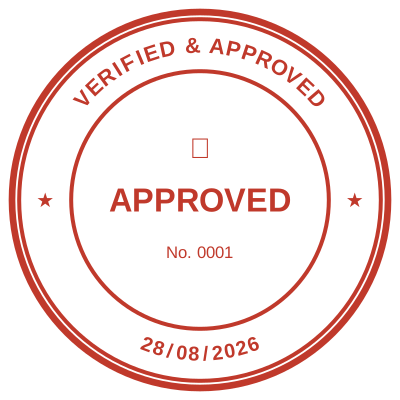



Open the stamp maker with any of these
Every preview on this page carries a faint Estamplab watermark. Your own download does not: the editor renders your stamp again, clean, as a transparent PNG, an SVG or a PDF. See the full template library.
Adding a stamp to a PDF is one of those jobs that looks like it should take thirty seconds and usually takes twenty minutes, because the obvious routes all fail. Acrobat wants a subscription. The free web converters want the file on their server. A pasted screenshot arrives with a white box around it. The version that works is the one where the stamp is made transparent from the start and placed on a page you can actually see.
What you get
- Free to upload, free to design the stamp, free to place it and look at the result. You pay at the download.
- Nothing is uploaded to a server. The PDF is opened by your browser and the stamped copy is built there.
- No watermark on the file you download.
- Any page of the document, several pages, or all of them.
- The text under the stamp stays selectable and searchable, because the stamp is drawn onto the page rather than flattening it.
- Word files too, on the same screen, if the document is a .docx rather than a PDF.
How to make it
- Open the tool and drop your PDF, Word or Excel file onto the page.
- Pick a stamp from your library, or design one in the pop-up designer.
- Click the page where the stamp goes, then drag it or resize it from the corner.
- Download the stamped copy. Your original file is never modified.
Questions
Is it actually free?
Designing, uploading, placing and previewing are free with no account. The stamped file is two dollars, paid once with an email address. Being straight about that is deliberate: tools that say free and then reveal a subscription at the download are the reason people distrust this whole category.
Do I need Acrobat?
No. Everything happens in the browser you are reading this in, on Windows, Mac, Android or iPhone.
Will it work on a locked or read-only PDF?
On a PDF that is flattened or protected from editing, yes, because the stamp is drawn onto the page rather than typed into a form field. On a PDF encrypted with a password to open it, remove the password first.
How big should the stamp be?
About 40mm across for a round company seal, which is the size a real hand stamp is. The default is close to that, and the corner handle adjusts it against the page you are looking at.
Can I put the same stamp on every page?
Yes, in one action, and then move or remove individual ones.
How to create a stamp for a PDF?
Design the stamp first, then upload the PDF and click the page where it goes. The stamp is drawn into the page itself rather than added as an annotation, so it travels with the file and shows in every reader.
How to remove a stamp from a PDF?
If it was added as a PDF annotation or comment, a PDF editor can select and delete it. If it was drawn into the page, as it is here, it is part of the page and there is nothing to select: the way back is the original file, which is why the original is never modified.
Estamplab is a design tool. This page describes common commercial practice rather than giving legal, tax or financial advice, and practice changes. Where a specific document matters, check the requirement with the body receiving it. Only produce a mark your own organisation or your own credentials are entitled to use.