How to stamp an agreement
How to stamp an agreement: drop the file in, place the company stamp beside the signature block, and add a date that fills itself in. It works on a PDF, a Word file, or a scan.
Drop your PDF, Word or Excel file here
It is read in your browser. Nothing is uploaded, and there is no account to make.
How to stamp an agreement templates, ready to edit

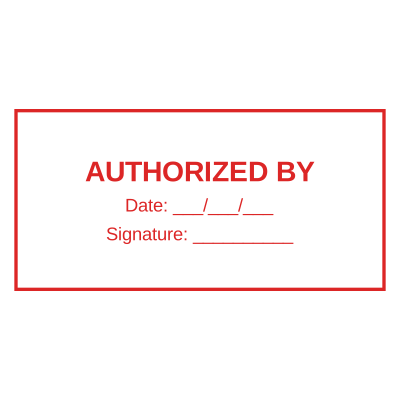




Open the stamp maker with any of these
Every preview on this page carries a faint Estamplab watermark. Your own download does not: the editor renders your stamp again, clean, as a transparent PNG, an SVG or a PDF. See the full template library.
An agreement is the document where the stamp is asked for most and understood least. In a good deal of the world a contract without the company mark beside the signature gets sent back before anybody reads it, and in others the mark is not required at all and is expected anyway. The stamp is not what makes an agreement binding, and knowing that does not help when the other side will not accept it without one.
What you get
- Place the stamp beside each signature block, where a counterparty expects to find it.
- Stamp every page instead of only the last one, which is what makes a substituted page obvious.
- A date that fills itself in on the day, so a batch of agreements is never dated wrong.
- A serial number on each impression, so two copies of the same agreement are distinguishable.
- Works on the PDF, on the Word file the agreement was drafted in, and on a scan of a signed one.
- Your original file is never modified: what you download is a stamped copy.
How to make it
- Open the tool and drop your PDF, Word or Excel file onto the page.
- Pick a stamp from your library, or design one in the pop-up designer.
- Click the page where the stamp goes, then drag it or resize it from the corner.
- Download the stamped copy. Your original file is never modified.
Questions
Where does the stamp go on an agreement?
Beside the signature block of the party it belongs to, usually to the left of or just below the signature, close enough to read as one mark. It should not sit on top of the signature: overlapping the two makes both harder to read and invites an argument about what was underneath. On a multi-page agreement, initialling and stamping each page is common practice for exactly the reason it sounds like, so a page cannot be swapped afterwards.
How do I add a seal to an agreement rather than a stamp?
The same way, and for most purposes they are the same object under different names: a round company seal, a company stamp and a company chop are regional words for the mark that identifies the issuing organisation. What differs is convention. Where a formal seal is expected the mark is usually round, carries the registered name and number, and sits near the execution clause rather than in the margin.
Does stamping an agreement make it binding?
No, and this is worth being clear about. In most common law jurisdictions a company is bound by signature and authority, and the stamp is evidence of who issued the document rather than the thing that binds it. In several other jurisdictions and in a great deal of ordinary commercial practice everywhere, a document without the mark is simply not accepted. So the stamp is often necessary in practice and rarely sufficient in law. What a specific agreement requires is a question for the party asking for it and for local advice.
Can both parties stamp the same agreement?
Yes. Each party stamps beside its own signature, and the two marks sit on the same page without interfering. If the agreement goes back and forth, stamp the copy you are sending and let the other side stamp theirs, which is how a signed-in-counterpart agreement normally works anyway.
Can I stamp an agreement that is already signed and scanned?
Yes. A scan is a PDF of page images, so the stamp is drawn onto it exactly as it would be onto a native PDF. It is worth using a slightly stronger ink colour on a grey scan, because a pale stamp on a scanned page disappears when the document is printed again.
Estamplab is a design tool. This page describes common commercial practice rather than giving legal, tax or financial advice, and practice changes. Where a specific document matters, check the requirement with the body receiving it. Only produce a mark your own organisation or your own credentials are entitled to use.