How to seal a tender document, and stamp every page
How to seal a tender document: drop the submission in, put the company seal on every page or on the forms that require it, and download it. The date fills itself in.
Drop your PDF, Word or Excel file here
It is read in your browser. Nothing is uploaded, and there is no account to make.
How to seal a tender document, and stamp every page templates, ready to edit



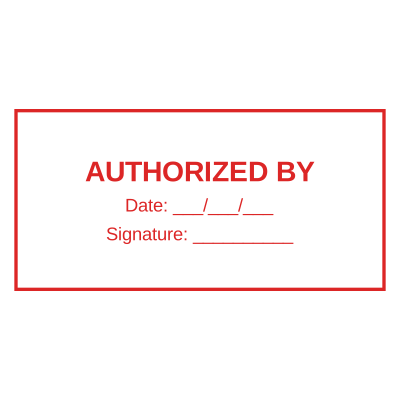
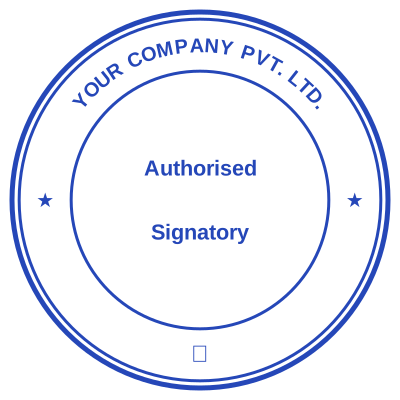

Open the stamp maker with any of these
Every preview on this page carries a faint Estamplab watermark. Your own download does not: the editor renders your stamp again, clean, as a transparent PNG, an SVG or a PDF. See the full template library.
Tender submissions get rejected on formalities more often than on price, and an unsealed page is one of the commonest. The instructions to bidders usually say the company seal must appear on every page, or on specific forms, and a submission that misses one page is non-responsive before anybody looks at what it costs. This is the document where stamping every page is not caution, it is the requirement.
What you get
- The company seal on every page in one action, which is what most instructions to bidders demand.
- A round seal carrying the registered name and registration number, which is what procurement checks.
- A date that fills itself in, so the submission is dated the day it goes in.
- Works on a submission assembled from PDFs, Word files and spreadsheets.
- A serial on each impression, so your own copy and the submitted one are distinguishable.
- Batch stamping where a bid runs to several separately bound volumes.
How to make it
- Open the tool and drop your PDF, Word or Excel file onto the page.
- Pick a stamp from your library, or design one in the pop-up designer.
- Click the page where the stamp goes, then drag it or resize it from the corner.
- Download the stamped copy. Your original file is never modified.
Questions
Do I have to seal every page of a tender?
Read the instructions to bidders, because they will say, and they differ. Every page is the common requirement for open public tenders; some ask only for the form of tender, the bid security and the price schedule. Where the document says every page, it means every page including the annexes, and a missing one is a routine ground for rejection.
What should the seal on a tender show?
The registered company name and registration number at minimum, because that is what an evaluation committee cross-checks against your registration certificate. A trading name that does not match the certificate is the second commonest formality failure after a missing page.
Can I seal a submission made of several files?
Yes. Stamp each file, or combine them first and stamp the whole thing, whichever matches how the submission has to be uploaded. Where a bid runs to several volumes, batch stamping applies the same seal across all of them in one go.
Is a digital seal accepted on a tender?
Frequently yes for an electronically submitted bid, and it depends entirely on the procuring entity. Many e-procurement portals expect a scanned or applied seal on the uploaded PDFs; some still require a wet seal on a physically delivered original. This is one to confirm with the procuring entity before the deadline rather than after it.
Can I add the date without dating it wrong?
The date fills itself in on the day the stamp is applied, which is what you want on a submission prepared over a fortnight and submitted on one morning. If the tender requires a specific date, type it instead and it stays fixed.
Estamplab is a design tool. This page describes common commercial practice rather than giving legal, tax or financial advice, and practice changes. Where a specific document matters, check the requirement with the body receiving it. Only produce a mark your own organisation or your own credentials are entitled to use.