How to stamp a purchase order
How to stamp a purchase order: drop it in, place an APPROVED stamp with the date and an authorisation line, and download it. Each impression takes its own serial number.
Drop your PDF, Word or Excel file here
It is read in your browser. Nothing is uploaded, and there is no account to make.
How to stamp a purchase order templates, ready to edit



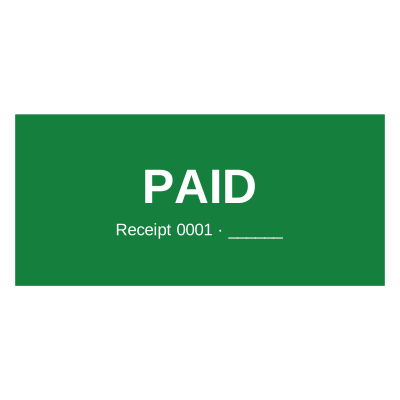


Open the stamp maker with any of these
Every preview on this page carries a faint Estamplab watermark. Your own download does not: the editor renders your stamp again, clean, as a transparent PNG, an SVG or a PDF. See the full template library.
A purchase order commits money, so the mark on it is an authorisation rather than a decoration. The question an auditor asks months later is not whether the PO was stamped; it is who approved it, on what date, and whether that person could. A stamp that carries a date and a number answers all three. One that says APPROVED and nothing else answers none of them.
What you get
- An APPROVED stamp with the date, the authorising name or role, and a number.
- A serial that cannot be issued twice, so every approval is traceable to one document.
- A second mark for the second approval, where a PO passes requester, then finance.
- Works on the PDF your system exported and on the Excel sheet a smaller operation uses.
- Every page marked on a PO that runs to a schedule of line items.
- Batch stamping for a run of them at month end.
How to make it
- Open the tool and drop your PDF, Word or Excel file onto the page.
- Pick a stamp from your library, or design one in the pop-up designer.
- Click the page where the stamp goes, then drag it or resize it from the corner.
- Download the stamped copy. Your original file is never modified.
Questions
What should a purchase order stamp include?
APPROVED, the company name, a date, and a line for the approver. A serial number is what turns it from a mark into a record: it lets a PO be found in an approval log later, and it makes a duplicated approval visible because the number would repeat. Add the budget code or the department if your finance team reconciles by one.
Can two people approve the same PO?
Yes, place two stamps. Sequential approval, a requester then finance, is the normal shape, and two dated marks record the order it happened in. If the approvals happen on different days, that is exactly what the two dates should show rather than being flattened into one.
Does a stamp on a PO mean the order is authorised?
It records that somebody applied an approval mark. Whether that person had authority to commit the amount comes from your delegation of authority, not from the stamp, which is why the approver line matters more than the word APPROVED. A stamp with no name on it tells an auditor nothing.
Can I stamp a PO that is in Excel?
Yes. Drop the .xlsx in and it is laid out the way Excel would print it, then place the stamp on the page that needs approving. You can take back a PDF or the .xlsx with the finished pages in it.
Can the number come from our own sequence?
The serial counter here issues its own sequence per saved stamp, incremented under a lock so two people stamping at once cannot be handed the same number. If your PO numbers come from a finance system instead, put that number in as text and keep the serial as a second, independent record of the approval itself.
Estamplab is a design tool. This page describes common commercial practice rather than giving legal, tax or financial advice, and practice changes. Where a specific document matters, check the requirement with the body receiving it. Only produce a mark your own organisation or your own credentials are entitled to use.