Resize a stamp image, and rotate or crop it cleanly
Change the size in the designer rather than in an image editor: the stamp is redrawn at the new size, so nothing is stretched or blurred.
Resize a stamp image, and rotate or crop it cleanly templates, ready to edit
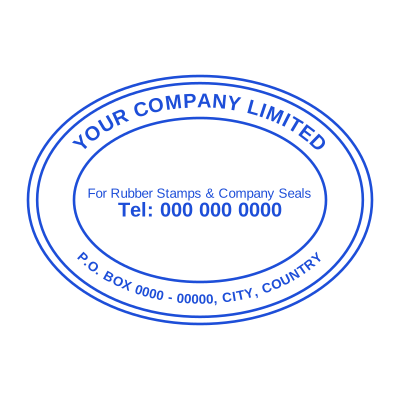





Open the stamp maker with any of these
Every preview on this page carries a faint Estamplab watermark. Your own download does not: the editor renders your stamp again, clean, as a transparent PNG, an SVG or a PDF. See the full template library.
Every stamp problem that arrives as "it looks fuzzy" is the same problem: somebody took a small image and made it bigger. A raster image has a fixed number of pixels and enlarging it invents the rest, which is why the border goes soft and the text goes furry. A stamp that is redrawn at the size you need has no such limit, and that is the difference between resizing a picture and resizing a design.
What you get
- Set the physical size you want, and the stamp is drawn at that size rather than stretched to it.
- Rotate by any angle, with the whole design turned rather than the picture skewed.
- Crop is rarely what you want on a stamp: the border is part of the design, and cutting it looks broken.
- A transparent background, so there is no white box to crop off in the first place.
- Downloaded at print resolution, so the same file works on screen and on paper.
How to make it
- Open the stamp maker and pick a shape, or start from a template.
- Type your wording, then set the colour, border and size.
- Add the date, time, serial number or logo, and position each one.
- Preview it live, then download. Designing and previewing are free.
Questions
How do I resize a stamp without losing quality?
Redraw it at the size you need rather than scaling the image. In the designer, change the size and download again: it comes out sharp because it is rendered, not enlarged.
How do I rotate a stamp without losing alignment?
Rotate the design rather than the exported image. Rotating a picture in an editor rotates its rectangle too, which is what puts a stamp at an angle inside a straight box and shifts where it lands on the page.
Why does my stamp look pixelated in Word?
It was made small and then dragged bigger. Word cannot invent detail that is not in the file. Download the stamp at the size you will actually use, or larger, and scale down rather than up.
How do I crop the white box off a stamp?
You do not need to if the file is a transparent PNG: there is no box. If your stamp came as a JPG, the white is part of the image, and the fix is a version with a transparent background rather than a crop.
What size should I download at?
Big enough that the physical size you want prints at 300dpi. A 40mm stamp wants about 470 pixels across at minimum, and more does no harm.
How to resize a stamp image?
Redraw it at the size you need rather than scaling the file. Change the size in the designer and download again: it is rendered at that size, so the edges stay sharp instead of being enlarged into a blur.
How to rotate a stamp image?
Rotate the design rather than the exported picture. Rotating a picture in an image editor turns its rectangle too, which puts the stamp at an angle inside a straight box and shifts where it lands on the page.
Why is my stamp blurry?
It was made small and then enlarged. A raster image has a fixed number of pixels and making it bigger invents the rest. Download it at the size you will use, or larger, and scale down rather than up.
Estamplab is a design tool. This page describes common commercial practice rather than giving legal, tax or financial advice, and practice changes. Where a specific document matters, check the requirement with the body receiving it. Only produce a mark your own organisation or your own credentials are entitled to use.