Free editable rubber stamp template, better than Word
- 🔒 Free to design, no signup
- 🔒 Transparent PNG and SVG export
- 🔒 Serial numbers on saved stamps
- 🔒 Works on any device
Word rubber-stamp templates are fiddly: the curved text never quite lines up, the circle warps when you edit it, and WordArt-on-a-path fights you every time the company name changes length. Start from a ready rubber-stamp template here instead. Type your company name and it curves to fit the border on its own, change the colour and shape with one click, and download a Word file that already floats over your document, with the date, the time and the serial left as real text you can retype.
Free editable rubber stamp template, better than Word templates, ready to edit
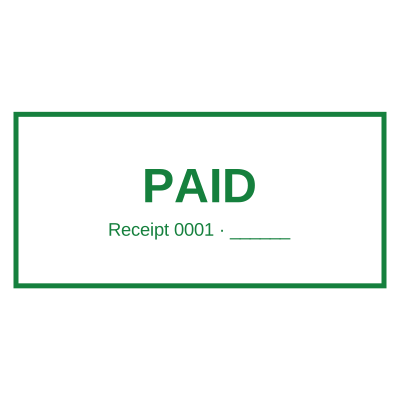



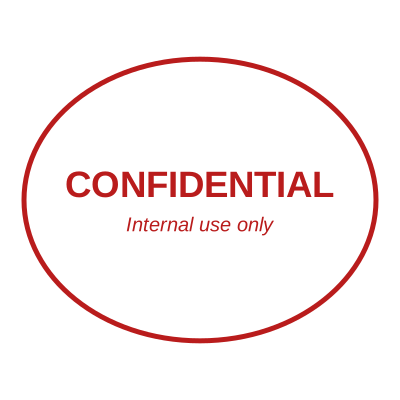

Open the stamp maker with any of these
Every preview on this page carries a faint Estamplab watermark. Your own download does not: the editor renders your stamp again, clean, as a transparent PNG, an SVG or a PDF. See the full template library.
What you get
- Ready rubber-stamp templates, fully editable
- Curved border text that re-fits itself when the wording changes
- A Word download that floats on the first drag, no Wrap Text step
- Date, time and serial stay retypable text in that Word file
- Also exports transparent PNG, JPG, SVG and print-ready PDF
Free editable rubber stamp template, better than Word
- Open the stamp maker and pick a shape, or start from a ready-made template.
- Pick the border style, set the colour, and place any date, time or serial line where it fits.
- Preview it live as you edit. What you see is exactly what the file contains.
- Pick a PNG or a JPG on its own, or take everything at once including the retypable Word version.
Frequently asked questions
Can I use the stamp in Microsoft Word?
Yes, and there is a Word download made for exactly that. It arrives already set to float in front of the text, so it does not shove your paragraphs down the page and needs no right-click Wrap Text step. If you would rather place the image yourself, the transparent PNG drops into Word, Google Docs or any editor with no white box around it.
Does the date stay editable in the Word file?
Yes. A date across the middle of the seal is a real text box grouped with the artwork, so you click once to move the whole stamp and click again into the date to retype it. The time and the serial behave the same way. A date that curves around the rim has to stay part of the picture, because a text box cannot bend along a circle.
Why is this better than a rubber stamp template in Word?
A Word template makes you do the hard part by hand. The ring text is WordArt on a path, so it stops fitting the moment the company name changes length, and the circle distorts if you resize it unevenly. Here the layout is generated: the text re-fits itself, the geometry stays true at any size, and the output is a set of files rather than a document you have to keep re-editing.
Is the stamp maker free?
There is no charge to make a a free editable rubber stamp template, no account needed, and no watermark on what you see. The charge is for the file, $1.50 for one format or $3.00 for the complete set.
Do I need to install an app?
No. It runs in the browser on a phone, a tablet or a desktop, with nothing to install and nothing to update.
Can I put the stamp on a PDF?
Download the transparent PNG and drop it onto the page in your PDF editor. There is also a tool here that puts the stamp onto the PDF for you, included with a plan.
Can each stamp carry its own number?
Save a free editable rubber stamp template to your library and it gets its own counter. Tick the numbering option at download and that file takes the next number in the sequence, incremented under a row lock, so two tabs or two devices cannot be handed the same one.
Is there a free maker, or only samples?
It is a free editable rubber stamp template word maker rather than a free editable rubber stamp template word template you download and then fight with in a word processor. Build a free editable rubber stamp template word online from a free editable rubber stamp template word sample, or start empty and use it as a free editable rubber stamp template word generator: every part of the free editable rubber stamp template word design stays adjustable. The free editable rubber stamp template word price covers the file only, $1.50 for a transparent free editable rubber stamp template word png or $3.00 for every format.
More ways to make a stamp
- Online stamp editor, edit every detail of your stamp
- Stamp maker online free, no signup
- Digital stamp maker, create a digital stamp & seal
- Rectangle stamp maker online free
- Free online date stamp generator
- Free stamp generator, instant seals & stamps
- Open the stamp maker, the free builder
- Compare online stamp makers