Stamp maker online free, no signup
- 🔒 Free to design, no signup
- 🔒 Transparent PNG and SVG export
- 🔒 Serial numbers on saved stamps
- 🔒 Works on any device
Make a stamp online for free, right now, with no signup. Choose a shape and template, type your text, style it, and preview the finished seal live. It stays free to design and preview forever, you only pay the one-off download fee, or download free on any paid plan.
Stamp maker online free, no signup templates, ready to edit


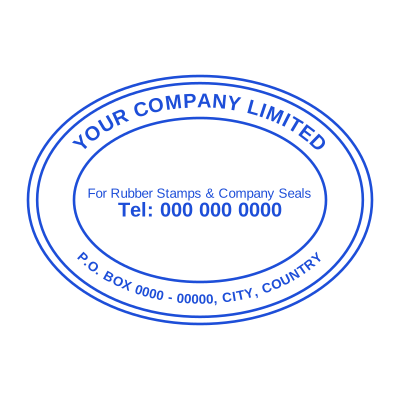


Open the stamp maker with any of these
Every preview on this page carries a faint Estamplab watermark. Your own download does not: the editor renders your stamp again, clean, as a transparent PNG, an SVG or a PDF. See the full template library.
What you get
- Free and online, nothing to install
- No signup to design and preview
- Dozens of shapes and templates
- Pay once to download, or free on a plan
Stamp maker online free, no signup
- Open the stamp maker and pick a shape, or start from a ready-made template.
- Choose the shape and ink colour, size it like a real stamp, and add a logo, a date or a number.
- Preview it live as you edit. What you see is exactly what the file contains.
- Export a PNG or JPG for $1.50, or every format zipped for $3.00 including the editable Word file.
Frequently asked questions
Is the stamp maker free?
Designing is free and unlimited. Downloading the the free online stamp maker is $1.50 for a single image, or $3.00 for every format at once. One payment either way, with no subscription attached.
Do I need to install an app?
Nothing to install. The the free online stamp maker is built and rendered in your browser, so it works the same on iOS, Android, Windows and macOS.
Can I put the stamp on a PDF?
Yes. Take the transparent PNG and place the the free online stamp maker in whichever PDF editor you already use. Because the background is transparent rather than white, the text underneath still shows around it.
Can each stamp carry its own number?
Save the free online stamp maker to your library and it gets its own counter. Tick the numbering option at download and that file takes the next number in the sequence, incremented under a row lock, so two tabs or two devices cannot be handed the same one.
Can I design my own, or pick from templates?
Neither a static stamp maker online free template nor a stock image: a stamp maker online free generator you drive, and a stamp maker online free maker in the sense that matters, which is that nothing is fixed. Choose a stamp maker online free sample layout, rework the stamp maker online free design, build the stamp maker online free online and download when it looks right. The stamp maker online free price is $1.50 for a single stamp maker online free png or $3.00 for every format zipped.