Wax seal stamp template online, free to design
This is a wax seal generator rather than a picture of wax: create a wax seal style design with initials, monogram, or emblem for invitations, certificates, and premium stationery. An embossed seal effect is available on the same artwork for anything that wants relief rather than wax. Adjust the wax colour and intensity, then download a transparent PNG or an SVG and place it in any PDF editor.
Wax Seal templates, ready to edit


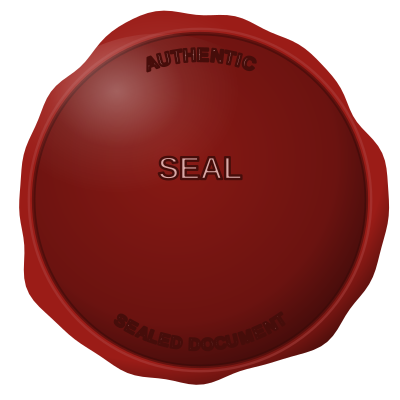
Open the stamp maker with any of these
Every preview on this page carries a faint Estamplab watermark. Your own download does not: the editor renders your stamp again, clean, as a transparent PNG, an SVG or a PDF. See the full template library.
When to use Wax Seal
- Envelope seals
- Certificates
- Wedding stationery
How to make Wax Seal
- Open the stamp maker and pick the Wax Seal template, or type your own wording.
- Set the shape, colour and size, then drop in a logo and position the date or serial line.
- Take a transparent PNG on its own, or the full pack with the vector, print and Word files in it.
How to put a wax seal on a PDF
You can skip the download entirely. Open the document stamping tool, drop the PDF, Word or Excel file in, and place the wax seal by clicking the page you want it on. The file is laid out as real pages in the browser, so you position the mark by looking at it rather than guessing at coordinates, and nothing is uploaded anywhere.
What size should a wax seal be?
For print, think in millimetres and export at print resolution; for a screen, think in pixels. A wax seal placed in a PDF at 40 mm needs roughly 470 pixels across at 300 dpi, which is why a small screenshot of a stamp always looks soft once it is printed.
What a wax seal does not prove
Whether a wax seal is required, optional or meaningless depends on the country and on the document. Many common-law jurisdictions stopped requiring a seal years ago while specific instruments still expect one. Check the rule for the place the organisation is registered, not the place the document is being sent.
Frequently asked questions
Is the wax seal free?
There is no charge to make a wax seal, no account needed, and no watermark on what you see. The charge is for the file, $1.50 for one format or $3.00 for the complete set.
Can I add a date to the wax seal?
Add a date line anywhere on the wax seal. If you type a date it stays put; if you leave it empty it becomes today's date each time the file is generated, which is usually what a dated stamp is for.
What format do I get?
A transparent PNG for dropping onto documents, plus a white-background PNG and a JPG. The $3.00 pack adds an SVG, a print-ready PDF and a Word file that keeps the date and serial as text you can retype.
Is this a maker or just a template?
This is a free wax seal maker. Pick a wax seal sample for a head start or use the blank wax seal generator, then change every line of the wax seal design. Everything happens with the wax seal online in your browser. The wax seal price is per file rather than monthly, $1.50 for a wax seal png and $3.00 for the pack, and a wax seal template never enters into it.