How to make a digital stamp
To make a digital stamp, pick a shape, type the wording around the border and in the centre, set the ink colour, add a date or logo if you need one, then download it as a transparent PNG so the page shows through behind it.
How to make a digital stamp templates, ready to edit
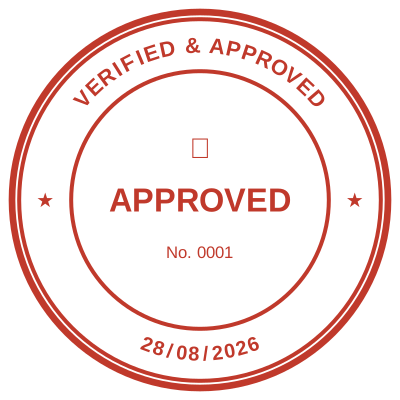
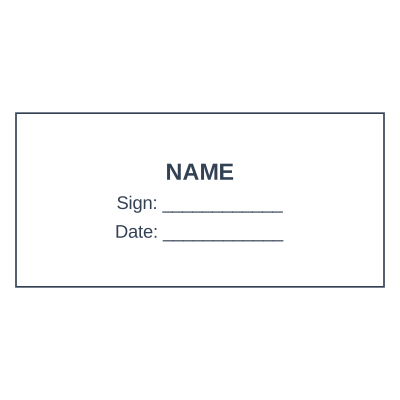




Open the stamp maker with any of these
Every preview on this page carries a faint Estamplab watermark. Your own download does not: the editor renders your stamp again, clean, as a transparent PNG, an SVG or a PDF. See the full template library.
Most answers to how to make digital stamps send you to a drawing program and have you fight a circle and a text path for an afternoon. The steps below take about two minutes, and the parts that actually decide whether the result is usable are not the drawing at all: they are transparency, size, and whether the date is a picture or a value. Those are the three that get it wrong later, so each has its own step.
What you get
- Round, oval, rectangle, square, triangle, shield, hexagon and octagon, with ring text that re-fits itself when the wording changes length.
- Transparency is the step people skip: a JPG has no transparency at all, so its background is stored as literal white and lands as a box over your document.
- Size the file to 2.2 inches, the size of a real rubber stamp, so it is not resized on the way into a document.
- A date left blank fills itself in when the stamp is used, rather than freezing the day you made the file.
- A seal and a stamp differ mostly in shape and convention rather than in how you make one, so the same steps produce either.
- Design and preview cost nothing and need no account, so you find out whether it works before paying.
How to make it
- Pick a shape: round for a seal, rectangle for a block that has to hold several lines.
- Type the wording. On a circle it curves along the border and re-fits itself as you edit.
- Set the ink colour and the border style, then the size of each line.
- Add a date, a serial or your logo if the stamp needs one. Leave a date blank to have it fill itself in.
- Check the preview at full size, then download the transparent PNG (or the whole pack).
Questions
How do I make a digital stamp?
Pick a shape, type the wording, set the colour and border, add a date, serial or logo if the stamp needs one, then download. The whole sequence is in the steps above and runs in a browser, so there is nothing to install on a phone or a laptop.
How to make a digital seal stamp?
Searches for how to make digital seal stamp are asking about shape rather than about method, and the steps are the same either way. A seal is conventionally round with text following the ring and often a device in the middle, where a stamp is as often a rectangle with straight lines, but neither is a different kind of file. Pick the circle, put your organisation name on the top arc and the qualifier on the bottom arc, and you have a seal.
What file format should I download?
A transparent PNG for almost everything, because it drops onto a document with the page showing through. SVG when it has to stay sharp at any size, or is going to a printer. PDF for print. A white-background JPG only for places that cannot handle transparency, such as some email signature builders.
Why does my stamp have a white box behind it?
The file is a JPG, or a PNG exported onto a white card. JPG cannot store transparency, so every pixel that looked like nothing is saved as actual white. Use the transparent PNG, and if you upload a logo of your own the white is knocked out of it on the way in.
Can I make one on my phone?
Yes. It runs in the phone browser with nothing to install, and the file lands in Files or Downloads like any other. That is the point of a stamp being a file rather than an object: it is with you when the block in the office drawer is not.
Is a digital stamp legally valid?
A stamp is a mark of authorship rather than proof of identity, and whether one is required or sufficient depends on the document and the jurisdiction. In many countries a company seal stopped being a legal requirement years ago. Where a specific document matters, confirm the requirement with whoever will receive it.
Estamplab is a design tool. This page describes common commercial practice rather than giving legal, tax or financial advice, and practice changes. Where a specific document matters, check the requirement with the body receiving it. Only produce a mark your own organisation or your own credentials are entitled to use.