Rubber stamp maker online, free to design
A rubber stamp is a die that prints a fixed mark onto paper, and a rubber stamp maker online produces the same mark as a file, which is what you want when the documents being stamped are PDFs and Word files rather than sheets on a desk.
Rubber stamp maker online, free to design templates, ready to edit




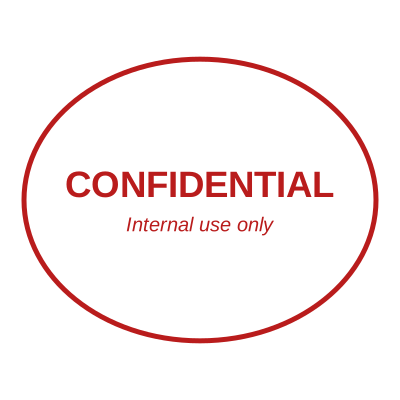

Open the stamp maker with any of these
Every preview on this page carries a faint Estamplab watermark. Your own download does not: the editor renders your stamp again, clean, as a transparent PNG, an SVG or a PDF. See the full template library.
The word covers two things that are bought in completely different ways. One is a physical block with a rubber die, ordered from a stamp shop, delivered in a few days, and unbeatable for paper you are physically holding. The other is the same design as a file, made in a browser and applied to documents that never get printed. This is the second. It is worth being plain about which one you need, because ordering a physical stamp to mark PDFs means printing and scanning every document, and making a file to mark a hundred paper invoices means a hundred trips to a printer.
What you get
- Round, oval, rectangular and square rubber stamp shapes, plus the serrated rim used on certification and notarial stamps.
- Ring text that follows the curve on a round stamp, with a top and a bottom arc, which is how the wording sits on a real die.
- A date that fills itself in when the stamp is used, doing the job of the rotating bands on a self inking stamp without anyone turning them.
- A serial number that advances on its own, so a numbered rubber stamp cannot issue the same reference twice.
- Realistic ink and wear, so the output reads as an impression rather than as clip art, with a control for how worn the die should look.
- Download as a transparent PNG for documents, or as SVG and PDF, which is also what a stamp shop wants if you take the design to them to be cut as a physical die.
How to make it
- Open the stamp maker and pick a shape, or start from a template.
- Type your wording, then set the colour, border and size.
- Add the date, time, serial number or logo, and position each one.
- Preview it live, then download. Designing and previewing are free.
Questions
How do I make a rubber stamp online?
Choose a shape, type the wording, and set the colour, the border and the size. Add a date, a serial number or a logo if the stamp needs them, preview it at true size, then download. There is no account and no charge for designing it.
Is this a free rubber stamp maker?
Designing, previewing and changing the design are free and unlimited, with nothing written across the preview. The finished file is $1.50 for a single image or $3.00 for every format together, paid once with no subscription.
Can I get a physical rubber stamp from this?
Not from here, we only make the file. The SVG and the PDF are the formats a stamp maker asks for, so you can take the design to a local shop to have a die cut from it. The CAD pack adds a DXF, which is what the machines that cut dies read directly.
What size is a standard rubber stamp?
Round office stamps are usually 38mm to 45mm across and round company seals 40mm to 56mm, while rectangular address and endorsement stamps are commonly around 58mm by 22mm. The preview shows true size, so you can judge it against the space on the document rather than against the screen.
What should a company rubber stamp say?
Usually the registered name, and often the registration number, the address or a line like "For and on behalf of". What is required varies by country and by the document, so check what the receiving party or your own registry expects. Only make a stamp for a business you are entitled to act for.
Estamplab is a design tool. This page describes common commercial practice rather than giving legal, tax or financial advice, and practice changes. Where a specific document matters, check the requirement with the body receiving it. Only produce a mark your own organisation or your own credentials are entitled to use.