Digital rubber stamp that looks pressed
A digital rubber stamp is a stamp image built to read as a real impression, with the uneven ink, broken edges and slight wear a rubber die leaves on paper, rather than the flat even outline that gives a drawn stamp away.
Digital rubber stamp that looks pressed templates, ready to edit



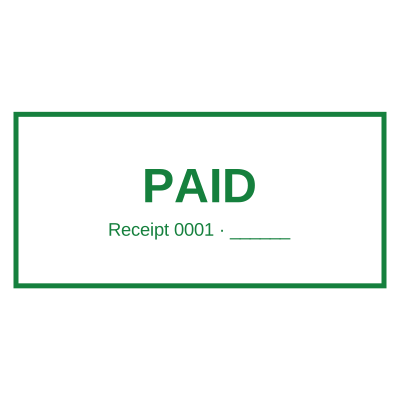


Open the stamp maker with any of these
Every preview on this page carries a faint Estamplab watermark. Your own download does not: the editor renders your stamp again, clean, as a transparent PNG, an SVG or a PDF. See the full template library.
A stamp drawn with clean geometry looks like a logo, not like something pressed. Real rubber meets paper unevenly: the ink is heavier where the die bit hardest, lighter at the edges, and a stamp that has been used for a year has gaps in its ring. Reproducing that is the whole job of a digital rubber stamp, and it is also where most attempts stop, because a photograph of a real stamp brings the paper with it and a flat vector brings nothing at all.
What you get
- An aging control that decides how worn the die looks, from a crisp new stamp through to one that has been in a drawer for a decade.
- Ink texture applied as real variation across the artwork rather than as a noise layer dropped on top, so the ring and the lettering wear the way a die wears.
- Classic rubber stamp shapes: round, oval, rectangular and the serrated edge used on notarial and certification stamps.
- A date and a serial as live fields, which is the thing a scanned rubber stamp can never do, because a scan has yesterday baked into it.
- Transparent output, so the digital rubber stamp sits on the document rather than arriving on the white rectangle a scan always brings with it.
- Stamp ink colours that match what offices actually use: the standard red and blue, plus black, green and violet.
How to make it
- Open the stamp maker and pick a shape, or start from a template.
- Type your wording, then set the colour, border and size.
- Add the date, time, serial number or logo, and position each one.
- Preview it live, then download. Designing and previewing are free.
Questions
How do I make a digital rubber stamp?
Pick the shape, type the wording, then set the colour and the aging level to decide how pressed it should look. Add a date or a serial if the stamp records anything, position a logo if it carries one, and download. Designing and previewing cost nothing.
Why does my scanned rubber stamp look bad on a document?
Because you scanned the paper as well as the ink. A scan carries the grey of the sheet and the fibre inside the ink, it has no transparency, so it lands inside a white rectangle, and it is fixed at the resolution and the angle it was scanned at. Rebuilding the stamp as artwork gives you the same design with clean transparency at any size.
Can a digital rubber stamp have a date that changes?
Yes, and that is the main reason to rebuild one rather than scan it. Leave the date empty and it resolves at the moment of download, which is what the rotating bands on a physical self inking stamp are for.
What is the difference between this and a self inking stamp?
A self inking stamp is a physical block for paper you are holding. This is for documents that stay as files. If you are stamping a queue of paper on a desk, buy the physical one, because nothing on a screen is faster than that. The case for a digital rubber stamp is when printing a PDF so you can stamp it and scan it back is the only reason the printer is on.
Can I use my company logo in a digital rubber stamp?
Yes. The logo has its white background knocked out on the way in, so it reads as part of the impression instead of sitting in a box, and it ages with the rest of the artwork so it does not look pasted on.
Estamplab is a design tool. This page describes common commercial practice rather than giving legal, tax or financial advice, and practice changes. Where a specific document matters, check the requirement with the body receiving it. Only produce a mark your own organisation or your own credentials are entitled to use.