Seal maker and seal generator, for a seal you can use today
Design the seal, set the wording, the border and the colour, and download it as a transparent PNG or apply it straight to a document.
Seal maker and seal generator, for a seal you can use today templates, ready to edit
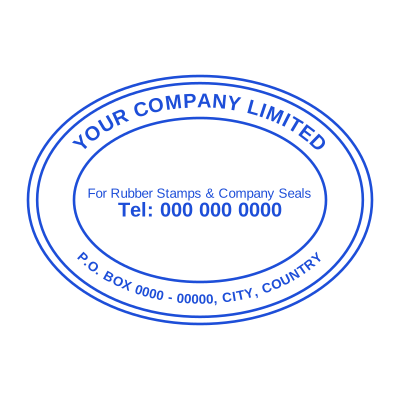




Open the stamp maker with any of these
Every preview on this page carries a faint Estamplab watermark. Your own download does not: the editor renders your stamp again, clean, as a transparent PNG, an SVG or a PDF. See the full template library.
A seal is a stamp with a job: it says which body issued the document. That is why the layout is so consistent across the world, and why getting it slightly wrong is noticeable. The name curves around the top, the qualifier curves along the bottom, and the middle carries whatever identifies the thing: a registration number, a year, an emblem, a title. Everything here follows that convention by default, so the seal reads as a seal rather than as a circle with words in it.
What you get
- Round, oval, or a double-ringed seal with an inner and an outer band.
- Curved text that follows the ring properly, rather than being squeezed into a straight line.
- A middle that can carry a registration number, a year, initials or your own logo.
- A date that fills itself in, so the seal records the day it was applied.
- An aged setting that takes the machine-perfect edge off, so it prints like a real impression.
How to make it
- Open the stamp maker and pick a shape, or start from a template.
- Type your wording, then set the colour, border and size.
- Add the date, time, serial number or logo, and position each one.
- Preview it live, then download. Designing and previewing are free.
Questions
What is the difference between a seal and a stamp?
In practice a seal identifies an organisation and a stamp says something about the document. A seal is usually round with curved text; a stamp is more often rectangular with a message like PAID or RECEIVED. The tool makes both, and the words are used interchangeably in plenty of places.
Can I make an embossed-looking seal?
Yes. An embossed seal is drawn as a raised impression rather than as ink, which is the look of a notary or corporate embosser pressed into paper. It reads best on a light background.
What size should a seal be?
Around 38 to 45mm across for a round one, matching the physical seals people are used to. That is large enough to read the curved text at normal document scale and small enough not to dominate the page.
Can I put our logo in the middle?
Yes. Upload it, and the background is knocked out so the ring shows through around it rather than the logo arriving on a white square.
How to make a seal for documents?
Design it here: choose round or oval, put the issuing body or company name on the ring, the office or qualifier through the middle, and a number or year underneath. Download it as a transparent PNG and it can go straight onto a PDF, a Word file or a spreadsheet.
Estamplab is a design tool. This page describes common commercial practice rather than giving legal, tax or financial advice, and practice changes. Where a specific document matters, check the requirement with the body receiving it. Only produce a mark your own organisation or your own credentials are entitled to use.