PDF invoice stamp maker
- 🔒 Free to design, no signup
- 🔒 Transparent PNG and SVG export
- 🔒 Serial numbers on saved stamps
- 🔒 Works on any device
Invoices arrive as PDFs and get marked up as PDFs. Build the stamp here as a transparent PNG so the line items still read around it, add a date that fills itself in and a reference that increments, then place it in whichever PDF editor you already use.
PDF invoice stamp maker templates, ready to edit

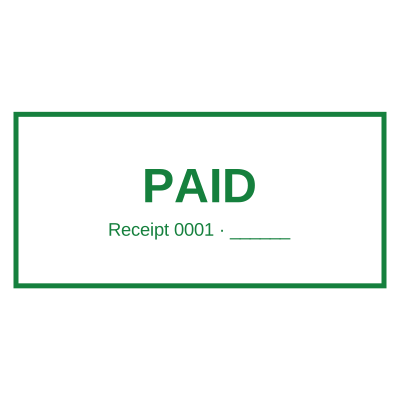
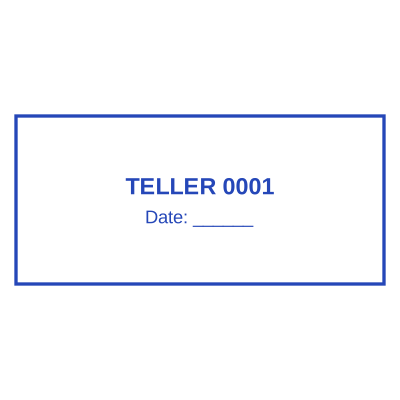



Open the stamp maker with any of these
Every preview on this page carries a faint Estamplab watermark. Your own download does not: the editor renders your stamp again, clean, as a transparent PNG, an SVG or a PDF. See the full template library.
What you get
- PAID, RECEIVED, APPROVED and custom wording
- Transparent background, so the invoice text shows through
- A date that resolves when you stamp, not when you designed it
- An optional reference number that cannot repeat
PDF invoice stamp maker
- Open the stamp maker and pick a shape, or start from a ready-made template.
- Decide the outline and the colour first, size it to match the paperwork, then add the changing lines.
- Preview it live as you edit. What you see is exactly what the file contains.
- Pick a PNG or a JPG on its own, or take everything at once including the retypable Word version.
Frequently asked questions
How do I get the stamp onto the PDF?
Download it as a transparent PNG and place it in your PDF editor, or take the PDF version from the pack. Putting the stamp on the document for you is included with a plan.
Can each invoice carry its own number?
Yes. Save the stamp and its counter increments on each download, under a row lock, so two people marking invoices at once cannot be given the same reference.
Is the stamp maker free?
There is no charge to make a a PDF invoice stamp, no account needed, and no watermark on what you see. The charge is for the file, $1.50 for one format or $3.00 for the complete set.
Do I need to install an app?
No. It runs in the browser on a phone, a tablet or a desktop, with nothing to install and nothing to update.
Can I put the stamp on a PDF?
Download the transparent PNG and drop it onto the page in your PDF editor. There is also a tool here that puts the stamp onto the PDF for you, included with a plan.
Can each stamp carry its own number?
Save a PDF invoice stamp to your library and it gets its own counter. Tick the numbering option at download and that file takes the next number in the sequence, incremented under a row lock, so two tabs or two devices cannot be handed the same one.
Is there a free maker, or only samples?
This is a free pdf invoice stamp maker. Pick a pdf invoice stamp sample for a head start or use the blank pdf invoice stamp generator, then change every line of the pdf invoice stamp design. Everything happens with the pdf invoice stamp online in your browser. The pdf invoice stamp price is per file rather than monthly, $1.50 for a pdf invoice stamp png and $3.00 for the pack, and a pdf invoice stamp template never enters into it.
Estamplab is a design tool. What a notarial or legal mark must carry is set by the authority that issued the commission or the appointment, and it differs sharply between jurisdictions, so check your own paperwork before relying on any layout here. This page describes common practice rather than giving legal advice. Only produce a mark you hold the authority to use: a stamp in the name of an office you do not hold is forgery.