Self-inking date stamp, with a date that sets itself
- 🔒 Free to design, no signup
- 🔒 Transparent PNG and SVG export
- 🔒 Serial numbers on saved stamps
- 🔒 Works on any device
The date bands are the whole point of a self-inking date stamp, and they are also its weak spot: somebody has to turn them, every morning, and the day nobody does is the day a hundred documents get stamped with yesterday. A received stamp exists to record when something arrived, so a date that is quietly wrong is worse than no date at all. Build the date stamp here and the date fills itself in at the moment the stamp is used, and in the Microsoft Word download it is a live field that reads today every time the document is opened, not a picture of a date.
Self-inking date stamp, with a date that sets itself templates, ready to edit
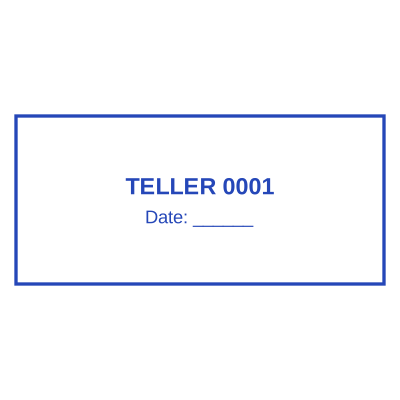
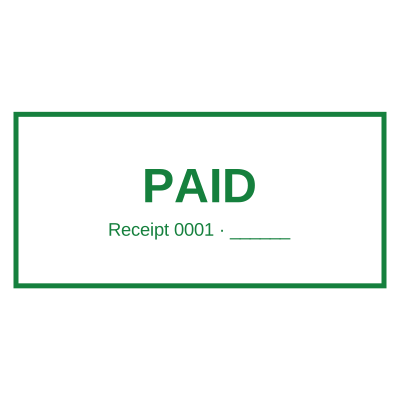



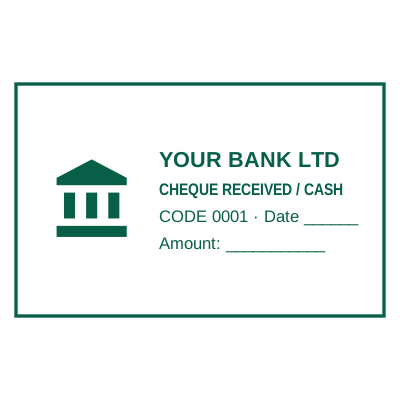
Open the stamp maker with any of these
Every preview on this page carries a faint Estamplab watermark. Your own download does not: the editor renders your stamp again, clean, as a transparent PNG, an SVG or a PDF. See the full template library.
What you get
- The date fills in when the stamp is used, so it cannot be left on yesterday
- A time as well as a date, for anything logged in and out on the same afternoon
- In the Word download both are live fields that read today by themselves
- Received, filed, paid, approved and certified true copy layouts
- No bands to turn, and no wrong date on a hundred documents because nobody turned them
Self-inking date stamp, with a date that sets itself
- Open the stamp maker and pick a shape, or start from a ready-made template.
- Style it: shape, border, ink colour and size, plus a logo and the date or serial if you need them.
- Preview it live as you edit. What you see is exactly what the file contains.
- Grab the transparent PNG if you are placing it on screen, or the pack if it has to survive printing.
Frequently asked questions
How is this better than turning the date bands?
It removes the step that gets forgotten. A self-inking date stamp is only right if somebody sets it every morning, and the cost of missing it is not cosmetic, a received stamp that says the wrong day is a record that says the wrong thing. Here the date is filled in at the moment the stamp is applied, so it is right without anybody remembering.
Does the date really update by itself in Word?
Yes. The Word file carries a real DATE field, the same mechanism Word uses for its own date, so it reads today every time the document is opened, rather than the day you downloaded it. The time works the same way. If you would rather it recorded one specific day and stayed there, untick that option at download, or press Ctrl+Shift+F9 in Word to freeze it.
Can I set a fixed date instead?
Yes. Type the date into the designer and it stays exactly as typed, on every impression, which is what you want for a stamp that records one particular day, such as a resolution or an incorporation date. A date you have typed is never turned into a self-updating field.
Can it show a time as well?
Yes. Click + Time and a time line is added the same way as a date, in 24-hour, 12-hour with am/pm, or with seconds. On a tender deadline or a court filing that is the difference that matters, and a physical date stamp does not carry it at all.
Is a self ink date stamp the same as a self-inking date stamp?
Yes, spelled two ways, a self ink stamp and a self-inking stamp both mean a body with the pad built in. The dated version adds rubber bands for the day, month and year that you turn by hand. This builds the same stamp as a file, with the turning done for you.
Is the stamp maker free?
Yes to design it, no to download it. Building a a self-inking date stamp online costs nothing and needs no account, and you can edit it for as long as you like. Getting the file out is $1.50 for a single image format, or $3.00 for the full pack.
Do I need to install an app?
No app, no plugin, no extension. Everything happens in the page you are already on, which is also why the design never leaves your device until you save it.
Can I put the stamp on a PDF?
Yes, and the transparent background is the reason it looks right: a stamp on a white background covers the line underneath it with a white box.
Can each stamp carry its own number?
Save a self-inking date stamp online to your library and it gets its own counter. Tick the numbering option at download and that file takes the next number in the sequence, incremented under a row lock, so two tabs or two devices cannot be handed the same one.
Is this a maker or just a template?
A self inking date stamp maker with samples to start from. A downloadable self inking date stamp template locks you into whatever it was drawn at, whereas a self inking date stamp design here changes whenever you need it to and the self inking date stamp generator rebuilds it instantly. Create the self inking date stamp online, and pay only for the file: the self inking date stamp price is $1.50 for a self inking date stamp png, $3.00 for everything, starting from any self inking date stamp sample.
Estamplab is a design tool. What a notarial or legal mark must carry is set by the authority that issued the commission or the appointment, and it differs sharply between jurisdictions, so check your own paperwork before relying on any layout here. This page describes common practice rather than giving legal advice. Only produce a mark you hold the authority to use: a stamp in the name of an office you do not hold is forgery.