Doctor stamp maker for medical certificates
- 🔒 Free to design, no signup
- 🔒 Transparent PNG and SVG export
- 🔒 Serial numbers on saved stamps
- 🔒 Works on any device
A doctor stamp goes beside a signature on prescriptions, medical certificates and referrals, and it exists so the reader can identify and verify the practitioner. That means the registration number matters more than the design.
Doctor stamp maker for medical certificates templates, ready to edit





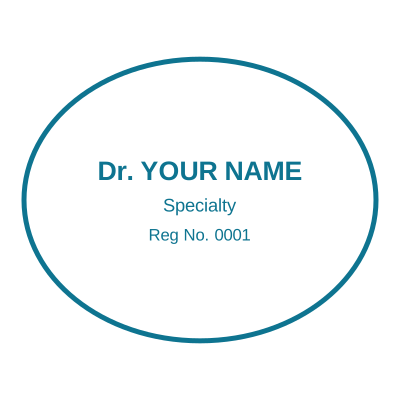
Open the stamp maker with any of these
Every preview on this page carries a faint Estamplab watermark. Your own download does not: the editor renders your stamp again, clean, as a transparent PNG, an SVG or a PDF. See the full template library.
What you get
- Name, qualifications and registration or council number
- A signature line, or an inline signature you draw
- Space for a clinic name and contact line
- Rectangular for certificates, round where a seal is expected
Doctor stamp maker for medical certificates
- Open the stamp maker and pick a shape, or start from a ready-made template.
- Decide the outline and the colour first, size it to match the paperwork, then add the changing lines.
- Preview it live as you edit. What you see is exactly what the file contains.
- Save it as a transparent PNG for screen use, or take the pack if it is going to print.
Frequently asked questions
What should a doctor stamp include?
Conventionally the practitioner name, qualifications, and the registration or medical council number, which is the part that makes the practitioner identifiable. Many also carry the clinic name and a contact line.
Can I add my signature to the stamp?
Yes. There is an inline signature pad, or you can upload a scan. Whether a pre-printed signature is acceptable on a given document is a question for your regulator, not for us.
Is this valid for a medical certificate?
The stamp identifies you. Whether a certificate is valid depends on your registration and the rules where you practise, and this tool does not verify either. Only use a stamp carrying a registration number you actually hold.
Is the stamp maker free?
You can design a a doctor stamp and look at it as long as you want without paying or signing up. Downloading costs $1.50 for a PNG or JPG, or $3.00 for the pack with the vector and document formats in it.
Do I need to install an app?
No. It runs in the browser on a phone, a tablet or a desktop, with nothing to install and nothing to update.
Can I put the stamp on a PDF?
Download the transparent PNG and drop it onto the page in your PDF editor. There is also a tool here that puts the stamp onto the PDF for you, included with a plan.
Can each stamp carry its own number?
Save a doctor stamp to your library and it gets its own counter. Tick the numbering option at download and that file takes the next number in the sequence, incremented under a row lock, so two tabs or two devices cannot be handed the same one.
Is this a maker or just a template?
This is a free doctor stamp maker. Pick a doctor stamp sample for a head start or use the blank doctor stamp generator, then change every line of the doctor stamp design. Everything happens with the doctor stamp online in your browser. The doctor stamp price is per file rather than monthly, $1.50 for a doctor stamp png and $3.00 for the pack, and a doctor stamp template never enters into it.
Estamplab is a design tool. What a medical mark must carry, and whether a digital one may be used on a prescription or a certificate, is set by the council or board you are registered with and differs by country. Check your own registration rules rather than relying on any layout here. Only produce a mark for credentials you actually hold.