Free doctor stamp template
Design a doctor’s stamp with your name, qualifications, and registration number, round or rectangular, then download a transparent PNG or apply it to a prescription or report.
Doctor stamp templates, ready to edit

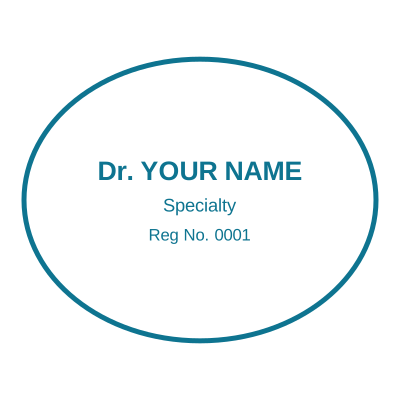




Open the stamp maker with any of these
Every preview on this page carries a faint Estamplab watermark. Your own download does not: the editor renders your stamp again, clean, as a transparent PNG, an SVG or a PDF. See the full template library.
When to use Doctor stamp
- Prescriptions and sick notes
- Medical reports and referrals
- Clinic and hospital paperwork
How to make Doctor stamp
- Open the stamp maker and pick the Doctor template, or type your own wording.
- Work through the shape, the border and the ink, then drop a logo into the centre and place the date.
- Download it: a transparent PNG for documents, or the pack for the SVG, the PDF and the Word version.
Frequently asked questions
Is the doctor stamp free?
Designing is free and unlimited. Downloading the doctor stamp is $1.50 for a single image, or $3.00 for every format at once. One payment either way, with no subscription attached.
Can I add a date to the doctor stamp?
Yes, and you can add a time beside it. On a doctor stamp the date can either be one you type, which stays fixed, or left blank so it resolves at the moment of each download.
What format do I get?
Single formats are the images: a transparent PNG, a white-background PNG or a JPG. The vector and document versions of the doctor stamp, meaning SVG, PDF, EPS and Word, come with the all-formats pack.
Do I get a template or something I can edit?
Neither a static doctor stamp template nor a stock image: a doctor stamp generator you drive, and a doctor stamp maker in the sense that matters, which is that nothing is fixed. Choose a doctor stamp sample layout, rework the doctor stamp design, build the doctor stamp online and download when it looks right. The doctor stamp price is $1.50 for a single doctor stamp png or $3.00 for every format zipped.
What goes on a doctor’s stamp?
Typically the doctor’s full name, qualifications (e.g. MBBS, MD), and medical registration / license number. Use generic placeholders and adapt them to your country’s medical council requirements.
Read more
Estamplab is a design tool. What a medical mark must carry, and whether a digital one may be used on a prescription or a certificate, is set by the council or board you are registered with and differs by country. Check your own registration rules rather than relying on any layout here. Only produce a mark for credentials you actually hold.