Library book stamp maker for cataloguing
A library book stamp maker for ownership and cataloguing marks: collection name, accession number and a date received line.
Library book stamp maker for cataloguing templates, ready to edit



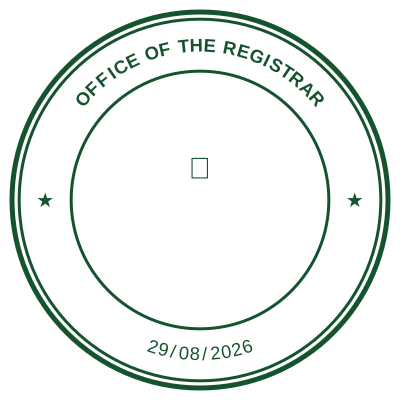


Open the stamp maker with any of these
Every preview on this page carries a faint Estamplab watermark. Your own download does not: the editor renders your stamp again, clean, as a transparent PNG, an SVG or a PDF. See the full template library.
A public library stamp does two jobs that look like one. The ownership mark says which collection a book belongs to, and it has to survive being pressed onto a title page for decades. The cataloguing mark, or cataloging mark if you spell it the American way, records an accession number and the date it entered the collection, and that one changes with every book.
What you get
- Ownership marks: collection or institution name around a ring, or set in a plain rectangle.
- Accession numbering that advances by one each time, so no two books take the same number.
- A date received line that fills itself in on the day it is used.
- Compact sizes, because a title page margin is not generous.
- A high-contrast layout, since a stamp on a printed page competes with the text under it.
How to make it
- Open the stamp maker and pick a shape, or start from a template.
- Type your wording, then set the colour, border and size.
- Add the date, time, serial number or logo, and position each one.
- Preview it live, then download. Designing and previewing are free.
Questions
What goes on a library ownership stamp?
Usually the institution or collection name, sometimes a location or department, and sometimes a line for the accession number. Practice is set by the library rather than by any external rule, so it comes down to what your catalogue needs.
Can it number each book automatically?
Yes. Save the stamp to your account, switch numbering on, and each use takes the next number in the sequence rather than repeating one you have already used.
Should the stamp be small?
Small enough not to obscure the text it sits beside, large enough to read after a photocopy. Set the physical size before downloading so the file carries the dimensions rather than being scaled by whatever opens it.
Estamplab is a design tool. This page describes common commercial practice rather than giving legal, tax or financial advice, and practice changes. Where a specific document matters, check the requirement with the body receiving it. Only produce a mark your own organisation or your own credentials are entitled to use.
Related
- Sequential number stamp generator, no repeats
- School stamp maker, official school and principal stamps
- Received date stamp maker for mailrooms and front desks
- Date stamp generator with a date that fills itself in
- Address stamp maker, for a business or return address stamp
- Monogram stamp maker, for wedding, gift and personal stamps