Self-inking stamp, made online and ready the same minute
- 🔒 Free to design, no signup
- 🔒 Transparent PNG and SVG export
- 🔒 Serial numbers on saved stamps
- 🔒 Works on any device
A self-inking stamp carries its ink pad inside the body, so it re-inks itself on every press, which is why it is the right tool for a stack of paper in front of you. What it cannot do is change. The rubber is cut once, so a new address, a new registration number or a new director means ordering another block and waiting for it. Build the same stamp here and the wording stays editable forever, the date fills itself in, and the file is ready the minute you finish it. We do not sell the physical block; if your work really is paper in hand, buy one. If it is files, this is the same stamp without the wait.
Self-inking stamp, made online and ready the same minute templates, ready to edit


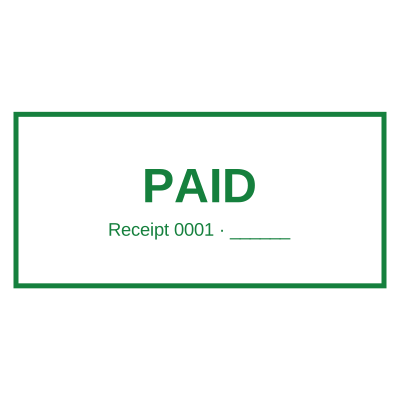



Open the stamp maker with any of these
Every preview on this page carries a faint Estamplab watermark. Your own download does not: the editor renders your stamp again, clean, as a transparent PNG, an SVG or a PDF. See the full template library.
What you get
- The same layouts a self-inking stamp is cut in: round seals, rectangles, received, paid, approved, certified true copy
- Editable forever: change the wording, the size or the colour without ordering a new block
- Ready the same minute, instead of days for a die to be cut and delivered
- A date that fills itself in, instead of bands you turn by hand each morning
- Every download can take its own serial number, which a rubber block cannot
Self-inking stamp, made online and ready the same minute
- Open the stamp maker and pick a shape, or start from a ready-made template.
- Adjust the shape, the colour and the diameter, then add a logo and any lines that have to change.
- Preview it live as you edit. What you see is exactly what the file contains.
- Download it: a transparent PNG for documents, or the pack for the SVG, the PDF and the Word version.
Frequently asked questions
Is this an actual self-inking stamp?
No, and it is worth being straight about that: we do not sell the physical block. This makes the digital equivalent, the same wording and layout, as files you apply to documents, or print and use as artwork. If your documents are paper you are physically holding, a self-inking stamp is genuinely faster and you should buy one. If they are PDFs and Word files, the block is a detour: you would be printing a document purely so you can stamp it and scan it back in.
What does a self-inking stamp cost, against this?
A custom self-inking stamp is typically ordered per block, takes days, and costs again in full every time the wording changes, a new phone number means a new stamp. Here, designing is free, you pay $1.50 once when you download, and editing the wording later costs nothing. The saving is not really the first stamp; it is the fourth one you did not have to order.
Can I get the same size as my self-inking stamp?
Yes. The files are tagged at the size of a real rubber stamp, about 2.2 inches for a round seal, so they land at that size in Word instead of being blown up to the width of the page. You can set any size you want when you place it, and the SVG and print PDF scale with no loss for anything actually going on paper.
Can I print this and have a stamp made from it?
The SVG and print-ready PDF in the download are vector files at full resolution, which is the format a stamp maker asks for. Nothing stops you taking them to one. Most people find they stop needing to.
Self ink stamp, self-inking stamp, pre-inked, which is this?
Those first two are the same thing spelled two ways: a self ink stamp and a self-inking stamp both mean a body with the ink pad built in, re-inking itself on each press. A pre-inked stamp is different, the ink sits in the die itself, giving a sharper impression but no way to re-ink it many thousands of impressions later. This makes the digital equivalent of any of them: the same wording and layout as a file, so what you are choosing between is not the mechanism but whether the document you are stamping is paper or a file.
Is the stamp maker free?
Designing and previewing a a self-inking stamp online is free, with no account and no watermark on the preview. The file is the paid part: $1.50 for a PNG or JPG, or $3.00 for every format in one zip, paid once.
Do I need to install an app?
Nothing to install. The a self-inking stamp online is built and rendered in your browser, so it works the same on iOS, Android, Windows and macOS.
Can I put the stamp on a PDF?
Yes. Take the transparent PNG and place the a self-inking stamp online in whichever PDF editor you already use. Because the background is transparent rather than white, the text underneath still shows around it.
Can each stamp carry its own number?
Save a self-inking stamp online to your library and it gets its own counter. Tick the numbering option at download and that file takes the next number in the sequence, incremented under a row lock, so two tabs or two devices cannot be handed the same one.
Can I design my own, or pick from templates?
Both, in the order that helps. Open a self inking stamp sample as a layout, then use the self inking stamp generator rather than a fixed self inking stamp template, because the wording, shape and spacing are yours. Making a self inking stamp online is free; the self inking stamp price is $1.50 for a self inking stamp png and $3.00 for the full set, and the self inking stamp design stays editable after. It is a self inking stamp maker, not a download.