Stamp on the go: seal a document from your phone
Open the tool on your phone, upload the document from your email or files, place the stamp with a tap, and send the stamped copy back without going near a printer.
Drop your PDF, Word or Excel file here
It is read in your browser. Nothing is uploaded, and there is no account to make.
Stamp on the go: seal a document from your phone templates, ready to edit
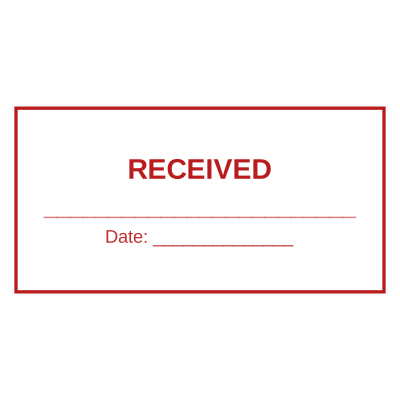





Open the stamp maker with any of these
Every preview on this page carries a faint Estamplab watermark. Your own download does not: the editor renders your stamp again, clean, as a transparent PNG, an SVG or a PDF. See the full template library.
The moments a stamp is actually needed are rarely at a desk. A delivery note that has to be marked received before the driver leaves. An invoice a client wants marked paid while you are still on the call. A site instruction that has to go back approved today. In every one of those the physical stamp is somewhere else, and the honest alternative has always been "I will do it when I am back in the office", which is the delay everybody has learned to expect.
What you get
- Everything happens on the phone: open the file, tap the page, download, send.
- The document is opened by the phone browser and never uploaded, which matters on a personal device.
- The date and time fill themselves in, so a stamp applied on site records the moment, not the morning you got back.
- Works with the PDF attached to an email, and with a photo of a paper note put into a PDF first.
- No app to install and nothing to keep updated.
- Your stamp is already there if you have an account, so there is nothing to set up in the moment you need it.
How to make it
- Open the tool and drop your PDF, Word or Excel file onto the page.
- Pick a stamp from your library, or design one in the pop-up designer.
- Click the page where the stamp goes, then drag it or resize it from the corner.
- Download the stamped copy. Your original file is never modified.
Questions
Does this work without an app?
Yes. It runs in the phone browser, which means nothing to install, nothing to update, and it works the same on iPhone and Android.
Do I need a signal?
To open the page and to pay, yes. The stamping itself happens on the phone, so a weak connection slows the download rather than the work.
How do I get the document onto my phone?
Open the email attachment and save it to Files, then upload it from there. On Android the Downloads folder does the same job.
Is it awkward to place a stamp on a small screen?
Tap the spot and it lands there, then drag to nudge it. The document is shown as a real page you can pinch and scroll, so you are aiming at something you can see rather than choosing a corner from a list.
Can I do it while offline and pay later?
No. The payment happens in the same session, because the document and the placement only exist in that tab and leaving would lose them.
Estamplab is a design tool. This page describes common commercial practice rather than giving legal, tax or financial advice, and practice changes. Where a specific document matters, check the requirement with the body receiving it. Only produce a mark your own organisation or your own credentials are entitled to use.