VOID stamp for PDF, free to design
Cancel a document clearly with a VOID stamp, optionally dated, on any PDF.
Void stamp templates, ready to edit

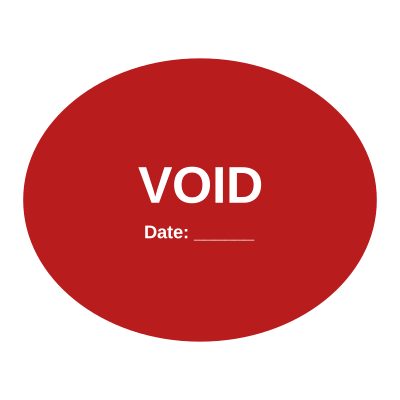
Open the stamp maker with any of these
Every preview on this page carries a faint Estamplab watermark. Your own download does not: the editor renders your stamp again, clean, as a transparent PNG, an SVG or a PDF. See the full template library.
When to use Void stamp
- Cancelled invoices and cheques
- Superseded contracts
- Nullified forms
How to make Void stamp
- Open the stamp maker and pick the Void template, or type your own wording.
- Change the shape, the ink and the border weight, then add the logo and any line that has to update.
- Save it as a transparent PNG for screen use, or take the pack if it is going to print.
How to put a void stamp on a PDF
You can skip the download entirely. Open the document stamping tool, drop the PDF, Word or Excel file in, and place the void stamp by clicking the page you want it on. The file is laid out as real pages in the browser, so you position the mark by looking at it rather than guessing at coordinates, and nothing is uploaded anywhere.
What size should a void stamp be?
The size that actually matters is the one the organisation receiving the document will accept. If the void stamp is for a bank, a registry or a government form, ask them before you commit, because a rejected mark costs more than the minute it takes to check.
What a void stamp does not prove
A void stamp is evidence that a document was processed, not proof of authority. What binds an organisation is a properly authorised signature, and in some places a witness or an execution clause as well. The mark makes a document read as executed; it does not replace the authority to execute it.
Frequently asked questions
Is the void stamp free?
Yes to design it, no to download it. Building a void stamp costs nothing and needs no account, and you can edit it for as long as you like. Getting the file out is $1.50 for a single image format, or $3.00 for the full pack.
Can I add a date to the void stamp?
The void stamp takes a date, a time and a serial number, in any combination. An empty date fills itself in at download; a typed one is treated as a deliberate record and left alone.
What format do I get?
Images on their own: transparent PNG, white PNG, JPG, and high-resolution versions of each. The pack adds the SVG, the print PDF and the Word file where the date and serial stay editable text.
Is there a free maker, or only samples?
It is a void stamp maker rather than a void stamp template you download and then fight with in a word processor. Build a void stamp online from a void stamp sample, or start empty and use it as a void stamp generator: every part of the void stamp design stays adjustable. The void stamp price covers the file only, $1.50 for a transparent void stamp png or $3.00 for every format.