Curved text stamp maker, circular text around a seal
Curved text on a stamp is text laid along the arc of the ring, and here you control its radius, its starting angle, its letter spacing and whether the bottom line reads along the curve or is flipped upright.
Curved text stamp maker, circular text around a seal templates, ready to edit


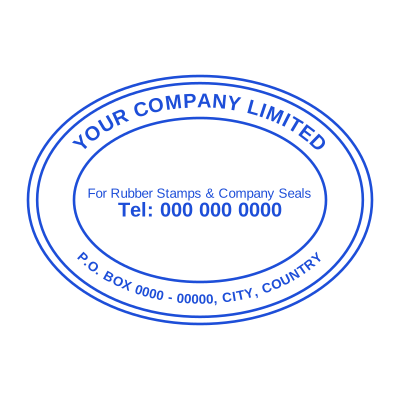

Open the stamp maker with any of these
Every preview on this page carries a faint Estamplab watermark. Your own download does not: the editor renders your stamp again, clean, as a transparent PNG, an SVG or a PDF. See the full template library.
A circular text stamp is the thing that separates a stamp that looks made from one that looks drawn in a word processor, and no separate curved text generator is needed to get there. It is also the control most free makers leave out, which is why so many free seals have the company name straight across the middle of a circle. Getting it right is four settings, and they are all here.
What you get
- Radius, part of the stamp border design as much as the text: how far the text sits from the centre, which is what stops it colliding with the border on one side and the centre text on the other.
- Start point: the angle the line begins at, so the top text can be centred properly rather than starting wherever the software felt like.
- Letter spacing: tightened or opened up, because a short company name and a long one need different spacing to look balanced on the same ring.
- Direction: the bottom line can follow the curve round, the way a traditional seal reads, or be flipped so it stays upright and readable.
- Two rings, top and bottom, each independent, so the company name can sit above and the registration number or town below.
- A stamp with border or a stamp without border, both available: solid, a double border stamp, a dotted border stamp, scalloped, gear or rope, or none at all. A starburst stamp effect comes from the scalloped edge tightened up.
- A one line stamp, a two line stamp or a three line stamp are all just how many centre lines you add, and a stamp with star, or a stamp with logo in middle, puts an emblem there instead.
- It is drawn as vector, so the curve stays smooth at any size instead of going jagged when the stamp is enlarged.
How to make it
- Open the stamp maker and pick a shape, or start from a template.
- Type your wording, then set the colour, border and size.
- Add the date, time, serial number or logo, and position each one.
- Preview it live, then download. Designing and previewing are free.
Questions
How do I make text go in a circle on a stamp?
Choose a round or oval shape and the ring text fields appear. Type into the top ring and the bottom ring separately, then adjust the radius and the start point until the line sits where you want it. There is no separate circular text generator to use first and paste in.
Why does my bottom text appear upside down?
Because it is following the curve, which is what a traditional seal does: the letters rotate with the arc, so at the bottom they are inverted relative to the page. If you would rather it stayed upright, flip the direction on that ring and the line reads normally.
Can I use curved text on a rectangular stamp?
Not usefully, and the tool does not offer it, because there is no arc to follow. Rectangular stamps lay their lines out straight and auto-fit them to the width, which is the right behaviour for that shape.
How much text fits around the ring?
It depends on the diameter and the spacing, and the preview tells you honestly. If a long name is crowding the border, widen the stamp a millimetre or two rather than shrinking the type, because type below about 6pt at true size stops being readable once pressed.
Estamplab is a design tool. This page describes common commercial practice rather than giving legal, tax or financial advice, and practice changes. Where a specific document matters, check the requirement with the body receiving it. Only produce a mark your own organisation or your own credentials are entitled to use.