Electronic stamp maker for documents
An electronic stamp is a mark applied to a file instead of pressed onto paper, and what it asserts is that an organisation handled the document. That is a different claim from an electronic signature, which names a person.
Electronic stamp maker for documents templates, ready to edit

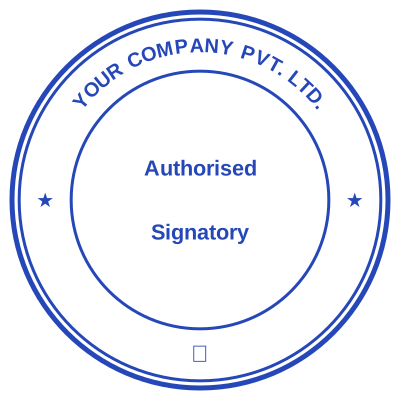




Open the stamp maker with any of these
Every preview on this page carries a faint Estamplab watermark. Your own download does not: the editor renders your stamp again, clean, as a transparent PNG, an SVG or a PDF. See the full template library.
The two phrases get used as though they were the same thing, and the difference is the one that gets documents sent back. An electronic signature names a person and says that person agreed. An electronic stamp names an organisation and says the organisation handled this: received it, approved it, certified it as a copy. Many documents want both, side by side, because they are answering different questions. A document that needs a signature and arrives with only a company stamp on it has not been signed, however official the stamp looks.
What you get
- The date is a live field rather than drawn-in pixels, so an electronic stamp applied in March does not still read January.
- The serial counter is issued server side under a row lock, so two documents stamped seconds apart cannot carry the same reference.
- Transparent PNG by default, so the stamp lies over the page instead of hiding the line beside it under a white card.
- A signature line can be left blank inside the mark, for the common case where the stamp and a real signature go together.
- The Word export keeps the date and reference as editable text rather than flattening them into the image.
- One design exports as PNG, SVG, PDF and DOCX, so the version on screen and the one sent to print are the same artwork.
How to make it
- Open the stamp maker and pick a shape, or start from a template.
- Type your wording, then set the colour, border and size.
- Add the date, time, serial number or logo, and position each one.
- Preview it live, then download. Designing and previewing are free.
Questions
What is an electronic stamp?
A mark applied to a document as a file rather than with rubber and ink. In business use it carries an organisation name and usually a date, and it records that the organisation handled the document. The phrase is also used loosely for any stamp image, which is why it is worth being specific about what a particular document actually needs.
What is the difference between an electronic stamp and an electronic signature?
They answer different questions. A signature names a person and records that the person agreed to what the document says. A stamp names an organisation and records that the organisation handled it. An electronic signature also usually carries an audit trail tying it to an identity and a moment; a stamp image does not. Where a form asks for a signature, a stamp does not satisfy it, and the reverse is true too.
Is an electronic stamp legally valid?
It depends on the document and on who receives it. For routine commercial paperwork, an applied electronic stamp is ordinary practice in most places. Where a statute or a registry prescribes a form, the receiving body decides what it accepts, and some require a cryptographic signature or an original impression. We make the artwork; we cannot tell you what your registry accepts, so ask them before you rely on it.
Can an electronic stamp replace a wet stamp?
For a document that stays a file, usually yes, and it is better: the date is right and the reference is unique. For anything signed in person on paper, no. A file cannot press ink into a sheet, and a printed copy of a stamp image is a photocopy of a stamp, not an impression.
Do I need an account to make one?
No. Designing and previewing are free with nothing written over the preview and no account. The file is $1.50 for one image format or $3.00 for every format zipped, paid once rather than monthly.
Estamplab is a design tool. This page describes common commercial practice rather than giving legal, tax or financial advice, and practice changes. Where a specific document matters, check the requirement with the body receiving it. Only produce a mark your own organisation or your own credentials are entitled to use.