Online stamp creator
An online stamp creator that runs in the browser: create a rubber stamp, a round company seal or a PDF stamp, free to design and preview, with no account needed to start.
Online stamp creator templates, ready to edit



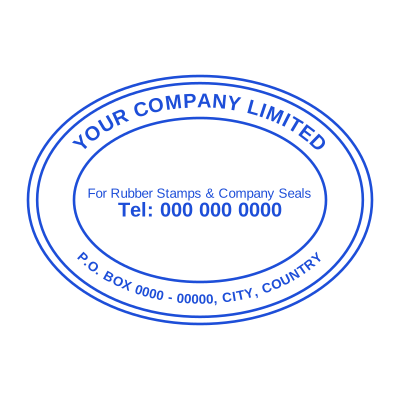


Open the stamp maker with any of these
Every preview on this page carries a faint Estamplab watermark. Your own download does not: the editor renders your stamp again, clean, as a transparent PNG, an SVG or a PDF. See the full template library.
Stamp creator, stamp maker, stamp generator and seal designer all mean the same thing, and which one you typed says more about where you learned the word than about what you need. It is one tool: you create the stamp on screen at the size it will really be used, and you take away a file. What follows is what to expect from a stamp creator online that is worth using, including the parts most free ones leave out.
What you get
- Create a rubber stamp with a realistic pressed-ink look, or a clean vector one for print.
- A round company seal creator with text curving around the ring, which most free tools cannot do.
- A PDF stamp creator: apply the finished mark straight onto a PDF, Word file or spreadsheet.
- Free to create and preview at true size, with no account and no watermark on what you download.
- An ink stamp maker online with any colour, not a palette of six.
- Sized in real millimetres, so what you approve on screen is what lands on the document.
How to make it
- Open the stamp maker and pick a shape, or start from a template.
- Type your wording, then set the colour, border and size.
- Add the date, time, serial number or logo, and position each one.
- Preview it live, then download. Designing and previewing are free.
Questions
Is this stamp creator free?
Creating, previewing and adjusting are free, with no account. A finished download is $1.50 for one format or $3.00 for every format in a zip. So you find out whether the stamp is right before any money is involved, which is the opposite of the tools that ask you to register first and reveal a watermark last.
What is the difference between a stamp creator, a stamp maker and a stamp generator?
Nothing. They are three names for a tool that lays out a stamp and gives you an image of it. A "generator" sometimes implies less control, and that is worth checking wherever you land: the questions that separate them are whether text can curve around a ring, whether you can set the size in millimetres, and whether the download is watermarked.
Can I create a rubber stamp that looks pressed rather than printed?
Yes, that is the Aging control. It breaks the outline and thins the ink unevenly across the whole impression, the way a real die does after a few thousand presses. Leave it at zero if the stamp is going to be printed, because a press turns the break-up into what looks like a printing fault.
Is there a PDF stamp creator here as well?
Yes, and it is the same stamp. Create the mark, then drop the PDF in and click where it goes, on one page or on every page. Word files and Excel sheets work the same way and come back in their own format if you want them.
Do I need to download anything?
No. It runs in the browser on a laptop, a phone or a Chromebook, and the rendering happens on your device rather than on a server, which is also why your logo never leaves it.
Estamplab is a design tool. This page describes common commercial practice rather than giving legal, tax or financial advice, and practice changes. Where a specific document matters, check the requirement with the body receiving it. Only produce a mark your own organisation or your own credentials are entitled to use.
Related
- Stamp design online: design a stamp, seal or chop
- Realistic rubber stamp generator with an aging control
- Seal maker and seal generator, for a seal you can use today
- How to add a stamp to a PDF, for free
- Transparent stamp PNG, no white box behind the seal
- Custom stamps: what to order, and when you do not need to