Seal stamp maker online, free to design
Seal stamp is the phrase people reach for when they want the round, formal-looking mark rather than a plain text one: a ring of text around the edge, the detail in the middle, and the weight that comes with it.
Seal stamp templates, ready to edit

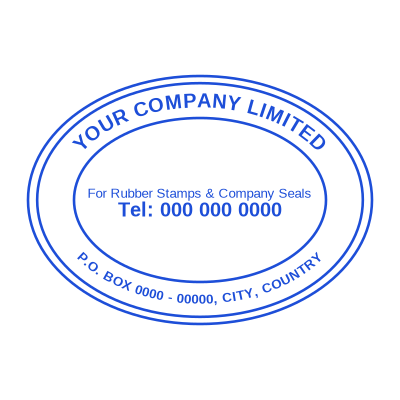
Open the stamp maker with any of these
Every preview on this page carries a faint Estamplab watermark. Your own download does not: the editor renders your stamp again, clean, as a transparent PNG, an SVG or a PDF. See the full template library.
When to use Seal stamp
- Company and organisation seals
- Certificates and awards
- Formal letters and instruments
- Professional sign-offs
How to make Seal stamp
- Open the stamp maker and pick the Seal stamp template, or type your own wording.
- Choose the shape and ink colour, size it like a real stamp, and add a logo, a date or a number.
- Export the image for documents, or the whole set if you also need it in print or in Word.
How to put a seal stamp on a PDF
In Word, insert the seal stamp as a picture and then change the wrap to In Front of Text. That one setting is the whole problem: left as it is, Word treats the image as a very large character and pushes your paragraphs down the page. Once the wrap is changed it can be dragged anywhere, including over a signature line.
What size should a seal stamp be?
On A4, anything between 35 and 45 mm reads as a stamp that was pressed onto the page. Below about 30 mm the ring text stops being legible once the document is photocopied, and above about 50 mm the seal stamp starts competing with the content instead of marking it.
What a seal stamp does not prove
The organisation receiving the document decides whether a seal stamp is acceptable, and practice varies more than people expect. For invoices, internal approvals and routine correspondence an image is widely accepted. For deeds, filings and anything going to a court or a registry, confirm before you rely on it.
Frequently asked questions
Is the seal stamp free?
Designing and previewing a seal stamp is free, with no account and no watermark on the preview. The file is the paid part: $1.50 for a PNG or JPG, or $3.00 for every format in one zip, paid once.
Can I add a date to the seal stamp?
The seal stamp takes a date, a time and a serial number, in any combination. An empty date fills itself in at download; a typed one is treated as a deliberate record and left alone.
What format do I get?
Single formats are the images: a transparent PNG, a white-background PNG or a JPG. The vector and document versions of the seal stamp, meaning SVG, PDF, EPS and Word, come with the all-formats pack.
How much does it cost, and what do I get?
You build it. The seal stamp sample layouts are starting points rather than the product, so this is closer to a seal stamp generator than a seal stamp template. Adjust the seal stamp design, build the seal stamp online, preview at real size, then pay once. As a seal stamp maker it charges nothing to try, and the seal stamp price is $1.50 for a transparent seal stamp png or $3.00 for the whole pack.
What is the difference between a stamp and a seal?
In everyday use, nothing: both are marks on a document. Strictly, a seal is the more formal instrument, conventionally round, historically pressed or embossed, and used where a document is being executed rather than merely marked. A stamp is any inked impression. Which word applies to yours is mostly convention.