Security company stamp for logs and reports
A security company stamps occurrence books, incident reports and gate registers, records produced later in an investigation or an insurance claim, where an entry nobody can attribute is an entry nobody can use.
Security firm stamp templates, ready to edit


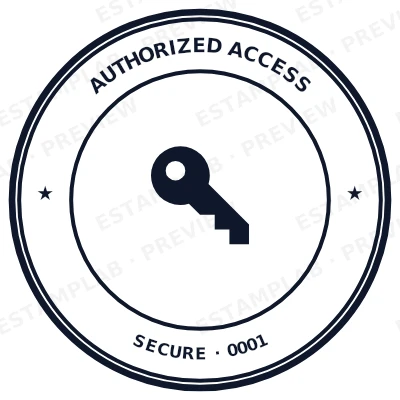

Open the stamp maker with any of these
Every preview on this page carries a faint Estamplab watermark. Your own download does not: the editor renders your stamp again, clean, as a transparent PNG, an SVG or a PDF. See the full template library.
When to use Security firm stamp
- Occurrence book entries
- Incident and patrol reports
- Gate and visitor registers
- Handover certificates
How to make Security firm stamp
- Open the stamp maker and pick the Security firm stamp template, or type your own wording.
- Work through the shape, the border and the ink, then drop a logo into the centre and place the date.
- Export a PNG or JPG for $1.50, or every format zipped for $3.00 including the editable Word file.
How to put a security firm stamp on a PDF
Export the security firm stamp as a transparent PNG, then in Acrobat choose Edit PDF, then Add Image, and drop it where it belongs. Drag a corner to size it and flatten the file afterwards so it cannot be moved by whoever receives it. The transparent background is what stops a white rectangle appearing over the text underneath.
What size should a security firm stamp be?
Text is the limit, not the shape. Every line you add to a security firm stamp makes the rest smaller, and letters below roughly 6pt at true size stop surviving a scan or a fax. Three to five lines is the practical ceiling on a 40 mm mark.
What a security firm stamp does not prove
Only apply a security firm stamp for an organisation or an office you are authorised to act for. Making a mark in the name of a body you do not represent is a criminal matter in most jurisdictions, and it is the one use of a tool like this that is never defensible.
Frequently asked questions
Is the security firm stamp free?
Designing is free and unlimited. Downloading the security firm stamp is $1.50 for a single image, or $3.00 for every format at once. One payment either way, with no subscription attached.
Can I add a date to the security firm stamp?
Add a date line anywhere on the security firm stamp. If you type a date it stays put; if you leave it empty it becomes today's date each time the file is generated, which is usually what a dated stamp is for.
Is the security firm stamp a PNG, or can I get a vector too?
Single formats are the images: a transparent PNG, a white-background PNG or a JPG. The vector and document versions of the security firm stamp, meaning SVG, PDF, EPS and Word, come with the all-formats pack.
Can I design my own security firm stamp, or pick from templates?
Both, in the order that helps. Open a security firm stamp sample as a layout, then use the security firm stamp generator rather than a fixed security firm stamp template, because the wording, shape and spacing are yours. Making a security firm stamp online is free; the security firm stamp price is $1.50 for a security firm stamp png and $3.00 for the full set, and the security firm stamp design stays editable after. It is a security firm stamp maker, not a download.