Sign a document online, and stamp it at the same time
Draw or type a signature, place it where the document needs signing, add your company seal beside it, and download the signed file. Nothing is uploaded.
Drop your PDF, Word or Excel file here
It is read in your browser. Nothing is uploaded, and there is no account to make.
Sign a document online, and stamp it at the same time templates, ready to edit
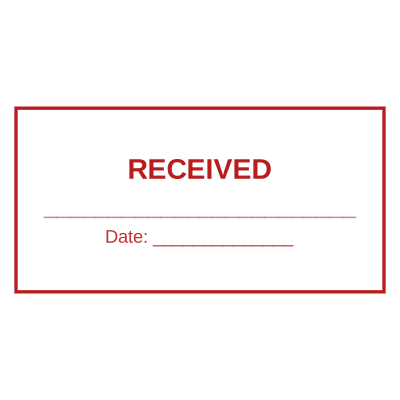
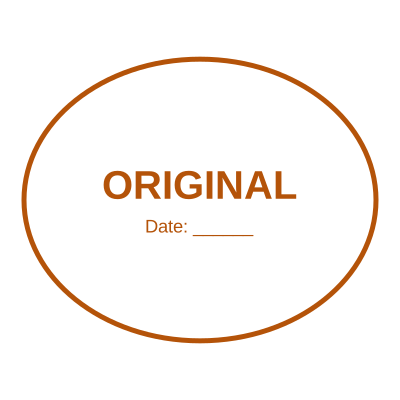
Open the stamp maker with any of these
Every preview on this page carries a faint Estamplab watermark. Your own download does not: the editor renders your stamp again, clean, as a transparent PNG, an SVG or a PDF. See the full template library.
Most signing tools treat a signature as the whole job, which is fine in the countries where a signature is the whole job. In much of the world it is not: a contract is signed AND sealed, and a document that comes back with only one of the two goes straight back for the other. That is why signing and stamping are the same screen here rather than two products, and why a signature and a company seal can sit side by side on the same line of the same page.
What you get
- Draw it with a mouse, a finger or a stylus, or type it and pick a hand.
- Five inks: black, blue, red, green and indigo, because plenty of places still want a signature in blue so the original is distinguishable from a photocopy.
- A seal, initials, a date and a reference can go on the same page, each placed on its own.
- PDF, Word and Excel, all laid out as real pages so you sign where the signature block actually is.
- The signature is drawn at four times the size it is shown, so it prints as a clean line rather than a staircase.
- The file is opened in your browser and never uploaded, which for a signed contract is the point.
How to make it
- Open the tool and drop your PDF, Word or Excel file onto the page.
- Choose Signature, then draw it or type it and pick an ink.
- Click the page where it should be signed, and add a seal or a date beside it.
- Download the signed copy. Your original file is never modified.
Questions
Is a signature I draw here legally binding?
That depends on the country, the document and what the parties agreed, and it is not something this page can answer for you. Many jurisdictions accept an electronic signature for ordinary commercial contracts while requiring more for land, wills or powers of attorney, and some require a qualified electronic signature from a licensed provider, which is a different product involving identity checks and a certificate. A drawn signature is an image of your signature. Where your law and your counterparty accept that, this applies it cleanly; where they need a certified signature, use a certification service.
Can I sign and stamp the same page?
Yes, and that is the normal case here. Place the signature, then switch to Stamp and place the seal beside it. Each mark keeps its own picture and its own proportions, so a wide signature next to a round seal is not squashed to match.
Can I sign a Word document without converting it first?
Yes. A .docx is laid out into pages the way Word draws it, so you sign on the page rather than guessing. You can download it back as Word or as a PDF.
Can somebody lift my signature out of the file afterwards?
Out of a PDF, the signature is drawn into the page rather than left as a separate object, so there is nothing to select and drag off. The Word download is flattened for the same reason. A screenshot still works, as it does with any signed document, paper included.
Do I need an account?
No. Signing and placing are free and need no sign-in. The finished file is $2.00, paid with an email address, or included on a plan.
Can two people sign the same document?
On one device, yes: draw the first signature, place it, then draw the second and place that. Sending it to someone else to sign in turn, with each party notified and their signature recorded, is a signing workflow and is a different kind of product from this one.
Estamplab is a design tool. This page describes common commercial practice rather than giving legal, tax or financial advice, and practice changes. Where a specific document matters, check the requirement with the body receiving it. Only produce a mark your own organisation or your own credentials are entitled to use.