Blog › Notary and legal stamps
Digital signature, electronic seal and a stamp: three different things
4 September 2026 · Estamplab
Make your stamp free · Browse 225 templates
Somebody asks for "a digital signature and seal" and means one of three different things. They are not interchangeable, only one of them is a picture, and we make the picture. Sorting out which one you have been asked for is the whole of this page.

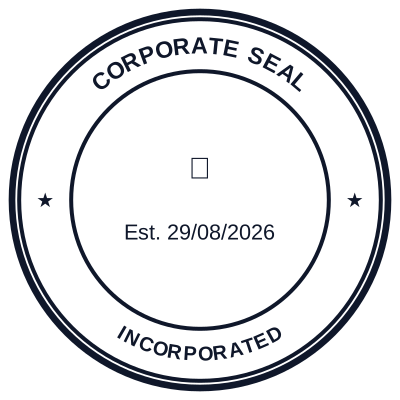
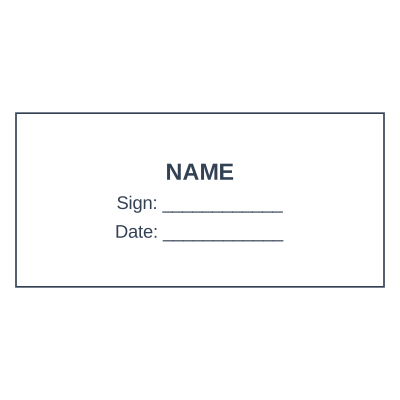

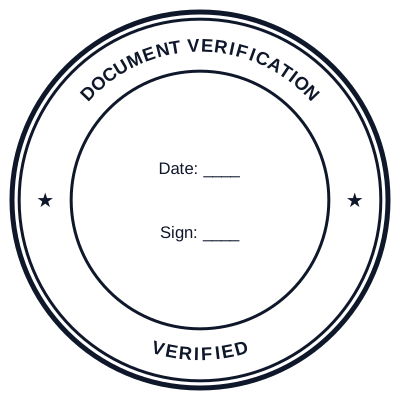

Open the stamp maker and start from any of these
1. A digital signature
Cryptography, not an image. A private key signs a hash of the document, and anybody with the matching certificate can check two things: that the document has not changed since signing, and that the key belonged to whoever the certificate names.
It is invisible. What you see in a PDF reader is a panel the reader draws after checking the maths. The squiggle next to it is decoration, and deleting the squiggle does not break the signature.
You get one from a certificate authority or a trust service provider, with identity checks. You do not get one from a design tool, and any site offering you a "digital signature" for a couple of dollars is selling you an image.
2. An electronic seal
The organisation's version of the same cryptography. Where a signature binds a person, a seal binds a legal entity: this invoice came from this company and has not been altered. Under eIDAS in the EU it is a defined instrument with its own tiers, and a qualified electronic seal has legal effects a picture does not.
Same source: a trust service provider, after checks on the company. Again, not a design tool.
The confusing part is that "electronic seal" is also used loosely for a picture of a company seal on a PDF. Both usages are common, they mean completely different things, and the difference is covered in electronic seals, electronic stamps and e-stamps.
3. A stamp
An image applied to a document: your company mark, a notary seal, a PAID mark. It shows a human reader which organisation issued the page and what happened to it. It carries no cryptography and proves nothing about who applied it.
That is what this site makes, and it is what almost everybody asking for "a stamp on the PDF" actually wants.
Which have you been asked for
Read the instruction rather than guessing.
- "Please stamp and return", from a customer, a supplier or a bank. A stamp. The image.
- "Digitally signed" or "signed with a qualified certificate", from a registry, a court or a tender portal. A digital signature, from a trust service provider.
- "Sealed" on an EU e-invoicing or public sector requirement. Likely a qualified electronic seal, which again comes from a provider.
- "Signature and stamp", which is the common one. Usually a handwritten or drawn signature plus your company mark, both as images. Sometimes a real digital signature plus a stamp image on top of it, which is a perfectly normal combination.
When the instruction names a regulation, a certificate or a trust provider, it is cryptography. When it names ink, a colour, a size or a position on the page, it is an image.
Using both together
They are not alternatives and the strongest documents carry both. Apply your company stamp so a human opening the file can see at a glance who issued it, then sign the file with a certificate so a machine can verify it has not been altered.
The order matters: sign last. A digital signature covers the state of the document at the moment of signing, so adding a stamp image afterwards invalidates it. Stamp, then sign.
You can put the stamp on the PDF here and sign the result in Acrobat, a national eID app, or whatever your trust provider gives you.
Read more: Whether an applied stamp is accepted, and where
The honest limits
Estamplab is a design tool. It makes the third thing on this page and not the first two: we are not a certificate authority or a trust service provider, we issue no certificates, and a mark made here carries no cryptographic proof of anything.
This page describes common practice rather than giving legal advice, and what a particular filing requires differs sharply between jurisdictions and between documents, so check the requirement with the body receiving it. Only produce a mark you or your organisation are entitled to use.
The rest of the range is on the stamp and seal directory.
Every kind of stamp and seal
- Notary stamps and seals
- Rubber stamps
- Rubber stamp maker
- Self-inking stamps
- Office stamps
- Official stamps
- Company seals
- Corporate stamps and seals
- Company chops
- Seals for civil servants
- Justice and court stamps
- Legal and advocate stamps
- Certified true copy stamps
- Medical stamps
- Pharmacy stamps
- Veterinary stamps
- Engineer and architect seals
- Land surveyor seals
- Bank stamps
- School and principal stamps
- Teacher and marking stamps
- University and college seals
- Library stamps
- Inspection stamps
- Courier and logistics stamps
- Construction and site stamps
- Real estate stamps
- Hotel and restaurant stamps
- Church and charity seals
- Tender and bid stamps
- HR and payroll stamps
- Received and paid stamps
- Confidential and draft stamps
- Signature stamps
- Date stamps
- Custom band stamps
- Numbering stamps
- Address stamps
- Monogram stamps
- Wedding stamps
- Gift and craft stamps
- Art and logo stamps
- Wax and foil seals
- Stamp or seal, by profession