Free online company stamp & seal maker
Make a digital rubber stamp, an e-stamp or a full company seal in minutes, with no registration to start. Design a notary stamp or an approval mark, adjust the shape, ring text, colour, logo and size, then download it as a transparent PNG, an SVG, a PDF or a Word file, or save it so each download takes its own locked serial number.
Loading the stamp designer
How to create a professional stamp
- Pick a template or shape: Start from one of 60+ industry templates, or choose a shape: circle, oval, rectangle, shield, hexagon, triangle.
- Set the size and colour: Adjust the stamp size and ink colour. A standard round seal is about 38mm; rectangles auto-fit your lines.
- Add your ring text: Type the text that curves around the outer ring: your company, office, or seal name, top and bottom.
- Add centre text and dates: Add the centre lines, a date, a time or a serial. Use {{DATE}}, {{TIME}} and {{SERIAL}} so they fill themselves in.
- Drop in a logo or shape: Upload a logo or add a star, crest or shape element, then move, scale and rotate it into place.
- Preview, then download or save: Watch the live preview update as you edit. Download the finished stamp, or save it to your library so it keeps its own serial sequence.
Why build your stamp online
- Design in your browser, 24/7: No software, no install, no design skills. Call it a virtual stamp, a digital seal or an electronic stamp, it is the same file doing the same job. A free stamp maker online and a seal creator in one, a quick stamp maker for a receipt mark and a legal stamp maker for an advocate or notary seal, and a stamp maker no registration is needed for: it is an instant stamp maker in the only sense that matters, which is that you are looking at a finished seal a couple of minutes after arriving. Build it on desktop or mobile.
- Every element is editable, not a fixed template: Seven shapes, six border styles, any font from the list, and per-line control of size, weight, italic, letter spacing, rotation, opacity and position. Nothing is baked in: a template is a starting point you take apart, not a layout you fill.
- Real-time preview: Every change renders instantly as crisp vector, so what you see is exactly what you download.
- Free to design, and free to change your mind: Build it, preview it, and rework it as many times as you like without an account. You pay only when you download a file, and editing it later never costs again.
- Locked serial numbers: A saved stamp gets its own serial counter, incremented under a row lock, so two tabs or two devices can never take the same number. Every impression is traceable rather than interchangeable, which is the one thing a photographed rubber stamp can never be.
- Multiple formats: A high-resolution PNG (transparent or white), JPG, SVG vector, PDF, EPS and Word, or all of them at once in a single zip for print and design tools.
- A date and time you can retype in Word: Add a date line, a time line, or both, and the Word download keeps them as real, editable text rather than baking them into the picture. Click into one and type, and the serial works the same way, so a single stamp file serves every document instead of needing a new one each day.
- An aging control, so it looks pressed and not drawn: A perfect circle with perfectly even ink reads as clip art, and everybody can tell. One slider breaks up the outline and thins the ink unevenly across the whole impression, from a crisp new die to a block that has lived in a drawer for years. Leave it at zero for print, where a clean edge is what a press wants.
Every part of the stamp is yours to change
A template here is a starting point you take apart, not a layout you fill in. These are the controls, and each line of text carries its own set.
- Shape: A round stamp maker, an oval stamp maker, a rectangular stamp maker and a square one in the same tool, plus a shield seal, a hexagon stamp, a triangle and a star stamp emblem for the centre. A circle stamp maker, a circular seal, a hexagonal outline, a triangular one and a rectangular stamp template are all the same picker. The shape changes the layout rather than just the outline, so ring text is available on the round ones and lines auto-fit on the rectangular ones.
- Border: Solid, a double circle stamp border, a scalloped seal edge for a notary look, gear, rope, or none at all, each with its own thickness. The border is drawn as vector, so it stays sharp at any size.
- Ring text: Text that curves around the ring, top and bottom, with its own start point, letter spacing, radius and direction. This is the control most free makers do not give you, and it is why their seals all look the same.
- Every line individually: Each line of text carries its own font, size, weight, italic, colour, letter spacing, rotation and opacity, and can be dragged anywhere on the stamp rather than snapping to a preset slot.
- Logos and emblems: Upload your own logo, or use a built-in emblem. An uploaded logo has its white background removed and is recoloured to the ink, then scaled, rotated and positioned freely.
- Colour: Any ink colour, not a palette of six. Quick swatches for the common ones, and a full picker for a brand colour that has to match exactly.
- Size in real millimetres: Set the diameter or the width to the size it will actually be used at, so what you approve on screen is what lands on the document.
- Wear and age: One control breaks up the edge and thins the ink unevenly across the whole impression, from a crisp new die to a block that has been in a drawer for years. Leave it at zero for print.
One stamp, every format you need
- A professional online e-stamp: Design it in the browser and it is ready to use the same minute. No block to order, no ink pad, no waiting for a courier.
- A Microsoft Word stamp: The Word download floats over your document instead of pushing the text down the page, and the date and serial stay as real text you can retype.
- A PDF stamp: Take the transparent PNG or the SVG and drop it onto a PDF in any editor, or use the PDF version for anything going to print.
- A portable stamp: One zip carries PNG, JPG, SVG, PDF, EPS and Word. Put it on a phone, a laptop or a shared drive and it works the same everywhere.
- An editable stamp: Come back and change the wording, the colour, the ring text or the size at any time. A physical block is cut once and cannot be corrected.
Built for the professions that stamp every day
- Advocates: An advocates rubber stamp for pleadings, affidavits and correspondence, with your name, practising number and firm around the ring.
- Commissioners for oaths: A commissioner for oaths rubber stamp with the wording, commission details and the date line an affidavit has to carry.
- Notaries public: A notary seal with the serrated edge, the commission wording and a serial line, ready in minutes rather than days.
- Engineers: Engineering rubber stamps: registration number, board details and the approval mark that goes on every drawing.
- Anyone certifying copies: A certified true copy stamp, dated and signed, so a copy carries the wording it needs to be accepted.
Stamp maker FAQs
Is the online stamp maker free?
Designing a stamp is free. Pick a template, customise the text, shape, colour, logo and size, and watch the live preview, all with no account. Downloading the file is where paid features begin: $1.50 for a single format, $3.00 for all of them in one zip, or included on a plan. Saving a stamp to your library, so it keeps its own locked serial sequence, is what the account is for.
What file formats can I download?
A high-resolution PNG (transparent, for overlaying on documents, or on a white background), a JPG, an SVG vector for print and design tools, a PDF, and a Word file. Or grab every format at once in a single zip. The transparent PNG drops cleanly onto any page.
Can I add my company logo?
Yes. Upload your own logo as a PNG or SVG, or choose from built-in emblems (bank, government, globe, shield, gear, crown, scales of justice, caduceus and more). Move, scale, rotate and set the opacity of each element. The white background is knocked out of an uploaded logo on the way in, so it reads as ink rather than as a card stuck on the seal.
How to create a company stamp, step by step
Open the designer, pick a round shape or a template, and type your company name into the top ring. Put the registration number or the town in the centre, set the diameter to about 38mm to 42mm so it is a realistic size, and choose the ink colour. Add a date line if the stamp will be used on dated paperwork, upload a logo if you have one, and download. There is no signup to reach that point.
How to design a rubber stamp that does not look drawn
Three things separate a designed stamp from a clip-art one. Use ring text that curves rather than straight lines across a circle. Size it in real millimetres and judge it at that size, not zoomed in. Then add a little wear with the aging control so the edge breaks the way a pressed die does, and leave that at zero if it is going to print.
How to make a digital stamp or a company seal online
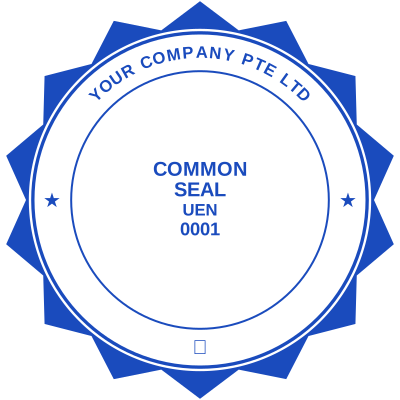
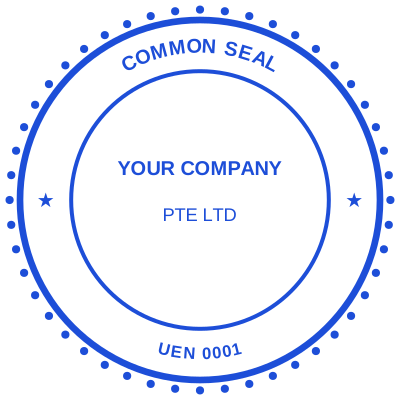
How to make a company seal online is the same question, and it is worth knowing these are one object: a company seal, a company stamp and a company chop are regional names for the same thing. To create a company seal, start from a round shape. Make a seal online here by choosing a round shape, wrapping the entity name around the ring, and putting the identifying number in the middle. What makes it digital rather than a picture is that the date and serial resolve when the stamp is used.
Can I put our address, phone number, website or email on the stamp?
Yes, on any line. A stamp with address details is common on a received or letterhead stamp; a stamp with phone number, a stamp with website or a stamp with email is common on a small business receipt stamp. Watch the size: every line you add makes the rest smaller, and text below about 6pt at true size stops being readable once pressed.
Can I make a personalised or monogram stamp?
Yes, and a personalized stamp maker is the same tool. A personalised stamp with a name, an initial stamp, a monogram seal or a crest works exactly like a company one: the ring text takes a name instead of a company, and the centre takes initials, an emblem or an uploaded logo. Wedding, library and address stamps are the common personal uses.
Can I save my stamp and edit it later?
Yes, that is what an account is for. Save my stamp to a library and it becomes a reusable stamp you reopen whenever the wording changes, so you edit stamp later rather than rebuilding it. The saved stamp also owns the serial counter, which a downloaded file cannot.
Does it work on a phone?
Yes. Making a stamp on phone or a stamp on mobile is the same page in the browser, with nothing to install. The rendering happens on your device, so a stamp started on a phone and finished on a laptop is identical.
How customisable are the stamps, really?
Every part of it. The shape, the border style and its thickness, the ink colour, and the size in real millimetres. Then each line of text separately: its font, size, weight, italic, letter spacing, colour, opacity, rotation and exact position, dragged where you want it rather than dropped into a fixed slot. Ring text on a round seal has its own start point, radius, spacing and direction. A logo can be uploaded, knocked out of its white background, recoloured to the ink and placed freely. The templates are starting points you take apart, not layouts you fill in.
What shapes and styles are available?
Round and oval seals, rectangles and squares, plus shield, hexagon and triangle. Round seals support curved ring text and decorative borders: triple ring, double ring, scalloped (notary), gear, rope and dashed.
How is a digital stamp different from a photo of a rubber stamp?
Three things: it is ready in minutes rather than days, it stays editable so a changed registration number costs nothing, and a saved stamp can put a locked serial number on each download so impressions are distinguishable. A photographed rubber stamp is one image reused forever, and nothing about it says which document it was meant for.
Can I use the stamp on a PDF?
Yes. Download the transparent PNG or the SVG and place it on the page in whichever PDF editor you use. Because the background is transparent rather than white, the text underneath still shows through around the seal.
Is this better than custom rubber stamps or a self-inking stamp?
It depends what you need it for. A self-inking stamp is unbeatable on paper you are already holding. But most documents never reach paper now, and custom rubber stamps take days to make, cost more each time the wording changes, and cannot be corrected once cut. A digital stamp is ready the same minute and is editable forever.
Can I make a self-inking stamp online?
Yes, in the sense that matters: the same wording, the same layout, ready the same minute rather than days for a die to be cut. We do not sell the physical block, and if your documents are paper you are holding, a self-inking stamp is genuinely faster. If they are PDFs and Word files, the block is a detour: you would be printing a document purely so you could stamp it and scan it back in. The digital one also changes, and a new address or registration number costs nothing, where a rubber die has to be re-cut.
How does this compare to a self-inking date stamp?
The date bands on a self-inking date stamp have to be turned by hand every morning, and the morning nobody does it is the morning a hundred documents get stamped with yesterday. Here the date fills itself in, and in the Word download it is a live field that reads today every time the file is opened. A time can go on it too, which a physical date stamp does not carry at all.
Can I make a received stamp with the date and time on it?
Yes. Add a date line and a time line and both fill in when the stamp is used, so a received stamp with date and time records the moment a document arrived, not just the day. That is the difference that matters on a tender deadline, a court filing or anything logged in and out on the same afternoon. Both stay editable text in the Word download.
Can the date fill itself in, instead of me typing it?
Yes, tick "Let Word fill it in" when you download. The Word file then carries a real DATE field (and a TIME field) rather than a fixed value, so it reads today every time the document is opened, with no typing at all. The trade-off is that it keeps changing, which is right for a received or approved stamp you press every day and wrong for one recording when a specific thing happened. For that, leave it off, or press Ctrl+Shift+F9 in Word to freeze the field into plain text. A date you typed into the designer is never turned into a field, because that is a record of a day rather than "today".
How do I add a time to the stamp?
Click + Time in the designer and a time line is added, exactly like a date. Leave it empty and it fills in with the moment the stamp is used, or type a fixed time if the stamp records a set hour. You choose the format (24-hour, 12-hour with am/pm, or with seconds), the size, the colour and where on the stamp it sits.
Do you support serial numbers, dates and times?
Yes, add date, time and serial placeholders to any line. All three fill themselves in when the stamp is used, so every impression is unique and traceable, and all three stay editable text in the Word download. The serial comes from the counter on your saved stamp, incremented under a row lock, so two tabs or two devices can never be handed the same number.
How do I make a company stamp with a date?
Click + Date in the designer and a date line is added to the stamp. Leave it empty and it fills in automatically with the day the stamp is used, or set a fixed date if the stamp records something specific. You choose the format (DD/MM/YYYY, MM/DD/YYYY, or a written month), the size, the colour and exactly where on the seal it sits.
Can I change the date or time on the stamp after I download it?
Yes, in the Microsoft Word download. The date and the time are real, editable text there, not part of the picture: click into one and retype it. The serial number behaves the same way. In the PNG, JPG, SVG and PDF they are drawn into the image, because those formats have no text to edit; if you would rather they showed nothing at all, choose "Text I can retype" when you download and the flat files leave the space clear.
Can I make the stamp look like a real, worn rubber stamp?
Yes, that is what the Aging control in the toolbar does. Drag it up and the outline starts to break, the ink thins unevenly and the ring text wears the way a real die does after a few thousand impressions. It is applied across the border, the ring text and the centre together, so it reads as one impression rather than a texture laid over the top, and it is baked into the pixels at download rather than being a preview effect. Leave it at zero if the stamp is going to print, because a press turns the break-up into what looks like a printing fault.
How to remove the background from a stamp or a logo, and get a transparent stamp PNG
Press Upload logo and pick the file. The white background is removed as it loads, which is the step that otherwise needs an image editor, and the artwork is recoloured to the stamp ink so it reads as one impression instead of a colour sticker inside a ring. Choose a border, wrap your company name around the ring, and download it as a transparent PNG. A JPEG works, which is the usual case; a PNG that is already transparent gives the cleanest result.
How do I make a company stamp online free?
Open the designer, choose a round shape, type the company name around the ring and the registration number in the middle, then set the size in millimetres. Designing and previewing is free with no account, which means you find out whether it looks right before any money is involved. Downloading a finished file is $1.50 for one format or $3.00 for all of them. A company stamp maker online free of charge all the way through the download does exist, and the way most of them pay for it is a watermark on your seal.
Is there a stamp maker that does not need registration?
This one. An online stamp maker without login gets you the whole designer: templates, ring text, logo upload, colours, sizes and the live preview at true size. An account exists for one thing that genuinely needs it, a saved stamp that owns its own serial counter, because a number that can never repeat has to be issued somewhere other than your browser.
Is this the best free stamp maker without a watermark on the download?
We would say so, and the specific claim is checkable: nothing is added to your file. No badge in the corner, no faint site name across the seal, no line of promotional text under it. That is the trap in most free stamp makers, and it is invisible until you have finished designing and paid attention to the preview. Design here for free, look at the result at full size, and decide then.
How do I make a digital stamp with a transparent background?
Draw it here and it is transparent from the start, because a designed stamp is ink on nothing rather than a photograph of a stamp on paper. Choose the transparent option and you get a stamp PNG with a transparent background, so the document text reads through the open parts of the ring instead of hitting a white card. If you upload a logo, its white background is knocked out on the way in for the same reason.
What resolution do I get, and can I have a high resolution stamp PNG?
The PNG is rendered at a high resolution rather than at screen size, so it holds up when placed on a page and when printed. If you need a stamp at 300 DPI for a print job, take the SVG: it is vector, so it is resolution independent and prints crisply at any size a printer can manage. The SVG download is also the one to hand a designer or a sign maker.
Can I design a stamp and download it as a PNG, an SVG or a PDF?
All three, plus JPG, EPS and Word. Pick one format for $1.50 or take the lot in a zip for $3.00. The short version of which to use: transparent PNG for dropping onto a document, the stamp SVG download for print and design tools, or download the stamp as a PDF for anything going straight to a printer, and the Word file when the stamp goes into a .docx, because that one floats over the text instead of pushing it down the page.
How do I create an official company seal, and what makes a stamp official?
The design is the easy half: a round shape, the registered entity name around the ring, the registration number and town in the centre, at a realistic 38mm to 42mm. What makes a stamp official is not the artwork, it is who is entitled to use it and what the body receiving the document expects to see. An official seal maker online can produce a perfect seal for a company you have no authority to bind, and that is forgery whatever tool drew it. Where a registry, a bank or a counterparty requires a particular form of seal, that requirement comes from them, so check it with them rather than with a design tool.
Is a digital company stamp legal, and does a company stamp make a document binding?
These are two questions and the second one surprises people. Whether a company stamp makes a document binding is not the same as whether the stamp is valid, and in most common law jurisdictions a company stamp has not been required to bind a company for decades: signature and authority are what bind it, and the stamp is evidence of who issued the document rather than the thing that makes it enforceable. In several other jurisdictions, and in a great deal of everyday practice everywhere, a document without the company mark simply gets sent back. So the honest answer is that a digital company stamp is ordinarily fine where a stamp is used at all, and what a specific document needs is a question for the party asking for it and for local advice, not for us.
Can anyone copy my company stamp?
A picture of a stamp can be copied by anybody who has the picture, which is equally true of a photographed rubber stamp and is the reason a stamp alone has never been strong evidence. What makes copying detectable is a serial numbered stamp for audit purposes: each impression takes the next number from a counter that cannot issue the same number twice, so a duplicated seal shows up as a repeated number in your own records. For an audit trail that is the part that matters, rather than the artwork.
Is the stamp maker free to use, and is there a subscription?
Designing is free and unlimited, with no account. Downloading is $1.50 for one format or $3.00 for every format, paid once. A stamp maker without a subscription is what this is by default: plans exist for people downloading regularly and nothing about the tool is gated behind one. Nothing recurs unless you choose a plan.
How do I make a round stamp with text around the edge?
Choose a round shape and use the ring text control rather than typing a normal line. Ring text curves along the circle with its own start point, radius, letter spacing and direction, so the company name runs around the top and a town or a number runs around the bottom the right way up. This is the control most free makers leave out, and it is why their seals all look like a word sitting in a circle.
How do I make a stamp look like a real rubber stamp?
Use the Aging control. A digital rubber stamp maker that outputs a perfect circle with perfect ink produces something that reads as clip art, because a real die never presses evenly. Dragging Aging up breaks the outline, thins the ink unevenly and wears the ring text the way a block does after a few thousand impressions, across the border, ring and centre together so it reads as one impression. Leave it at zero if the stamp is going to be printed, because a press turns the break-up into what looks like a printing fault.
How do I add a company stamp to an invoice?
Drop the invoice into the document tool and place the stamp where the accounts department expects it, usually beside the total or under the signature block. It works on a PDF, on the Word file the invoice was written in, and on an Excel sheet, so there is nothing to convert first. Add a date line and it fills itself in on the day, which is the part that goes wrong when a batch is stamped by hand.
How do I put a stamp on a PDF without Acrobat?
Drop the PDF into the document tool and click where the stamp goes. Nothing is installed and there is no Acrobat subscription involved: the file is read in your browser, the stamp is drawn onto the page, and you download a stamped copy while your original stays untouched. You can stamp a document without printing it, which is usually why people are looking, and stamp every page of a PDF in one action rather than page by page.
How do I make a notary stamp online?
Start from a round shape with a scalloped border, which is the conventional notary edge, and put the commission details where your jurisdiction requires them. The important part is not the design: a notary seal may only be made and used by the commissioned notary it names, the required wording and dimensions are set by the commissioning authority, and they differ by state and country. Check the specification with that authority before making one, and do not produce a notary seal for a commission that is not yours.
What do people call this outside English?
The same object, and it is worth knowing the local word because the expectation travels with it. A company chop in Hong Kong and Singapore, muhuri wa kampuni in Kenya and Tanzania, cachet in France, sello in Spanish-speaking countries, Stempel or Firmenstempel in Germany and Austria, so a search for a Stempel online lands in the same place as one for a company stamp, pieczątka firmowa in Poland, carimbo in Brazil. Japan is its own case: 会社印 is the company seal and 電子印鑑 is the electronic version of it, which is a mainstream business tool there rather than a novelty.
Is there a free alternative to a stamp maker online I already use?
That depends which one. Against MyStampReady the difference is what happens after the design: the stamp lands on your actual document here, with a date and a serial that fill themselves in. As a Canva stamp template alternative, the difference is ring text and real millimetres, because a template in a design tool is a picture you edit rather than a stamp that knows its own size. As a Rubber Stamp Champ alternative, and against the other physical makers, the difference is days and a courier: they cut a block, which is genuinely better if your documents are paper you are holding.
Does this help us go paperless?
That is the point of it. Stamping is usually one of the last reasons a document gets printed. Doing it in the browser removes the printer from the loop and leaves you with a file rather than a scan of one.
Make a specific kind of stamp
The three things this tool does that the free stamp makers do not: a date that fills itself in when the stamp is used, a serial number that cannot be issued twice, and a logo with its white background knocked out.
- Date stamp generator with a date that fills itself in
- Automatic date stamp generator, no manual editing
- Received stamp maker with the date and time of receipt
- Received date stamp maker for mailrooms and front desks
- PAID stamp generator with the date of payment
- PAID stamp generator for invoices and receipts
- APPROVED stamp generator with a date and approver line
- Certified true copy stamp maker
- Sequential number stamp generator, no repeats
- Invoice number stamp maker with an incrementing reference
- Batch number stamp creator for production and logistics
- Voucher serial number stamp for controlled documents
- Digital auto numbering rubber stamp
- Invoice serial stamp maker for audit trails
- Transparent logo stamp maker, no white box
- Photo to stamp converter: upload a logo, get a stamp
- How do I turn my logo into a rubber stamp?
- Realistic rubber stamp generator with an aging control
- School stamp maker, official school and principal stamps
- Company chop maker online, digital company stamps and seals
- Financial stamp maker for accounts, banking and audit
- What size should a company stamp be, and what colour
- Stamp vs seal: the difference between a stamp and a seal
- Transparent stamp PNG, no white box behind the seal
- Stamp file formats: PNG, JPG, SVG, PDF, EPS and Word
- Stamp maker with no watermark on the download
- Curved text stamp maker, circular text around a seal
- Is a signature stamp legal, and do I need a company stamp?
- Submittal stamp maker for construction reviews
- How to make a digital stamp
- Digital stamp for documents
- Architect stamp maker for a licensed seal
- CPA seal maker for an accountant stamp
- Land surveyor stamp maker for a registered seal
- Chartered engineer stamp maker
- Real estate broker stamp maker
- Justice of the peace stamp maker
- Library book stamp maker for cataloguing
- School principal stamp maker
- For deposit only stamp maker for cheque endorsement
- Fragile stamp maker: fragile and handle with care stamps
- Draft watermark stamp generator
- Scanned and verified stamp maker
- Archived document stamp maker
- Chinese seal generator, hanko maker and Cyrillic stamp maker
- How to stamp an invoice as PAID online
- Add a notary seal to a PDF document, digitally
- How to insert a certified stamp into a PDF file
- PDF stamp tool without login, and without an account
- Add a rubber stamp to a PDF
- Add a seal to a Word document
- Add a stamp to a certificate, or add a seal to a certificate
- How to add a stamp to a PDF, for free
- Insert a company stamp in a Word document
- Add a signature and a stamp to a PDF
- Stamp a scanned document online
- Add a RECEIVED stamp to a PDF
- Add an APPROVED stamp to a PDF
- Bulk stamp PDF documents, Word files and spreadsheets
- Sole proprietorship stamp sample and format
- Advocate stamp format, with a template you can edit
- Partnership firm stamp: the format, and a template
- Company director stamp: the sample format, and a template
- Shop drawing and submittal approval stamp maker
- Rubber stamp effect generator: turn an image into a stamp
- Custom stamps: what to order, and when you do not need to
- Medallion signature guarantee: why it is not a stamp
- Stamp paper is not a rubber stamp, and we do not make it
- Is it legal to make a company stamp yourself?
- Online stamp creator
- What is a company seal, and do you still need one?
- How to stamp an agreement
- How to stamp a letter
- How to stamp a delivery note
- How to stamp a purchase order
- How to seal a tender document, and stamp every page
- Stamp documents in one click
- Certified translator stamp maker
- Add a watermark to a PDF
- Watermark an Excel spreadsheet
- Logo watermark generator
- Batch watermark documents
- Put a CONFIDENTIAL watermark on a PDF, or a DRAFT one
- Add a watermark to a Word document
- Portable stamp: your company stamp on your phone
- Stamp on the go: seal a document from your phone
- Portable company seal, without carrying the embosser
- Add a company stamp to a PDF
- Add a company chop to a PDF
- Add a company chop to a document: PDF, Word or a scan
- Add a company chop to Excel, or a stamp to a spreadsheet
- Add a company chop to an invoice, or a stamp to an invoice
- Add a stamp to a receipt, or a company chop to a receipt
- Add a stamp to Google Docs, and to Google Sheets
- A stamp for a contract, and a seal for a contract
- Office stamp maker, for the office stamp, seal or chop
- Digital company seal PNG, transparent and ready to place
- LLC seal maker, and a Ltd company stamp maker
- Seal maker and seal generator, for a seal you can use today
- Stamp design online: design a stamp, seal or chop
- Buy a digital stamp, an estamp, or a company seal
- Notary seal maker, and a custom notary embosser design
- Circular seal for documents, and the other stamp shapes
- Where can I get a stamp, a seal, or a company chop?
- How to change stamp color, and edit a stamp you have
- Signature chop maker, for a signature stamp
- Address stamp maker, for a business or return address stamp
- Bank stamp maker, for endorsements and deposit stamps
- Government seal maker, and seals for public offices
- Chinese seal maker and chop generator, in red ink
- Signature maker and signature generator for documents
- Monogram stamp maker, for wedding, gift and personal stamps
- QR code stamp maker, for a stamp that scans
- Resize a stamp image, and rotate or crop it cleanly
- Print ready stamp export settings: DPI, format and colour
- AI stamp generator: what it gets wrong about stamps
- Medical seal maker, for doctors, clinics and practitioners
- Company seal with a logo, and a logo seal that still reads
Estamplab is a design tool. Some of the marks described here, notarial seals, professional seals and medical stamps among them, are governed by the authority that issued your commission, registration or licence: check the requirement with them rather than relying on a layout. Only produce a mark you are entitled to use.
Company stamps by country
- Company stamp maker for the UK
- Company stamp maker for India
- Company stamp maker for the UAE
- Corporate seal maker for the United States
- Company chop maker for China
- Firmenstempel maker for German companies
- Company stamp maker for Dubai
- Company stamp maker for Saudi Arabia
- Company seal maker for Singapore
- Company stamp maker for South Africa
- Company seal maker for Nigeria
- Company seal maker for Australia
- Corporate seal maker for Canada
- Company seal maker for Japan
- Company seal maker for Ireland
- Company stamp maker for France
- Company stamp maker for the Netherlands
- Company stamp maker for Poland
- Company stamp maker for Finland
- Company stamp maker for Spain
- Company stamp maker for Italy
- Company stamp maker for Indonesia
- Company stamp maker for Malaysia
- Company seal maker for the Philippines
- Company seal maker for Thailand
- Company seal maker for Vietnam
- Company seal maker for South Korea
- Company chop maker for Hong Kong
- Company stamp maker for Brazil
- Company stamp maker for Mexico
- Company stamp maker for Turkey
- Company stamp maker for Switzerland
- Company stamp maker for Sweden
- Company seal maker for New Zealand
- Company stamp maker for Portugal
- Company stamp maker for Chile
- Company stamp maker for Morocco
- Company stamp maker for Tunisia
- Company stamp maker for Kenya
Popular stamp types
- Approved stamp
- Paid stamp
- Received stamp
- Confidential stamp
- Draft stamp
- Void stamp
- Original stamp
- Copy stamp
- Date stamp
- Company Seal
- Round Seal
- Notary stamp
- Certified True Copy stamp
- Doctor stamp
- Lawyer / Advocate stamp
- Engineer stamp
- Architect stamp
- Accountant / CPA stamp
- Notary Public stamp
- Pharmacy stamp
- Veterinary stamp
- Land Surveyor stamp
- Auditor stamp
- Teacher / School stamp
- Received With Thanks stamp
- For Deposit Only stamp
- E-Stamp
- India Seal
- Design Seal
- Custom Stamp
- Bank Stamp
- Medical Stamp
- Business Stamp
- Wedding Stamp
- Justice Stamp
- Library Seal
- Rubber Stamp
- Government Seal
- Corporate Stamp
- School Stamp
- Text Stamp
- Logo Stamp
- Red Stamp
- Square Seal
- Rectangle stamp
- Chinese Seal
- Deposit Only stamp
- Address Stamp
- Company Common Seal
- Commissioner for Oaths stamp
- Apostille Verification stamp
- Medallion Signature Guarantee stamp
- Wax Seal
- Gold Foil Seal
- Gold Certificate Seal
- Anniversary Seal
- Gold Rosette Award Seal
- Silver Foil Seal
- Vector Stamp Template
- Electronic Seal
- e-Stamping Portal
- Advocate stamp
- Commissioner for Oaths stamp
- Notary Public stamp
- Doctor stamp
- Accountant stamp
- Engineer stamp
- Architect stamp
- Land Surveyor stamp
- Company Secretary stamp
- Pharmacist stamp
- Custom Rubber Stamp
- Company Stamp
- Corporate Seal
- Digital Stamp Generator
- PDF Stamp
- Company Stamp With Logo
- Professional Company Stamp
- Limited Company Stamp
- LLC Stamp
- Custom Rubber Stamps
- University seal
- College stamp
- Examination stamp
- Registrar stamp
- Transcript stamp
- Principal stamp
- HR stamp
- Employment verification stamp
- Payroll stamp
- County government stamp
- Ministry stamp
- Public office stamp
- Tax and revenue office stamp
- NGO stamp
- Charity seal
- Church stamp
- Cooperative society stamp
- Foundation seal
- Dentist stamp
- Nurse stamp
- Hospital stamp
- Laboratory stamp
- Quality control stamp
- Shipped stamp
- Goods received stamp
- Real estate stamp
- Insurance stamp
- Construction stamp
- Cancelled stamp
- Urgent stamp
- Specimen stamp
- Duplicate stamp
- Verified stamp
- Checked stamp
- Rejected stamp
- Expired stamp
- Posted stamp
- For official use only stamp
- Sole proprietor stamp
- Partnership stamp
- Trust seal
- Consultant stamp
- Freelancer stamp
- Hotel stamp
- Restaurant stamp
- Salon stamp
- Garage stamp
- Petrol station stamp
- Courier stamp
- Freight forwarder stamp
- Clearing agent stamp
- Association seal
- Club stamp
- Trade union stamp
- Optician stamp
- Physiotherapy stamp
- Funeral home stamp
- Security firm stamp
- Agricultural stamp
- Travel agency stamp
- Proof stamp
- Letterhead stamp
- Receipt stamp
- Agreement stamp
- Tender stamp
- Bid document stamp
- Minutes stamp
- Board resolution seal
- Power of attorney stamp
- Declaration stamp
- Return address stamp
- Address stamp maker
- Corporate seal embosser
- Notary seal embosser
- Monogram stamp
- Ex libris stamp
- Inspection stamp
- Teacher stamp
- Library stamp
- Custom stamps online
- LLC seal
- Signature stamp
- Seal stamp
- Signature and date stamp
- Witness stamp
- Attestation stamp
- Authentication stamp
- Legalisation stamp
- Manufacturing stamp
- Carrier stamp
- Shipping line stamp
- Aviation stamp
- Rail operations stamp
- Mining stamp
- Oil and gas stamp
- Utility company stamp
- Pharmaceutical stamp
- Food processing stamp
- Textile and garment stamp
- Electronics manufacturing stamp
- Packaging stamp
- Procurement stamp
- Monogram seal
- Name stamp
- Logo seal
- Tax registration stamp
- Hexagon stamp
- Shield seal
More ways to make a stamp
- Stamp maker app, make a stamp in your browser
- Create a stamp online for PDF
- Free stamp maker, design a stamp free
- AI stamp maker, instant, template-driven stamps
- Free editable rubber stamp template, better than Word
- Online stamp editor, edit every detail of your stamp
- Stamp maker online free, no signup
- Digital stamp maker, create a digital stamp & seal
- Rectangle stamp maker online free
- Free online date stamp generator
- Free stamp generator, instant seals & stamps
- Stamp for a Word document, floats, no white box
- Insert a stamp in Word
- Company stamp, free to design
- Free editable stamp templates
- Self-inking stamp, made online and ready the same minute
- Self-inking date stamp, with a date that sets itself
- Oval stamp maker online
- Square stamp maker online
- Triangle stamp maker for documents
- Make a round stamp online free
- Doctor stamp maker for medical certificates
- Accountant stamp maker and certified copy stamp
- PDF invoice stamp maker
- Round rubber stamp maker
- RECEIVED and PAID stamp maker
- Company seal maker, official round company seals