Rubber stamp makers compared, and what to check first
29 August 2026 · Estamplab
Make your stamp free · Browse 225 templates


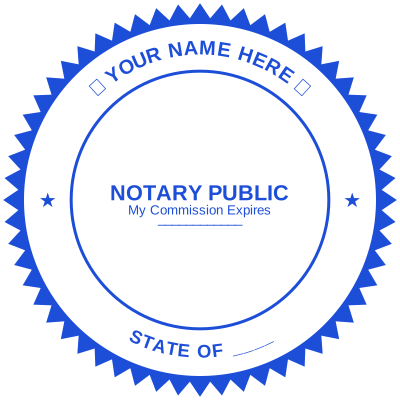



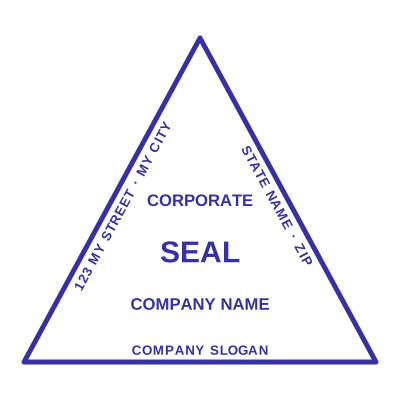
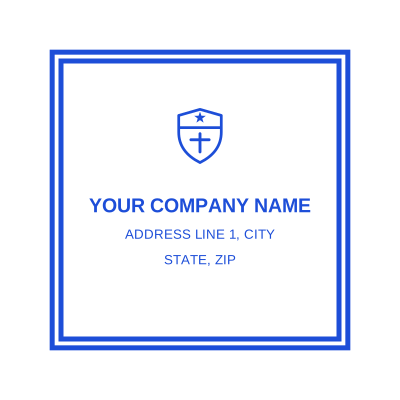
Open the stamp maker and start from any of these
Search for the best rubber stamp maker and you get twenty tools that all look the same on the front page. They stop looking the same the moment you put the file on a real document, and they fail on the same four things, none of which are visible until then.
Here is what to check before you pay anyone, and how we answer each one. Where the answer is "you want something else", it says that too.
Start by seeing what you can make. Every one of these opens in the editor with the design already loaded, in any shape and any ink colour:
1. A transparent PNG, so the rubber stamp does not land in a white box
The single biggest failure, and the one people discover after sending the document.
A stamp saved as a JPG cannot hold transparency, because the format has no alpha channel. Every pixel that looked like nothing around your seal is written as literal white, so the stamp lands as a white card on top of the page and hides the table rule, the signature line or the clause underneath it.
What to test: download the free preview if there is one, drop it on a coloured background, and zoom in. If a rectangle appears, walk away.
Here: the transparent PNG carries a real alpha channel, so the page reads through the gaps in the ink the way a rubber stamp prints on paper. What each file format is for sets out the differences.
2. A real vector SVG, if the design is going to be cut into rubber
If you ever want the design cut into rubber, the shop needs vector artwork. A file called .svg that contains one embedded bitmap is not vector, and it is a common thing to be sold.
Here: the SVG is real paths, so a laser or a plotter follows the outlines directly and the die comes back as sharp as the artwork. That matters more than people expect, and how rubber stamps are actually made explains why.
3. The best rubber stamp with a date is one where the date fills itself in
A stamp with a date on it is a record. A stamp without one says something happened and not when, which is most of the value gone.
A physical self-inking date stamp uses rotating bands for day, month and year, and the bands are the reason people stop trusting it: one that was not rolled over this morning prints yesterday onto today's document. We wrote about that failure in why your date stamp shows the wrong date.
Here: the date is a field, not a band. Leave it empty and it takes the day it is used; set it and it stays. The date stamp generator and the automatic date stamp generator both do it, and in the Word download the date stays editable text rather than being baked into the picture, which is the part most tools get wrong.
4. A custom rubber stamp that numbers its own impressions
Almost nothing else online does this, and it is the strongest thing you can put on a stamp.
A serial number that increments on its own means each impression is tied to one document. A stamped page cannot be quietly swapped for another carrying the same generic mark, and a reused impression becomes visible. That is the whole argument in serial numbers on stamps, and the auto-numbering stamp and sequential number generator are built on it.
Rubber stamp and seal templates to start from
225 designs, all editable. The hard part of a stamp is the layout, and these already have one.
Open the stamp maker and start from any of these
Pick the one closest to what you need, replace the placeholder wording, change the ink colour, and it is yours. The full set is at stamp templates, sorted by what the mark is for rather than by how it looks.
What the rubber stamp maker also does
- Puts the stamp straight onto a PDF. The stamp on a PDF tool opens the file in your browser, places the mark and hands it back. The document is never uploaded anywhere.
- Works in Word, including on a phone. Inserting a stamp in Word takes three taps, which matters when the paperwork happens away from a desk.
- Turns a logo into a stamp. Upload it and the white background is removed, so it prints as ink rather than as a white box. Turning a logo into a rubber stamp covers it.
- Every shape. Round, oval, rectangular, square and triangular, at the conventional sizes.
- A worn-ink look if you want the impression to read as pressed rather than printed, via the realistic rubber stamp generator.
What a free rubber stamp maker should cost
Designing is free. No account, no trial, no watermark over the preview: you build the whole thing, look at it at actual size, and change your mind as often as you like before paying anything.
The file is the paid part. $1.50 for one image format, $3.00 for every format zipped, including the vector and the Word file. Paid once. There is no subscription, which is the thing most comparable tools want from you, and the full breakdown is on pricing.
When an online rubber stamp maker is not what you want
If you need a physical rubber stamp in your hand, we do not make one and will not pretend to. Design the artwork here, download the SVG, and take that to a local stamp maker. You will get a better die from a vector file than from the phone photograph most people walk in with, and it costs you nothing to try the layout first.
If you need an embosser, same answer: we make the inked version, which is the one that survives a scan.
Common questions
What is the best rubber stamp maker online?
The one whose file works on your document, which comes down to a real transparent PNG, real vector, an editable date and no subscription. Test the first one by downloading and dropping the stamp on a coloured background before you pay anybody, including us.
Is there a free rubber stamp maker?
Designing here is free with no account and no watermark. Downloading is $1.50 for one format or $3.00 for all of them, once. Tools advertising a completely free download usually put a watermark on it or keep the rights to your design, so read that part.
Can I make a self-inking rubber stamp online?
You can design the artwork for one. Self-inking refers to the mechanism, a die and an ink pad in a spring housing, so the object itself comes from a stamp maker. Download the SVG and take it to one. Self-inking vs pre-inked stamps covers which mechanism to ask for.
Can I make a rubber stamp with a date on it?
Yes, and it fills itself in on the day it is used unless you set one. In the Word download it stays editable text, so it can be changed after downloading without remaking the stamp.
What size should a custom rubber stamp or rubber seal be?
38mm to 40mm for a round mark, around 56 by 22mm for a rectangular one. Our files are tagged at 2.2 inches across so they land at the right size in Word instead of filling the page. Stamp shapes and sizes has the rest.
Can I use it commercially?
Yes. The design is yours to use on your own documents. What you cannot do, here or anywhere, is produce a mark impersonating an organisation, a public body or a professional you are not.
Read next: rubber stamps explained, and the four stamps every small business needs.
Every kind of stamp and seal
- Notary stamps and seals
- Rubber stamps
- Self-inking stamps
- Office stamps
- Official stamps
- Company seals
- Corporate stamps and seals
- Company chops
- Seals for civil servants
- Justice and court stamps
- Legal and advocate stamps
- Certified true copy stamps
- Medical stamps
- Pharmacy stamps
- Veterinary stamps
- Engineer and architect seals
- Land surveyor seals
- Bank stamps
- School and principal stamps
- Teacher and marking stamps
- University and college seals
- Library stamps
- Inspection stamps
- Courier and logistics stamps
- Construction and site stamps
- Real estate stamps
- Hotel and restaurant stamps
- Church and charity seals
- Tender and bid stamps
- HR and payroll stamps
- Received and paid stamps
- Confidential and draft stamps
- Signature stamps
- Date stamps
- Custom band stamps
- Numbering stamps
- Address stamps
- Monogram stamps
- Wedding stamps
- Gift and craft stamps
- Art and logo stamps
- Wax and foil seals
- Stamp or seal, by profession