Blog › Company stamps and seals
Company stamp maker: sizes, templates and the wording
29 August 2026 · Estamplab
Make your stamp free · Browse 225 templates

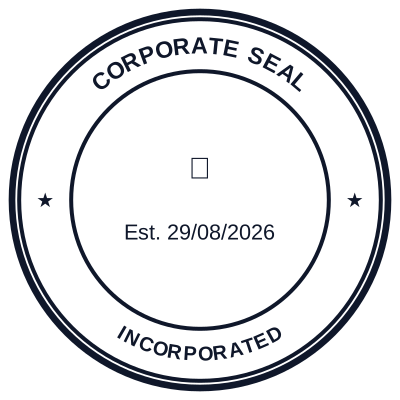




Open the stamp maker and start from any of these
Somebody has asked you for a stamped document. It is usually the bank, a landlord, a tender portal, a customs agent or a client who will not pay an invoice that does not carry a company stamp. You registered the company recently, you do not own a rubber stamp, and the quote from the local stamp shop comes with a three day wait. This is the moment most people go looking for a company stamp maker, and it is a solvable problem in about four minutes.
Start from a template rather than a blank canvas. That single decision is the difference between a company stamp that looks like it came from a stamp maker and one that looks like clip art, because a template already has the ring text spaced correctly, the centre block balanced, and the line weights set to survive a printer and a scanner. You are editing wording, not designing a seal from nothing.
First, what kind of company stamp do you actually need
The words get used interchangeably and the objects are not identical.
A company stamp is the general purpose mark: the company name, usually the registration number, sometimes the address, pressed onto invoices, delivery notes, letters and copies. This is what most people mean and what most people need.
A company seal, also called a common seal or a corporate seal, is the formal round mark a company uses when it executes documents. In the UK and Ireland it is the common seal, in the United States the corporate seal, in India and much of Africa the company seal, and in China, Hong Kong, Singapore and Malaysia the same object is the company chop. Round, ring text around the edge, name and number in the middle.
A signature stamp carries a name, a title and a signature line, and it goes beside a signature rather than instead of one.
A date stamp or a received stamp records when something arrived. It is a rectangle, and the date is the point of it.
Most small companies end up with two: a round company seal for formal paperwork and a rectangular block with the name, registration number and a date line for everything else. You can make both here from the same wording.
How to pick the template, line by line
This is the part people skip, and it is the part that decides whether the finished stamp reads as official. When you open the template picker, look at four things.
The ring. On a round seal, the outer ring is where the company name goes, curved. A long name needs a template with a generous ring and a smaller centre. A short name looks thin on the same template and better on one with a bolder ring. If your registered name runs to five or six words, pick a template with the name curved along the top and a second curved line along the bottom, so the name can break across both instead of shrinking to nothing.
The centre. Some templates keep the middle almost empty, which suits a registration number and a year. Others carry a star, a monogram, a set of scales, a caduceus or a set of graduation books. If your trade has a mark, use it: a law firm seal reading better with the scales is not decoration, it is recognition. If it does not, an empty centre with the registration number is the cleanest thing you can do.
The date line. If the stamp is going on anything time sensitive, invoices, deliveries, received copies, pick a template that already carries a date. Templates here that carry one have a button reading Add an editable date, and the date is not painted into the picture: leave the field empty and it fills in on the day the stamp is used, so a document stamped in March does not carry the day you designed the file.
Room for a logo. If you want a logo on it, pick a template with a clear centre or a left hand block rather than one that is already full. Upload the logo and the white background is knocked out so it reads as ink rather than as a white square dropped into the seal.
Read more: The company chop: what it is, what goes on it, and how to make one
Making it, step by step
- Open the stamp maker and choose a template. Round for a circular seal, rectangle for an office stamp, oval if you want something between the two, and there is even a triangular stamp if your trade uses one.
- Type the company name into the ring. Use the registered name, exactly as it appears on the certificate. Estamplab Trading Limited, not Estamplab.
- Add the registration number. This is the line a counterparty actually checks, so it belongs in the centre where it is readable rather than squeezed into the ring.
- Add the city or the registered office if the stamp will travel outside your own country. It resolves ambiguity for nothing.
- Set the colour. Blue and black are the office defaults. Red is the convention for a company chop across Asia and reads as an official seal everywhere. Whatever you pick, it should not be the colour of your body text.
- Set the size. Round company stamps are usually 38mm to 42mm across, and there is a fuller company stamp size guide if you want the numbers by document type. Rectangular office stamps are usually about 55mm by 22mm. The file downloads tagged at a sensible print size so it lands correctly in Word rather than filling the page.
- Download. Transparent PNG for dropping onto a PDF or a Word file, SVG if it is going to a printer or a sign maker, PDF if you want it on its own page.
Read more: Stamp shapes and sizes: round, oval, square, rectangular and triangular
Why make it here rather than anywhere else
Because of what comes out at the end, and because of what does not happen in the middle. Estamplab opens on 225 editable templates rather than on a blank square, and that is most of the difference between four minutes and an afternoon.
Designing is free and unlimited. No account, no trial clock, no watermark creeping across the preview while you decide. You can rebuild the stamp fifteen times.
225 templates, and they are editable rather than pictures. Every one of them opens in the editor with the design loaded and every line still text. A template library you cannot edit is a clip art folder.
A date that resolves when the stamp is used. Most online stamp makers draw the date into the image. That is a picture of a date and it is wrong tomorrow. Here the date field is left empty and filled at use, which is the difference between a date stamp and a picture of one.
Serial numbers that cannot repeat. The counter is held on the server and incremented under a lock, so two people stamping from two machines at the same moment get different numbers. A number drawn into an image is not a serial number, it is a drawing.
A real transparent PNG and a real vector SVG. The PNG has an actual alpha channel, so the text under the stamp stays visible instead of being covered by a white box. The SVG is vector, so a printer can scale it without it going soft.
No subscription. The download is a one off purchase per pack. Nothing renews, nothing has to be cancelled.
No watermark on your file. The previews on this site are watermarked, because they are public files. Your download is rendered again from your design with nothing on it.
Frequently asked questions
How do I make a company stamp online for free?
Open the stamp maker, pick a template, type your company name and registration number into it, and set the colour and the size. Designing it and previewing it at full size are free and unlimited. The download, which is the transparent PNG, the SVG and the print files, is a one off purchase rather than a subscription.
What should be on a company stamp?
At minimum the registered company name and the registration number. Most stamps add the city or the registered office, and many add a date line. If the stamp sits beside a signature, add a name and a title line so the mark says who signed as well as which company. Anything else is decoration, and decoration is what makes a stamp look homemade.
What size should a company stamp be?
Round company stamps and company seals are typically 38mm to 42mm across, which is large enough for the registration number to stay legible after a document has been printed and scanned once, and small enough to sit in a signature block. Rectangular office stamps are usually around 55mm by 22mm. Both are adjustable here, and the file is tagged so it lands at a sensible size in Word instead of covering the page.
Can a company stamp have a logo?
Yes. Upload it and the white background is knocked out, so your logo reads as ink rather than as a white box. Keep the logo simple: a stamp is pressed at around 40mm and fine detail turns to mush at that size. A single strong shape survives; a detailed illustration does not.
Is a digital company stamp acceptable?
For ordinary commercial paperwork, invoices, delivery notes, letters, certified copies of documents you hold, an applied image is what most organisations already accept and use. Formal execution of deeds and filings with a registry is a different question, and the answer depends on your jurisdiction and the specific document, so check what your own registry or bank requires rather than assuming. This is a design tool, not legal advice, and you should only produce a stamp for a company you are entitled to represent.
Do I still need a physical rubber stamp?
If your documents are paper that somebody will physically hold, or a registry in your country requires a registered physical stamp, then yes, and this does not replace it. If your documents are PDFs and Word files being emailed, a physical stamp means printing a document only so you can stamp it and scan it back in, which is three steps to achieve what one file does.
Can I make more than one stamp?
Yes, and most companies need three or four: the round company seal, a rectangular stamp with the name and registration number, a received stamp with a date for incoming post, and a paid stamp for the accounts. They can share wording and a colour so they look like a set rather than four unrelated marks.
Every kind of stamp and seal
- Notary stamps and seals
- Rubber stamps
- Rubber stamp maker
- Self-inking stamps
- Office stamps
- Official stamps
- Company seals
- Corporate stamps and seals
- Company chops
- Seals for civil servants
- Justice and court stamps
- Legal and advocate stamps
- Certified true copy stamps
- Medical stamps
- Pharmacy stamps
- Veterinary stamps
- Engineer and architect seals
- Land surveyor seals
- Bank stamps
- School and principal stamps
- Teacher and marking stamps
- University and college seals
- Library stamps
- Inspection stamps
- Courier and logistics stamps
- Construction and site stamps
- Real estate stamps
- Hotel and restaurant stamps
- Church and charity seals
- Tender and bid stamps
- HR and payroll stamps
- Received and paid stamps
- Confidential and draft stamps
- Signature stamps
- Date stamps
- Custom band stamps
- Numbering stamps
- Address stamps
- Monogram stamps
- Wedding stamps
- Gift and craft stamps
- Art and logo stamps
- Wax and foil seals
- Stamp or seal, by profession