Blog › Digital stamps for PDF and Word
Stamp without printing
29 August 2026 · Estamplab
Make your stamp free · Browse 225 templates

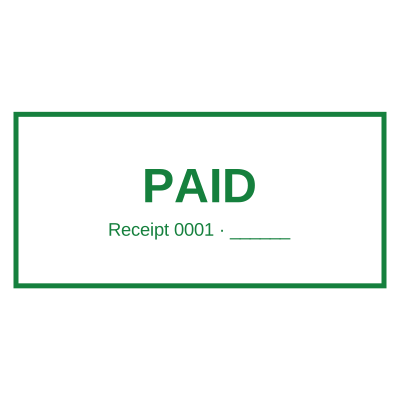



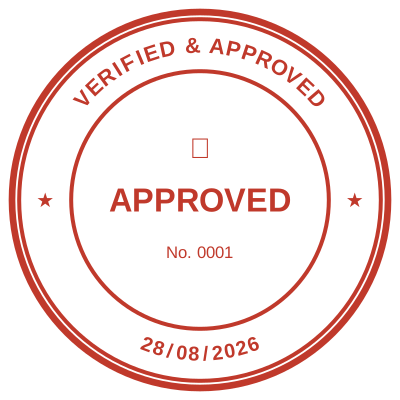
Open the stamp maker and start from any of these
It is 4:52 on a Friday. The invoice is ready, the client will not process it without your company stamp, and their accounts run the payment batch at five. Your printer is out of toner. Your rubber stamp is in the office. You are not in the office.
Everybody in business has had that Friday. And the reason it happens is not that you are disorganised. It is that a rubber stamp is a physical object solving a problem that stopped being physical years ago.
The four step loop nobody should still be running
Print the document. Stamp the paper. Scan it back in. Email the scan.
Four steps. Fifteen minutes on a good day. A printer, a scanner, a stamp, an ink pad, and a document that comes out grey, slightly crooked and heavier than the clean PDF you started with. You have converted a perfect file into a photograph of a piece of paper, and you have done it so that a picture of your company name appears in the corner.
There is a version of this that takes ten seconds and produces a better looking document than the original.
Your stamp should float, not cover
Here is the thing most people have never been told, and it is the whole trick.
A stamp saved as an ordinary image comes with a white box around it. Drop it on your invoice and it lands like a sticker: a white rectangle sitting on top of your page, hiding the line of text underneath it. Everyone has seen a document like that. It looks like somebody was in a hurry, because somebody was.
A stamp with a transparent background does not do that. It floats. Only the ink lands. The words underneath stay visible, exactly as they would if you had pressed a real rubber stamp onto real paper, because that is precisely what a real stamp does: it puts ink down and leaves the rest of the page alone.
That is what you get here. A real transparent PNG with a real alpha channel, so your stamp sits over the signature block, over the figures, over a table, and everything under it stays readable. Overlap it with the signature on purpose, the way a genuine stamp overlaps a genuine signature. It looks right because it behaves right.
Read more: Transparent stamps for Word and PDF, and the white box problem
The date changes itself
Go and look at the rubber date stamp in your office. Turn it over. There is a good chance the bands still read yesterday, or last Tuesday, or the last day somebody remembered to roll them.
Now think about what a wrong date means on a received stamp, on a paid stamp, on a delivery note that gets argued about six weeks later. The date is the only part of that stamp anybody will ever dispute, and it is the part a rubber stamp gets wrong most often.
Leave the date field empty here and it is not a picture of a date. The date resolves on the day the stamp is used. Stamp something in March and it says March. Stamp something at midnight and it rolls over. Nobody turns a band, nobody remembers, nobody argues.
Want a fixed date, for a period end or a specific payment run? Type one and it stays. You choose, and you choose per stamp.
It works wherever you are
This is the part that changes how the day feels.
An electronic stamp maker turns your stamp into a file. It lives wherever you are: on the laptop, on the phone, in the browser, in a lounge, in a taxi, at a client's table, in another country. The offer letter that needs stamping while you are out on site gets stamped while you are out on site. The invoice at 4:52 on a Friday goes out at 4:53.
No trip back to the office. No asking a colleague to find the stamp, press it, scan it and send it. No waiting until Monday because the one person with the drawer key is on leave.
And it does not get left in a car, lent to somebody and never returned, or lost in a move. Ask anybody who has run a small business for five years how many rubber stamps they have replaced.
One company, one mark
Three branches and one rubber stamp means two branches that cannot stamp anything. Three rubber stamps ordered separately means three marks that are almost identical, which is worse: a client comparing two letters sees a company that does not have its act together.
A file is pressed identically by everybody, every time, in every office, forever. And when the company name changes, or the address, or the registration number, you replace one file in an afternoon instead of ordering new blocks and waiting a week with no stamp at all.
What you actually walk away with
Pick a custom stamp template, type your name into it, and download:
- a transparent PNG that floats over PDFs, Word documents, emails and images
- a vector SVG for a printer, a sign maker or a stamp shop if you ever do want a physical block cut
- a PDF of the stamp on its own
- a date that fills itself in, or a fixed one, your choice
- a serial number that counts up on the server and never repeats, if you need one
- your logo, with the white background knocked out so it reads as ink
Designing it is free, and free with no clock on it. Rebuild it fifteen times, look at it at full size, sleep on it. There is no subscription, nothing renews, nothing needs cancelling. And there is no watermark on your file: the previews on this site carry a faint mark because they are public, but your download is rendered again from your own design, clean.
Ten seconds, from here
Open the Estamplab stamp maker. Pick the template closest to what you need. Change the words. Download. Drop it on the document.
The invoice goes out. The batch runs at five. You never touch the printer.
Frequently asked questions
How do I stamp a document without printing it?
Make the stamp as a transparent PNG, then place it on the document as an image. In a PDF editor, in Word, in Preview on a Mac, in Google Docs, in almost any tool that lets you insert a picture, and there is a longer walkthrough of how to put a stamp on a PDF. Because the background is transparent, only the ink lands and the text underneath stays visible. You can also apply the stamp to a PDF here, without leaving the browser or installing anything.
Will the stamp cover the text underneath?
Not if it has a real transparent background, which is what you get here. That is the difference between a stamp that floats over the page like ink and one that lands like a white sticker. Overlap it with the signature deliberately; that is what a real stamp does.
Can I change the date on the stamp?
Yes, and you can also stop changing it forever. Leave the date field empty and the stamp fills in the date on the day it is used, so it is never stale. Type a date instead and it stays fixed. One stamp, both behaviours, decided per download.
Can I stamp a document from my phone?
Yes. It runs in the browser, so a phone, a tablet or a laptop all work. That is the point: the stamp is with you rather than in a drawer forty minutes away.
Is it free?
Designing, editing and previewing at full size are free and unlimited, with no account needed to start. The download pack is a one off purchase rather than a subscription, and it includes the transparent PNG, the vector SVG and the print files.
Do I still need a physical rubber stamp?
Only if somebody is going to physically hold your paper: a counter that stamps documents in person, a registry that requires it, or receipts you hand over. For everything that arrives as a PDF and leaves as a PDF, the physical block is a detour, and you can always hand a stamp shop the vector file if you want one cut later.
Is a stamped PDF acceptable to clients and banks?
For everyday commercial paperwork, invoices, quotes, delivery notes, letters and copies, an applied stamp is what most organisations already use and accept. Formal execution of deeds and filings with a registry depend on the document and the jurisdiction, so check that specific requirement with whoever receives it. This is a design tool rather than legal advice, and you should only make a stamp for a company you are entitled to represent.
Every kind of stamp and seal
- Notary stamps and seals
- Rubber stamps
- Rubber stamp maker
- Self-inking stamps
- Office stamps
- Official stamps
- Company seals
- Corporate stamps and seals
- Company chops
- Seals for civil servants
- Justice and court stamps
- Legal and advocate stamps
- Certified true copy stamps
- Medical stamps
- Pharmacy stamps
- Veterinary stamps
- Engineer and architect seals
- Land surveyor seals
- Bank stamps
- School and principal stamps
- Teacher and marking stamps
- University and college seals
- Library stamps
- Inspection stamps
- Courier and logistics stamps
- Construction and site stamps
- Real estate stamps
- Hotel and restaurant stamps
- Church and charity seals
- Tender and bid stamps
- HR and payroll stamps
- Received and paid stamps
- Confidential and draft stamps
- Signature stamps
- Date stamps
- Custom band stamps
- Numbering stamps
- Address stamps
- Monogram stamps
- Wedding stamps
- Gift and craft stamps
- Art and logo stamps
- Wax and foil seals
- Stamp or seal, by profession