Blog › Digital stamps for PDF and Word
PDF stamps: a mark on a document without Acrobat
28 August 2026 · Estamplab
Make your stamp free · Browse 225 templates

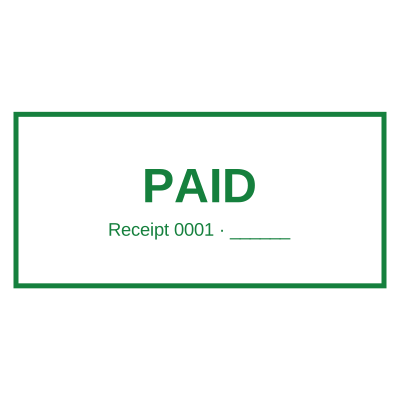


Open the stamp maker and start from any of these
Putting a stamp on a PDF is a two minute job that goes wrong in the same five ways, and every one of them is visible to whoever receives the file. Here is the right way round, and the mistakes worth knowing before you send anything.
The short version
Design the mark in the stamp maker, take the PNG with a real alpha channel, and place it on the page. You can put the stamp straight onto the PDF here without leaving the site and without an account: drag the stamp onto the page, turn the date on, and pay $2.00 at the download, or nothing at all on a paid plan. Everything below is about the parts people get wrong.
Mistake 1: using a JPG
This is the commonest one by a distance, and it produces the white box everybody recognises.
JPG cannot store transparency. Not "does it badly", cannot store it at all. Every pixel that looked like nothing around your seal is saved as literal white, so the stamp lands as a white card sitting on top of the page and hides whatever is underneath: a table rule, a signature line, the clause you were stamping next to.
Use the PNG that does not carry a white box. A PNG stores an alpha channel, so the page reads through the gaps in the ink the way a real rubber stamp prints. The difference between the formats is set out properly on the file formats page.
Mistake 2: screenshotting the stamp
Copying the stamp out of a preview, or screenshotting it, throws away two things at once: the transparency, because a screenshot is a flat rectangle of pixels, and the resolution, because you captured it at whatever size it happened to be on screen.
Download the file rather than capturing it. It is the same click.
Mistake 3: the wrong size
A real rubber stamp is roughly 2.2 inches across, and every file here is tagged at that physical size so it lands correctly without resizing. A stamp dragged to fill half the page reads as a graphic rather than as a mark, and one shrunk to a thumbnail makes the registration number unreadable, which on a certified true copy stamp defeats the point of the stamp.
If you do resize, drag a corner handle rather than a side handle. A side handle changes one dimension only, and a squashed circle is obvious to everyone but the person who made it.
Mistake 4: covering the text you were attesting
A stamp is a mark on a document, not a redaction of it. Placed over a clause, a figure or a signature, it can make the thing it was meant to endorse unreadable, and on a contested document that is worse than not stamping at all.
Put it in the margin, in the space under a signature block, or across a corner. If the design has to sit over text, a large faint seal behind the words reads better than a solid one on top of them.
Mistake 5: printing it out to stamp it
If a PDF is printed purely so somebody can press a rubber stamp on it and scan it back in, everything after the print is worse than what you started with: the text stops being selectable, the file triples in size, and the page acquires a grey cast and a slight rotation. We have written about what that loop actually costs.
Read more: Transparent stamps for Word and PDF, and the white box problem
Which mark for which document
The wording matters more than the shape. Common ones and what they are for:
- RECEIVED, with the date, for anything logged in at a counter.
- PAID on an invoice or a receipt.
- APPROVED for a sign-off, usually with a signature line under it.
- DRAFT and CONFIDENTIAL across a page, so a copy cannot be mistaken for the final or circulated freely.
- COPY and ORIGINAL where both versions exist and telling them apart matters.
- CERTIFIED TRUE COPY where somebody has actually checked the copy against the original and is taking responsibility for it.
- VOID and CANCELLED on a document that must not be acted on.
A date stamp is worth adding to most of these. On a received or approved mark, when it happened is usually the whole point.
Doing it without leaving the browser
The stamp on a PDF tool opens the file in your browser, places the mark and hands the PDF back. The document is not uploaded anywhere. It is a plan feature, because it is the one thing here that costs real compute rather than a file render.
If you would rather use the PDF editor you already have, the transparent PNG works in every one of them, and creating a stamp online for a PDF covers that route.
Read next: how to make a digital stamp, and a digital stamp for documents, which covers the Word side of the same problem.
Every kind of stamp and seal
- Notary stamps and seals
- Rubber stamps
- Rubber stamp maker
- Self-inking stamps
- Office stamps
- Official stamps
- Company seals
- Corporate stamps and seals
- Company chops
- Seals for civil servants
- Justice and court stamps
- Legal and advocate stamps
- Certified true copy stamps
- Medical stamps
- Pharmacy stamps
- Veterinary stamps
- Engineer and architect seals
- Land surveyor seals
- Bank stamps
- School and principal stamps
- Teacher and marking stamps
- University and college seals
- Library stamps
- Inspection stamps
- Courier and logistics stamps
- Construction and site stamps
- Real estate stamps
- Hotel and restaurant stamps
- Church and charity seals
- Tender and bid stamps
- HR and payroll stamps
- Received and paid stamps
- Confidential and draft stamps
- Signature stamps
- Date stamps
- Custom band stamps
- Numbering stamps
- Address stamps
- Monogram stamps
- Wedding stamps
- Gift and craft stamps
- Art and logo stamps
- Wax and foil seals
- Stamp or seal, by profession