Online stamp makers: what to check before you pay
30 August 2026 · Estamplab
Make your stamp free · Browse 225 templates



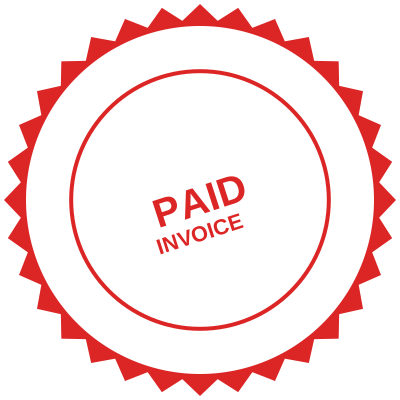

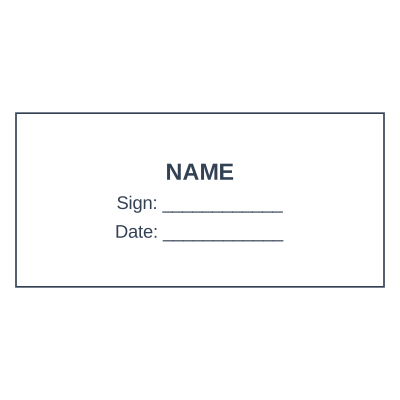
Open the stamp maker and start from any of these
Search for an online stamp maker and you get two kinds of result: shops that will cut a rubber stamp and post it to you, and tools that make the stamp itself, as a file, in the browser. They are sold with the same words and they solve different problems. Knowing which one you are on saves a week and, usually, the price of a second stamp.
This is what to expect from each, and the checklist worth running before you commit to any online stamp or online seal.
The two things "online stamp maker" can mean
An online engraver. You type your text into a form, they cut a die, and a physical self-inking stamp arrives in a few days. You get an object. Any change later means a new order.
An online stamp generator. You design the mark in the browser and download the file. You get an image you own: a transparent PNG for documents, an SVG for scaling or for handing to an engraver, a PDF for sending. Changes are free and take seconds.
Neither is wrong. If your work is genuinely on paper, at a counter, all day, buy the physical one. If your documents are PDFs and attachments, which for most businesses they now are, the file is the thing you actually need, and it also gives you a better starting point if you later want the physical version cut.
What an online stamp costs across its life
The invoice is not the cost. This is:
- The die. A one-off, and the only figure the engraver quotes you.
- Every correction. A wrong registration number, an abbreviated company name, a moved office. Each one is a new die and another wait.
- Every variant. RECEIVED, PAID, COPY, a signature block. Each is a separate purchase.
- Ink pads and refills, for as long as you use it.
- The waiting. The client asked for a stamped document today, and the die arrives Thursday.
Against that, a file costs nothing to design, nothing to revise, and nothing to copy to a colleague. The comparison only tips the other way when the stamp genuinely has to hit paper repeatedly in a physical queue.
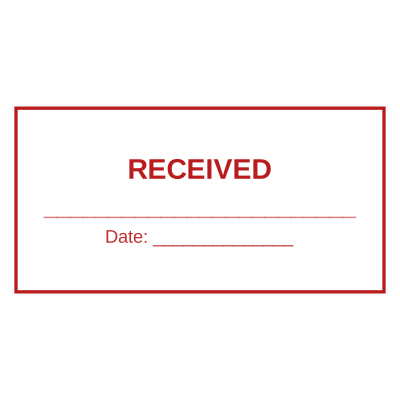
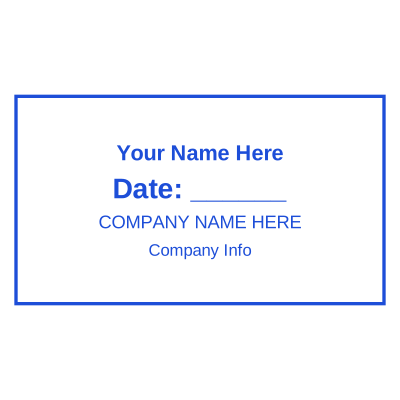
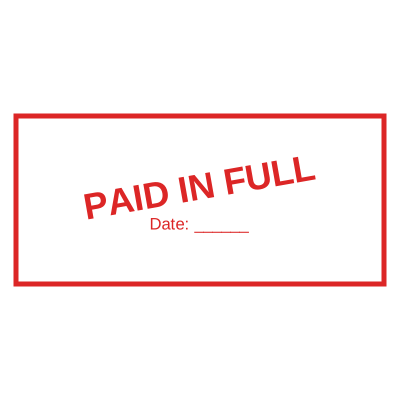



Open the stamp maker and start from any of these
The checklist for any online stamp maker
Run these six before you spend anything. They are the differences that show up after purchase rather than before.
- Does the download have a transparent background? If it arrives as a JPG, or a PNG with white behind it, your stamp will land on documents inside a white box that hides the text. This is the single most common complaint about online stamp tools and it is entirely avoidable. Transparent PNG explained.
- Is there a watermark on your file? Some tools preview clean and then stamp their own brand across your download, or across the free tier's output. Check what you actually receive. Ours does not.
- Can you get a vector? An SVG scales to any size and is what an engraver wants. A tool that only gives you a small PNG has capped what you can do with your own mark. Formats compared.
- Does the date fill itself in? A drawn-on date is a picture of a date and will be wrong tomorrow. A real date placeholder resolves when the stamp is applied. Date stamp generator.
- Can it number sequentially? If you stamp invoices, delivery notes or files, a serial that advances by itself is the difference between a stamp and a habit of remembering. Sequential numbering.
- Where does your document go? If you are stamping a PDF, check whether the file is uploaded to a server or handled in your browser. Contracts and medical letters should not be leaving your machine to have a picture put on them. Ours processes in the browser.
Most of the frustration people describe with online stamp tools traces back to one of these six, and every one is checkable in two minutes before you commit.
Online seal, online stamp: the same tool, different shape
The two phrases usually describe the same purchase with a different expectation of shape.
An online seal normally means the round, formal mark: name curved around the ring, middle clear for a logo, a date or a registration number. It is what people want for certificates, resolutions, schools and professional bodies. See round seal templates and company seal maker.
An online stamp usually means the everyday rectangle: company details, or a bold word like RECEIVED or PAID.
You are not choosing a product, you are choosing a shape, and the same editor makes both. Which is worth knowing, because plenty of people buy a round seal, discover they mostly need a dated rectangle, and buy again.
What to look for in the templates themselves
A gallery of two hundred templates is only useful if the templates are the right two hundred. Things worth checking:
- Are there marks for your trade, not just generic company circles? A doctor's stamp, a notary's, an accountant's and a school's all carry different lines. See stamps by profession.
- Is the curved ring text correct, with even spacing and a clear centre? Badly curved text is the fastest way to make a seal look homemade. Curved text.
- Can you replace every line, or only some of them? Some tools lock the layout and give you two editable fields.
- Do the sizes match reality? A round seal is 38 to 40 mm, a business rectangle around 58 by 22 mm. Size guide.
Frequently asked questions
What is the best online stamp maker?
The honest answer is that it depends on whether you need an object or a file. If you need a physical self-inking stamp for a counter, use an engraver. If your documents are digital, use a generator that gives you a transparent PNG and an SVG you own outright, and check the six points above before you pay anything.
Can I make an online stamp for free?
Designing and previewing should cost nothing anywhere reputable. What differs is what you get to download and whether it carries somebody else's branding. Free stamp maker.
Is an online seal different from an online stamp?
In practice it is a difference of shape and tone rather than of product. "Seal" implies the round, formal mark; "stamp" implies the everyday rectangle. The same editor makes both, and most businesses end up using one of each.
Can I use an online stamp maker to design a physical stamp?
Yes, and it is the better order of operations. Design it on screen where corrections are free, get it exactly right, download the SVG, and take that to an engraver. A vector file cuts far more cleanly than the photograph of an old impression that most workshops are handed.
How long does an online stamp take?
A file takes about three minutes. A cut rubber stamp from an online engraver typically takes a few days plus delivery, and each correction restarts that.
Will an online stamp be accepted on my documents?
That is decided by whoever receives the document, and it varies by country, institution and document type. Commercial paperwork commonly carries applied stamps as routine practice; regulated documents are a separate question and the receiving authority sets the rule. What the law actually says.
Only make the stamp you are entitled to use. Reproducing the mark of a notary, a government office or a professional body without holding that position is not design work, it is forgery, and it is prohibited and prosecuted as such.
This guide describes common commercial practice and is a design tool rather than legal advice. Where a stamp's content is regulated, which covers notaries, professional bodies and healthcare, what may appear on it is set by the authority that requires the document.
Read next: stamp templates, create a digital stamp and what a rubber stamp really costs.
Every kind of stamp and seal
- Notary stamps and seals
- Rubber stamps
- Rubber stamp maker
- Self-inking stamps
- Office stamps
- Official stamps
- Company seals
- Corporate stamps and seals
- Company chops
- Seals for civil servants
- Justice and court stamps
- Legal and advocate stamps
- Certified true copy stamps
- Medical stamps
- Pharmacy stamps
- Veterinary stamps
- Engineer and architect seals
- Land surveyor seals
- Bank stamps
- School and principal stamps
- Teacher and marking stamps
- University and college seals
- Library stamps
- Inspection stamps
- Courier and logistics stamps
- Construction and site stamps
- Real estate stamps
- Hotel and restaurant stamps
- Church and charity seals
- Tender and bid stamps
- HR and payroll stamps
- Received and paid stamps
- Confidential and draft stamps
- Signature stamps
- Date stamps
- Custom band stamps
- Numbering stamps
- Address stamps
- Monogram stamps
- Wedding stamps
- Gift and craft stamps
- Art and logo stamps
- Wax and foil seals
- Stamp or seal, by profession