Blog › Digital stamps for PDF and Word
Stamp from your phone
30 August 2026 · Estamplab
Make your stamp free · Browse 225 templates



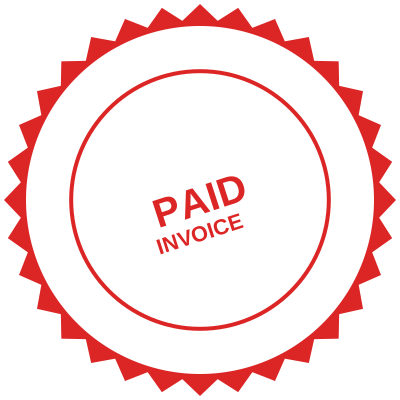


Open the stamp maker and start from any of these
The request never arrives when you are at your desk. You are on a site, in a car park, at a client's kitchen table, and the message says: can you send that back stamped, today. The laptop is at the office and the rubber stamp is in the drawer next to it.
You do not need either. A digital rubber stamp, a company stamp or a company seal can be built on a phone, in the browser, in about three minutes, and applied to the PDF sitting in your inbox without ever installing anything.
Three minutes, on the phone you are holding
- Open the stamp maker in your phone's browser. Safari, Chrome, Samsung Internet, whichever you already use. There is no app to download and no account to create.
- Pick a template. Tapping one loads it with real wording already in place, so you are editing rather than starting from an empty circle. Browse the templates if you want to choose before you start.
- Type your own text over it. Company name, registration number, address. The preview redraws as you type, at the size it will actually print.
- Set the date to fill itself in, so you never send a document carrying last week's date.
- Download it. On a phone the file lands in Downloads or Files, and you can attach it straight from there.
That is the whole job. The parts people expect to be hard, curving text around a ring and keeping the middle clear, are handled by the template.
Which of the three you actually want
The words get used interchangeably, and on a phone screen the difference matters because you have less room to fix a wrong choice later.
- A digital rubber stamp is the everyday office mark: RECEIVED, PAID, APPROVED, a date, a signature line. Rectangular, high contrast, made to be read at a glance. See received and paid.
- A company stamp carries the business details: registered name, number, address. It is what goes at the bottom of a quotation or a delivery note. See company stamp templates.
- A company seal is the round, formal one, name curved around the ring, and it reads as institutional. It suits certificates, resolutions and anything that will be filed. See company seal maker.
Most people building one on a phone want the second, discover within a week that they use the first far more often, and end up with all three saved. They cost nothing to keep.
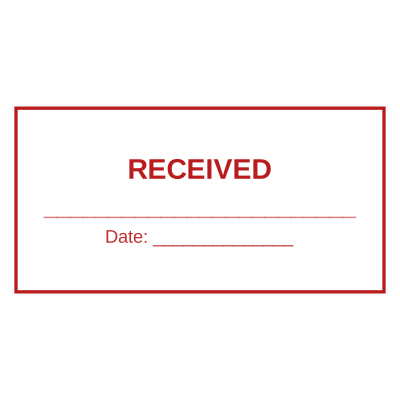




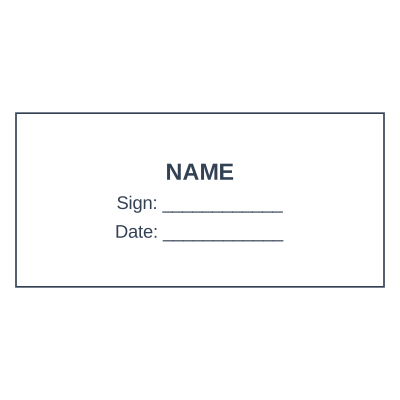
Open the stamp maker and start from any of these
Putting it on the PDF, still on the phone
This is the step where the day usually goes wrong, because the obvious route is the worst one.
The trap: print the document, press the rubber stamp on it, photograph it with the phone, send the photo. The result is skewed, shadowed, grey where the paper was white, and three times the file size. Every person who forwards it makes it worse. Do not do this.
What to do instead: open the PDF stamping tool in the same browser, load the file from your phone, place the stamp where you want it, and save. The document keeps its text, its sharpness and its size, and the whole thing happens inside your phone. The file is not uploaded anywhere.
If you would rather work in an app you already have, download the stamp as a transparent PNG and drop it into whatever you use to mark up PDFs. The transparency is the part that matters: a plain image arrives as a white box that hides the paragraph you were attesting to. Transparent PNG explained.
Adding your logo from the phone
Your logo is almost certainly already on your phone, in your photos or in a file someone emailed you. Upload it and the white background is stripped, so the mark prints like ink instead of like a sticker with a white edge.
One warning worth the ten seconds: a logo with fine detail or thin lettering turns to mush at 38 millimetres. Look at the preview at actual size before you commit. More on this in turning a logo into a stamp.
Why this beats a rubber stamp for anyone who works away from a desk
Site managers, surveyors, agents, engineers, delivery supervisors, sales reps. The pattern is always the same: the paperwork happens where you are, and the stamp is where you are not.
- It is with you whenever your phone is, which is always.
- The date fills itself in, so the mark is honest without anyone having to remember to turn a wheel.
- Nothing to carry, nothing to smudge, nothing to leave in a hire car.
- Changing the address after a move takes half a minute, instead of a new die and a week's wait.
- Send the file to your team and everyone stamps consistently, which a single physical stamp on one desk can never do.
And if you do want the physical version too, download the SVG and hand it to an engraver. A vector file cuts far cleaner than the photo of an old impression that most workshops are given.
Frequently asked questions
Can I really make a company stamp on my phone?
Yes. The whole editor works in a mobile browser: shape, text, curved ring text, colour, logo and the automatic date. Nothing needs installing, and designing and previewing costs nothing.
Do I need to download an app?
No. An app would be a second thing to keep updated for a job that takes three minutes. Everything runs in the browser you already have open.
Does it work on both iPhone and Android?
Yes, in the current version of any mainstream mobile browser. Downloads land in Files on iPhone and in Downloads on Android, and both let you attach the file to an email or a message directly.
How do I put the stamp on a PDF from my phone?
Use the PDF tool, which loads the file, lets you position the stamp and saves the result without the document leaving your device. Alternatively download the transparent PNG and place it using whichever markup app you already use.
Can I make a company seal rather than a flat stamp?
Yes. Choose a round template and the name curves around the ring automatically, with the middle left clear for a logo, a date or a registration number.
What file should I download on a phone?
PNG for anything you are going to drop onto a document. PDF if you are sending the stamp itself to somebody. SVG if it is going to an engraver to be cut. Formats compared.
Is a stamp made on a phone treated any differently from one made on a computer?
The file is identical: same resolution, same transparency, same vector source. Where a document is concerned, what matters is who applied the mark and to what, not which device drew it. Whether an applied stamp is accepted on a particular document is decided by the body receiving it, and that varies by country and by document type.
Only make the stamp you are entitled to use. Reproducing a notary's, a regulator's or a professional body's mark without holding that position is not design work, it is forgery, and it is prohibited and prosecuted as such.
This guide describes common commercial practice and is a design tool rather than legal advice. Where the content of a stamp is regulated, which covers notaries, professional bodies and healthcare, what may appear on it is set by the authority that requires the document, so check with them.
Read next: put a stamp on a PDF, stamp templates and a date stamp that fills itself in.
Every kind of stamp and seal
- Notary stamps and seals
- Rubber stamps
- Rubber stamp maker
- Self-inking stamps
- Office stamps
- Official stamps
- Company seals
- Corporate stamps and seals
- Company chops
- Seals for civil servants
- Justice and court stamps
- Legal and advocate stamps
- Certified true copy stamps
- Medical stamps
- Pharmacy stamps
- Veterinary stamps
- Engineer and architect seals
- Land surveyor seals
- Bank stamps
- School and principal stamps
- Teacher and marking stamps
- University and college seals
- Library stamps
- Inspection stamps
- Courier and logistics stamps
- Construction and site stamps
- Real estate stamps
- Hotel and restaurant stamps
- Church and charity seals
- Tender and bid stamps
- HR and payroll stamps
- Received and paid stamps
- Confidential and draft stamps
- Signature stamps
- Date stamps
- Custom band stamps
- Numbering stamps
- Address stamps
- Monogram stamps
- Wedding stamps
- Gift and craft stamps
- Art and logo stamps
- Wax and foil seals
- Stamp or seal, by profession