Blog › Stamp templates and design
How to make a seal logo in Word, and when not to
4 September 2026 · Estamplab
Make your stamp free · Browse 225 templates
Yes, Word can make a seal logo. It has a circle tool and it has curved text, which is all a seal needs. Below are the actual steps, then the three things that go wrong, so you can decide before spending the fifteen minutes rather than after.




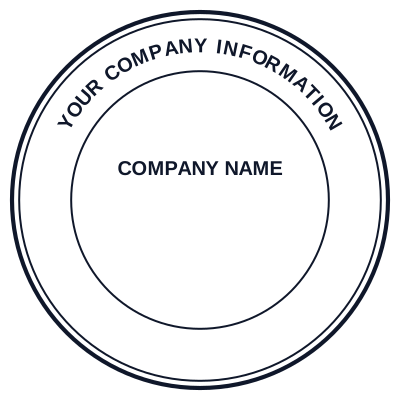

Open the stamp maker and start from any of these
If the mark already exists and you just need it on the page, you want how to add a stamp to a Word document instead. For stamping files in bulk, stamping Word documents and Excel spreadsheets.
How to make a seal logo in Word, step by step
- Draw the circle. Insert, Shapes, Oval. Hold Shift while dragging so it stays a true circle rather than an egg.
- Empty it out. With the shape selected: Shape Format, Shape Fill, No Fill. Then Shape Outline, pick your colour, and set Weight to 2 or 3 points. You now have the border.
- Add the top ring text. Insert, WordArt, pick the plainest style in the list. Type the name in capitals.
- Bend it. With the WordArt selected: Shape Format, Text Effects, Transform, and under Follow Path choose Circle. Drag the box until the arc sits on your outline. The pink handle controls how far around the circle the text wraps.
- Add the bottom ring text. A second WordArt box, same method, but choose Arch Down (sometimes shown as Button) so the text reads upright along the bottom instead of upside down.
- Fill the centre. A third text box for a registration number or initials, or Insert, Pictures for a logo. Set that picture's Wrap Text to In Front of Text or it will fight the layout.
- Group it. Select all the pieces with Ctrl held down, right click, Group. Now it moves as one object.
That is a seal logo in Word.
Three places a Word seal logo falls down
Curved text is coarse. Word bends a whole string along one path and gives you no control over the spacing between individual letters. Short names look fine. A long name either crowds at the ends or leaves a gap at the top, and there is no fix inside Word other than shortening the text. A dedicated curved text stamp maker refits the spacing as the name changes length, which is the entire difference.
It is fixed at screen resolution. The group is a Word drawing, not an image with a resolution of its own. Save it as a picture and you get roughly what was on screen, which is fine at the size you drew it and soft at anything larger. If a stamp maker ever needs to cut a die from it, they cannot: dies come from vectors, and Word does not export one. See stamp file formats.
Nothing in it is live. No date that fills itself in on the day the document is used, no serial that advances. A date typed into a Word seal is the date you typed it, and it will still say that next year.
Getting a transparent seal logo out of Word
This is the step most people miss, and it is why Word seals arrive on documents sitting in a white box.
- Make sure the circle's Shape Fill is set to No Fill, not to white. White looks identical on a white page and looks wrong on anything else.
- Select the grouped object, right click, Save as Picture.
- In the file type list choose PNG. PNG keeps transparency, JPEG does not, and this one choice decides the whole thing.
The saved PNG can then go into other documents, into PDFs, or into email. Transparent stamps for Word and PDF covers what to check once it is placed, and transparent stamp PNG covers why it matters.
When Word is genuinely the right tool
Not never, and it is worth saying so.
- A one-off internal document. A meeting minute, a template nobody outside sees. Word is already open and the mark does not have to be perfect.
- You have no other software and no budget. A Word seal on a page beats no seal on a page.
- The mark lives only inside that file. If it is never printed, never scaled, never sent to a maker, its weaknesses never surface.
When Word is not the right tool for a seal
- Anything with a registration number that has to stay legible. Word's curved text and screen resolution both work against small text, and the number is the line people check.
- Anything going to print at a different size from the one you drew it at.
- Anything a stamp maker will cut a die or an embosser plate from. They need a vector. See ordering a custom embosser.
- Anything you will need to edit later. Changing the name means redoing the WordArt and re-grouping, every time.
The alternative to making a seal logo in Word
Setting the same seal in a tool built for it takes about three minutes instead of fifteen, refits the ring text when the name changes, and downloads as a transparent PNG, an SVG, a print-ready PDF or a Word-ready file. The walkthrough is how to create a seal logo.
If you have already built one in Word and it works, there is no reason to redo it. Keep it.
Read more: Why most logos need changing before they work as a seal
Common questions about seal logos in Word
How do I make a seal logo in Word?
Insert a circle shape with Shift held so it stays round, set its fill to No Fill and give it a 2 or 3 point outline. Add WordArt for the name, then Shape Format, Text Effects, Transform, Follow Path, Circle to bend it around the outline. Add a second WordArt with Arch Down for the bottom text, then group everything.
Can Word make a round seal with curved text?
Yes, through WordArt's Transform effects. Follow Path, Circle wraps text around the top of a circle and Arch Down runs it upright along the bottom. What Word cannot do is control the spacing between individual letters, so a long company name either crowds at the ends or leaves a visible gap at the top.
How do I make a Word seal logo transparent?
Set the circle's Shape Fill to No Fill rather than to white, group the whole mark, then right click and choose Save as Picture. In the file type list pick PNG, because PNG keeps transparency and JPEG does not. A seal saved as JPEG arrives on every later document inside a white box.
Is Word good enough for a company seal?
For a one-off internal document, yes. For anything carrying a registration number that has to stay readable, anything printed at a different size from the one you drew, or anything a stamp maker will cut a die from, no. Word exports at screen resolution and produces no vector, and a die cutter needs a vector.
The honest limits
Estamplab is a design tool. This page describes common practice rather than giving legal advice, and what a seal must carry for a particular document is set by the authority receiving it, so check the requirement with them. Microsoft Word menu names move between versions, so a command may sit one level away from where it is described here.
Only produce a mark you or your organisation are entitled to use. Rebuilding somebody else's seal, in Word or anywhere else, is forgery.
The rest of the range is on the stamp and seal directory.
Every kind of stamp and seal
- Notary stamps and seals
- Rubber stamps
- Rubber stamp maker
- Self-inking stamps
- Office stamps
- Official stamps
- Company seals
- Corporate stamps and seals
- Company chops
- Seals for civil servants
- Justice and court stamps
- Legal and advocate stamps
- Certified true copy stamps
- Medical stamps
- Pharmacy stamps
- Veterinary stamps
- Engineer and architect seals
- Land surveyor seals
- Bank stamps
- School and principal stamps
- Teacher and marking stamps
- University and college seals
- Library stamps
- Inspection stamps
- Courier and logistics stamps
- Construction and site stamps
- Real estate stamps
- Hotel and restaurant stamps
- Church and charity seals
- Tender and bid stamps
- HR and payroll stamps
- Received and paid stamps
- Confidential and draft stamps
- Signature stamps
- Date stamps
- Custom band stamps
- Numbering stamps
- Address stamps
- Monogram stamps
- Wedding stamps
- Gift and craft stamps
- Art and logo stamps
- Wax and foil seals
- Stamp or seal, by profession