Create digital stamps online: everything Estamplab makes
3 September 2026 · Estamplab
Make your stamp free · Browse 225 templates




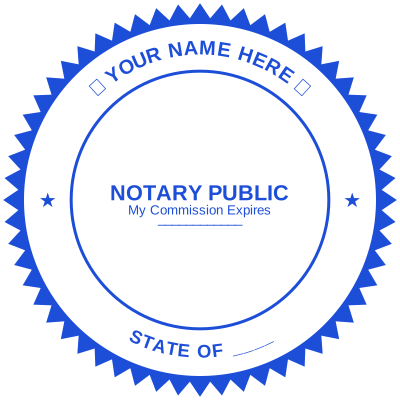
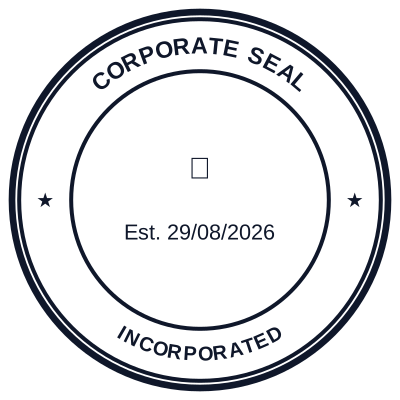
Open the stamp maker and start from any of these
No ink pad, no waiting for the post, no reorder when the address changes. A digital stamp is a file you design in the browser and put straight onto a PDF, a Word document or a printed page. This is the whole offer in one place: what you can make, what it costs, how it compares to the rubber article, and the questions people ask before they start.
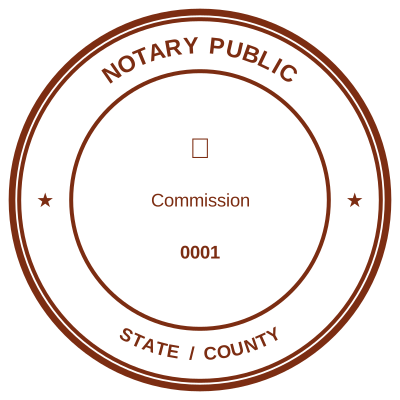

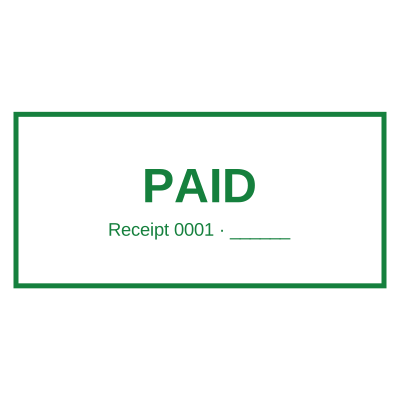
Open the stamp maker and start from any of these
How it works
Step one: design the stamp. Start from one of 225 templates or from an empty canvas. Change the wording, the shape, the ink colour and the border. Upload a logo and the white background is taken out so it prints as ink rather than as a white card. Preview at real size as you go, with nothing watermarked while you work.
Step two: put it on the document. Download it as a file, or apply it straight to a PDF or a Word document without leaving the browser. A hundred page document takes the same one pass as a single page.
Why Estamplab
Any shape, and the shape means something. Round, oval, rectangular, square, hexagon, octagon, triangle and shield, with borders you control. Round reads as identity, a rectangle reads as a form field, a triangle reads as an inspection mark. See round, square and oval stamps.
225 templates, free to open. Every one is a real starting layout rather than a picture of one, sorted into fifteen categories. Browse the template gallery.
A date that fills itself in. The single most common fault on a rubber dater is that it prints yesterday, because somebody has to turn three wheels every morning. Ours resolves on use. See the date stamp generator.
A serial number that cannot repeat. A locked sequence on a saved stamp issues each number once. A hand-turned numbering stamp cannot promise that. See the sequential number stamp generator.
Your logo, made to work as ink. One colour, white background removed, strokes you can thicken. See art and logo stamps.
Scripts that are not Latin. Chinese, Japanese, Korean, Arabic, Thai and Cyrillic set correctly in ring text. See the Chinese seal maker and hanko maker.
Signature and stamp together. Put a signature block inside the mark or beside it. See signature stamps.
It works on the documents you actually have. PDFs, Word files, spreadsheets, scans and Google Docs. See add a stamp to a PDF and add a seal to a Word document.
Make one in three steps
- Pick the type. A shape, or a template from the full list of stamp and seal types.
- Put your wording in. Company name, registration number, town. Add a date if the mark is a record, a serial if it has to be traceable, and a logo if you have one.
- Download it. PNG with a transparent background, JPG, SVG, print-ready PDF, EPS for a print shop, or Word with the date and serial still editable as text.
What you can make
By shape
- Round stamps and seals, the classic identity mark for company seals and certifications. See the round seal.
- Rectangle stamps, for address blocks, received marks and anything with straight lines of text. See the rectangle stamp.
- Oval stamps, common on notarial and medical marks. See the oval stamp maker.
- Square, hexagon, octagon, triangle and shield, for inspection, certification and crest marks. See the hexagon stamp and the shield seal.
Professional and business
- Engineer and architect seals, for drawings and approvals.
- Land surveyor seals, for plats.
- Medical stamps for prescriptions, records and certificates.
- Pharmacy stamps and veterinary stamps.
- Notary stamps and seals and legal and advocate stamps.
- Certified true copy stamps, with the wording and the signature line.
- Accountant, auditor and chartered accountant seals. See the CPA seal maker.
- Director, manager and authorised signatory marks. See the company director stamp.
- Sole proprietor and partnership firm marks. See the sole proprietorship stamp format.
- Consultant and freelancer marks. See the consultant stamp.
- Teacher and marking stamps, school and principal stamps and university and college seals.
Industry and government
- Bank stamps, including deposit endorsements.
- Seals for civil servants and ministry, county and registry marks.
- Inspection stamps and quality control marks.
- Courier and logistics stamps for both ends of a journey.
- Construction and site stamps, including submittal review marks.
- Real estate stamps and agency marks.
- Hotel and restaurant stamps.
- Church and charity seals, including donation receipts.
- Manufacturing, pharmaceutical, textile, electronics and mining marks. See the industry templates.
- Garage, petrol station and vehicle service marks. See the garage stamp.
By use case
- Received and paid stamps, the two most pressed marks in any office.
- Office stamps, the four an office actually presses.
- Official stamps, and what the word means when somebody asks for one.
- Confidential and draft stamps.
- Date stamps and custom band stamps.
- Numbering stamps that cannot repeat.
- Address stamps and return address marks.
- Art and logo stamps for packaging and branding.
- Monogram stamps, wedding stamps and gift and craft stamps.
- Wax and foil seals for certificates and stationery.
- Tender and bid stamps, for every page of a submission.
- HR and payroll stamps and library stamps.
That is a summary. The complete list is every stamp and seal we make, which runs to 369 types.
Digital or rubber
Ready when you are. A file is finished the minute you finish it. A rubber stamp is ordered, made and posted.
Editable. Change the address, the registration number or the colour and download it again. A rubber die is cut once, so a change is a new stamp.
Nothing runs out. No pad, no refills, no dried out mechanism in a drawer nobody opened for six months.
It reaches the document you actually have. Most documents arrive as PDFs and leave as PDFs. A rubber stamp cannot touch one without a printer, a press and a scanner, and it loses quality at both ends.
It costs less over its life. The purchase price of a rubber stamp is the small part. See what a rubber stamp actually costs.
Where rubber still wins. Envelopes, high-volume counters that stamp paper in front of a customer, and anywhere a physical impression is specifically required. Address stamps are the honest example. If you want the physical article made, design it here and send the SVG or the print-ready PDF to a stamp maker: a vector is a far better brief than a photograph of your letterhead.
What it costs
Designing and previewing are free. No account, no watermark in the editor. You pay for the file, not for the tool.
Pay as you go. 1.50 USD for a single format, or 3.00 USD for a zip containing every format. One stamped document, PDF or Word, is 2.00 USD.
Personal, 7.00 USD a month billed monthly, or 5.60 a month billed annually. Unlimited downloads in every format, unlimited saved stamps, a serial sequence per stamp, and stamping straight onto a PDF.
Business, 22.00 USD a month per seat billed monthly, or 17.58 billed annually. Everything in Personal, for a team.
Teams and bulk work. For volume document stamping or a corporate account, the pricing page has the request form.
Local currency is supported at checkout, including KES, NGN, ZAR, GHS, INR, AED, EUR, GBP, AUD and CAD, and payment by card, M-Pesa, mobile money, bank transfer, Apple Pay and Google Pay.
Questions people ask
Can I use the stamp on a PDF? Yes, and on Word documents, spreadsheets, scans and Google Docs. You can apply it to the file directly rather than downloading and placing it by hand.
Are there ready-made templates? 225 of them, in fifteen categories, all free to open and edit. See the template gallery.
Can I add my logo or my signature? Both. The logo has its white background taken out so it lands as ink rather than as a white box, and a signature can sit inside the mark or beside it.
What file formats do I get? PNG with a transparent background, JPG, SVG, print-ready PDF, EPS, and Word with the date and serial number still editable as text. Which one to use is set out in stamp file formats.
Can I edit a stamp after I have made it? Yes, on a plan: saved stamps stay in your account and can be reopened and changed. A single pay as you go download is the file as it was at that moment.
Are digital stamps legally valid? Acceptance depends on the document and the jurisdiction rather than on the stamp, and it differs sharply between the two. Plenty of everyday commercial documents are accepted with an applied mark; some official filings require a wet impression or a specific instrument. Check the requirement with the body receiving the document. Are digital stamps legal goes into it properly.
What is the difference between a digital stamp and a rubber one? A digital stamp is an image applied to a file or printed with the page. A rubber stamp is a physical die that puts ink on paper. This is a design tool for the first, and the artwork it produces is what a stamp maker needs to cut the second.
Can I store my stamps and come back to them? Yes, with an account. A saved stamp also keeps its serial sequence, which is what stops a number being issued twice.
Do you do bulk or enterprise work? Yes. The pricing page carries the request form for bulk document stamping and corporate accounts.
Can I make official stamps for contracts and invoices? You can make your own organisation's mark for them, which is what almost everybody asking that question needs. What you cannot make is a mark belonging to somebody else's office. Official stamps sorts out which one you have been asked for.
Read more: Stamp, seal or chop: which word your trade uses
The honest limits
Estamplab is a design tool. This page describes common commercial practice rather than giving legal, medical, tax or financial advice, and practice changes. What a notarial, professional or medical mark must carry is set by the authority that issued the commission, registration or licence, so check the requirement with them rather than with a page like this one.
A stamp records who issued a document. It does not prove who applied it, which is equally true of the rubber article, and it is why a mark sits beside a signature rather than in place of one on anything that matters. Only produce a mark you or your organisation are entitled to use.
Start from the full list of stamp and seal types, or open the stamp maker and put your own wording on a template.
Every kind of stamp and seal
- Notary stamps and seals
- Rubber stamps
- Rubber stamp maker
- Self-inking stamps
- Office stamps
- Official stamps
- Company seals
- Corporate stamps and seals
- Company chops
- Seals for civil servants
- Justice and court stamps
- Legal and advocate stamps
- Certified true copy stamps
- Medical stamps
- Pharmacy stamps
- Veterinary stamps
- Engineer and architect seals
- Land surveyor seals
- Bank stamps
- School and principal stamps
- Teacher and marking stamps
- University and college seals
- Library stamps
- Inspection stamps
- Courier and logistics stamps
- Construction and site stamps
- Real estate stamps
- Hotel and restaurant stamps
- Church and charity seals
- Tender and bid stamps
- HR and payroll stamps
- Received and paid stamps
- Confidential and draft stamps
- Signature stamps
- Date stamps
- Custom band stamps
- Numbering stamps
- Address stamps
- Monogram stamps
- Wedding stamps
- Gift and craft stamps
- Art and logo stamps
- Wax and foil seals
- Stamp or seal, by profession